What is in the slots: Card Cat
The seven slots of an Apple II took cards for everything: disk drives,
printers, clocks, sound, a mouse, more memory, another processor. A card
brings its own program, in a ROM that the machine sees at an address of its
slot, $Cn00 for slot n, and a program finds out what card is in a slot by
looking at that ROM. Apple settled on a few bytes in it to say what a card
is, and the rest is recognised by its code.
Card Cat is a modern program, by Henry Lowe, that does exactly that for every slot of the machine. This page runs it on an enhanced Apple //e with a card in each slot, and looks at the ROM of one of them.
What you need
Only izapple2: the disk of Card Cat 1.7 comes inside it. Card Cat is by Henry Lowe, and its latest version, which knows more cards, is on its page.
The machine
An enhanced Apple //e with a card in each slot:
- the 65C02 processor at 1 MHz and 64 KB of memory on the board, the top 16 KB of it the memory of a language card, which izapple2 puts in slot 0;
- a RAMWorks card in the auxiliary slot, the 80 column card with 8 MB of memory;
- a No-Slot Clock under the ROM;
- an Apple Parallel Interface card, for a printer, in slot 1, which writes
what it prints to the file
printer.out; - a VidHD card in slot 2;
- a FASTChip accelerator in slot 3;
- a Mockingboard sound card in slot 4;
- a ThunderClock Plus clock card in slot 5;
- a Disk II controller card in slot 6, with Card Cat in drive 1;
- a mouse card in slot 7.
izapple2 -model none -board 2e -cpu 65c02 -screen green \
    -rom "<internal>/Apple2e_Enhanced.rom" \
    -charrom "<internal>/Apple IIe Video Enhanced.bin" \
    -ramworks 8192 -nsc main \
    -s0 language \
    -s1 parallel,file=printer.out \
    -s2 vidhd \
    -s3 fastchip \
    -s4 mockingboard \
    -s5 thunderclock \
    -s6 'diskii,disk1=<internal>/Card Cat 1.7.dsk' \
    -s7 mouse
The enhanced Apple //e izapple2 starts with, its model 2enh, has the cards
of slots 2 to 4; the rest are added to it:
izapple2 -screen green -s1 parallel -s5 thunderclock -s7 mouse cardcat
Run it
-
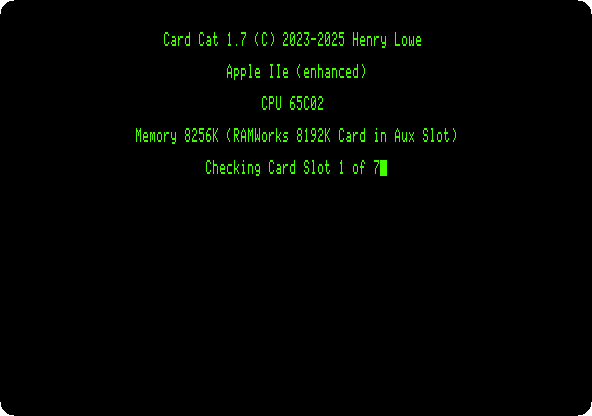
Start izapple2 with the command above. Card Cat starts from the disk, says what machine it is on, how much memory it has, and checks the slots one after the other.
-
Wait for the list.
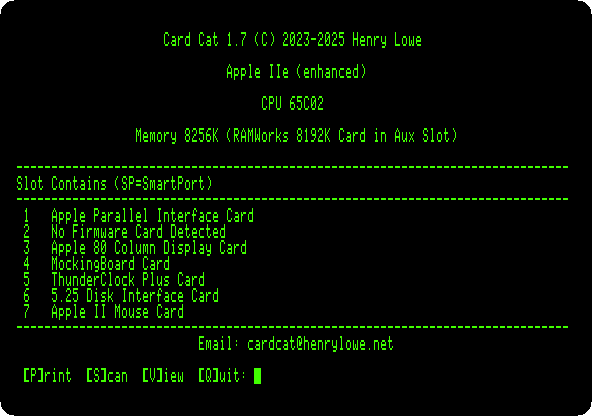
Every card but one is found by name. The VidHD in slot 2 shows as a card with no firmware. In slot 3 Card Cat finds the 80 column firmware of the //e, which takes slot 3 for itself, where the FASTChip is.
A card’s ROM
-
Press V, and then 7, to view the ROM of the mouse card.
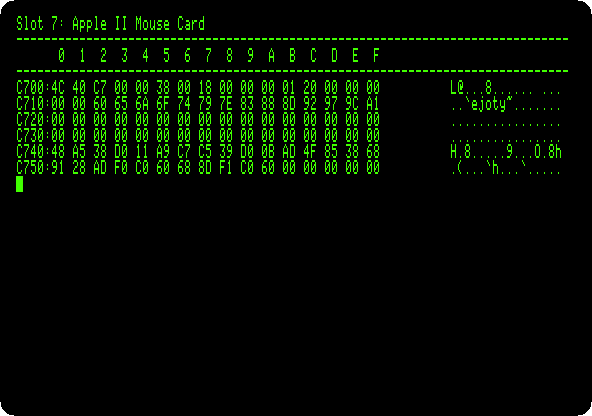
This is the page of slot 7, from
$C700. Its first bytes say what card it is, in the way Apple set with Apple Pascal 1.1:$38at$C705,$18at$C707and$01at$C70Bmean the card follows that convention, and$20at$C70Csays it is a mouse. The rest is the code a program calls to read the mouse, from the addresses listed at$C712.
What next
Apple II DeskTop uses the mouse card of slot 4, and The Mockingboard the sound card of slot 4.