Christmas songs on the Mockingboard
The Mockingboard played tones and noise on chips of its own, three voices on each, while the Apple went on with something else, and so it could play music in parts, as the speaker of the Apple II, a click at a time, could not. For Christmas of 1983 Sweet Micro Systems gave its owners a disk of songs: Mockingboard presents Holiday Music, seven Christmas songs, each with its words on the screen, made with Electronic Arts’ Music Construction Set.
This page starts it, plays its first song, Song of Joy, and records it.
What you need
Sweet Micro Systems Mockingboard presents Holiday Music.dsk, the disk
of 1983, from the
Internet Archive.
./fetch-disks.sh in this repository downloads it into disks/.
The machine
The Apple ][+ of The Mockingboard:
- the 6502 processor at 1 MHz, 48 KB of memory, and Applesoft BASIC in its ROM;
- the keyboard of the ][+, which types only capitals;
- a Mockingboard in slot 4, with two sound generators of three voices each;
- a Disk II controller card in slot 6, with the disk of songs in drive 1.
izapple2 -model none -board 2plus -cpu 6502 -screen color \
    -rom "<internal>/Apple2_Plus.rom" \
    -charrom "<internal>/Apple2rev7CharGen.rom" -forceCaps \
    -s4 mockingboard \
    -s6 "diskii,disk1=disks/Sweet Micro Systems Mockingboard presents Holiday Music.dsk"
The model 2plus of izapple2 has this machine, with a Language Card and a
Videx Videoterm 80 column card more:
izapple2 -model 2plus -screen color -s4 mockingboard "disks/Sweet Micro Systems Mockingboard presents Holiday Music.dsk"
The songs
-
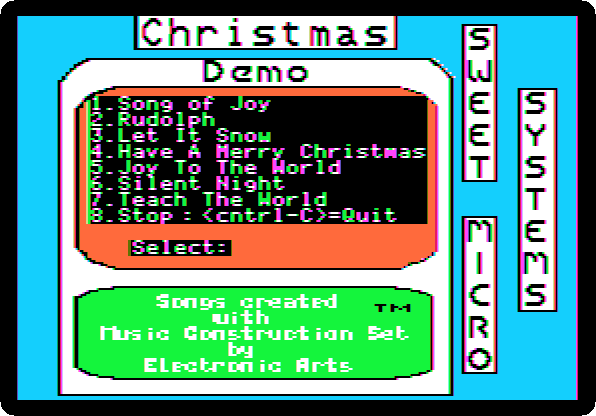
Start izapple2 with the command above. The disk starts, and draws its menu: seven songs, and 8 to stop.
-
Press 1, alone, with no Return: Song of Joy. After a few seconds on the disk, its page, with its words, and the song.
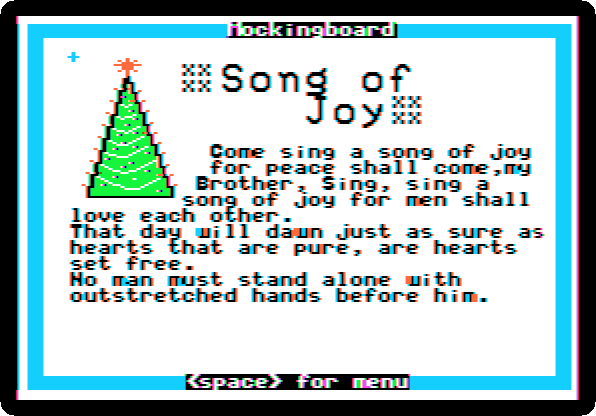
🔊 Listen to it, as izapple2 played it: the whole song, fifty seconds, before it starts again.
The song goes on, again and again, until a key: Space goes back to the menu, for another song.
What next
Next: 160 columns: the Videx Ultraterm.
The Mockingboard has the sound effects of its own demonstration disk.