160 columns: the Videx Ultraterm
An Apple ][+ writes 40 columns of capitals, and work with words or numbers wanted more. Videx of Oregon sold the cards for that: the Videoterm, 80 columns with lower case, became the usual one, and the Ultraterm came after it with more columns and more lines than a television could show, up to 160 across. The card has its own memory and its own character set, and draws the screen itself: the monitor is plugged into the card, not into the Apple II.
The Ultraterm came with a disk of utilities that starts with a demonstration of the card. This page watches it, and then runs a program of its own that puts the card in each of its modes, one after the other.
What you need
Videx Ultraterm Utilities disk.dsk, the disk of utilities of the card,
on the Asimov archive.
./fetch-disks.sh in this repository downloads it into disks/ and checks
it.
The Quick Reference Guide of the Ultraterm is on the Internet Archive.
The machine
An Apple ][+ with a Videx Ultraterm:
- the 6502 processor at 1 MHz, 48 KB of memory, and Applesoft BASIC in its ROM;
- the keyboard of the ][+, which types only capitals;
- a Videx Ultraterm card in slot 3;
- a Disk II controller card in slot 6, with the disk of the Ultraterm utilities in drive 1.
izapple2 -model none -board 2plus -cpu 6502 -screen green \
    -rom "<internal>/Apple2_Plus.rom" \
    -charrom "<internal>/Apple2rev7CharGen.rom" -forceCaps \
    -s3 videxultraterm \
    -s6 'diskii,disk1=disks/Videx Ultraterm Utilities disk.dsk'
The model ultraterm of izapple2 has this machine, with a Language Card
more and the disk of the utilities inside izapple2:
izapple2 -model ultraterm -screen green
Watch the demonstration
-
Start izapple2 with the command above. The Apple ][+ starts DOS from the disk on its own screen, and then the card takes over: izapple2 shows the picture of the Ultraterm instead, and Videx presents its card.

-
Wait for the pages. The demonstration writes them one after the other, each adding to the one before. The second lists the modes of the card, chosen by software:
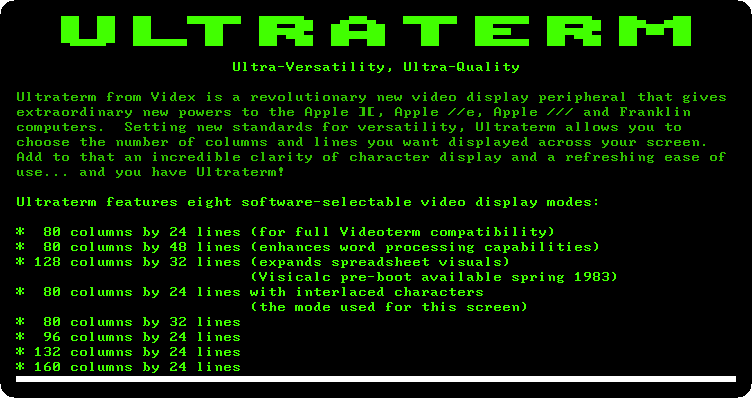
The page itself is in one of them, 80 columns by 24 lines with interlaced characters, and the characters are taller and finer than the Apple II’s own: 8 by 12 dots, where the Apple II has 5 by 7 in a cell of 7 by 8.
-
Wait for the firmware page.
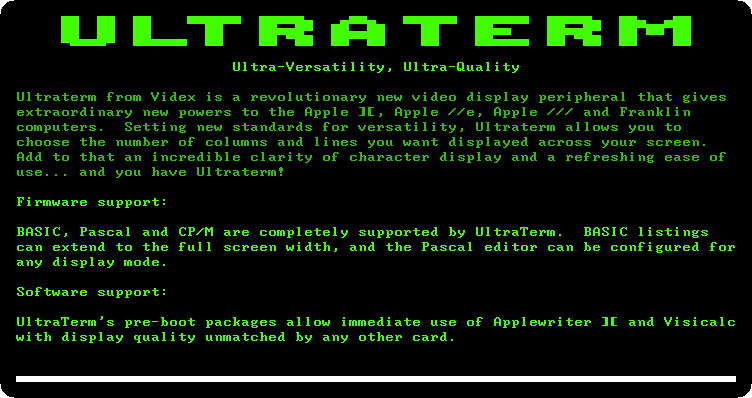
BASIC, Pascal and CP/M used the card through its firmware, and Videx had pre-boot disks to start Apple Writer ][ and VisiCalc with it.
The modes, one by one
-
Press Control-F2, Reset, to stop the demonstration, and type
PR#3to give the screen back to the card, andNEW. -
Type the program, each line with Return. It is also in listings/ultraterm-modes.bas.
10 REM THE EIGHT MODES OF THE ULTRATERM
20 V$ = CHR$ (22):L$ = CHR$ (12)
30 FOR M = 1 TO 8
40 READ C,L,N$
50 PRINT V$; CHR$ (48 + M);L$;
60 R$ = ""
70 FOR X = 3 TO C
80 D = X - INT (X / 10) * 10:T = INT (X / 10) - INT (X / 100) * 10
90 C$ = ".": IF D = 5 THEN C$ = "+"
100 IF D = 0 THEN C$ = STR$ (T)
110 R$ = R$ + C$
120 NEXT X
130 PRINT "MODE ";M;": ";C;" COLUMNS BY ";L;" LINES";N$
140 FOR Y = 2 TO L
150 PRINT RIGHT$ (" " + STR$ (Y),2);
160 IF Y < L THEN PRINT R$;
170 NEXT Y
180 GET K$
190 NEXT M
200 PRINT V$;"1";L$;
210 END
300 DATA 80,24,"",96,24,"",160,24,""
310 DATA 80,24,", INTERLACED",80,32,", INTERLACED"
320 DATA 80,48,", INTERLACED",132,24,", INTERLACED"
330 DATA 128,32,", INTERLACED"
A program chooses the mode by printing Control-V,
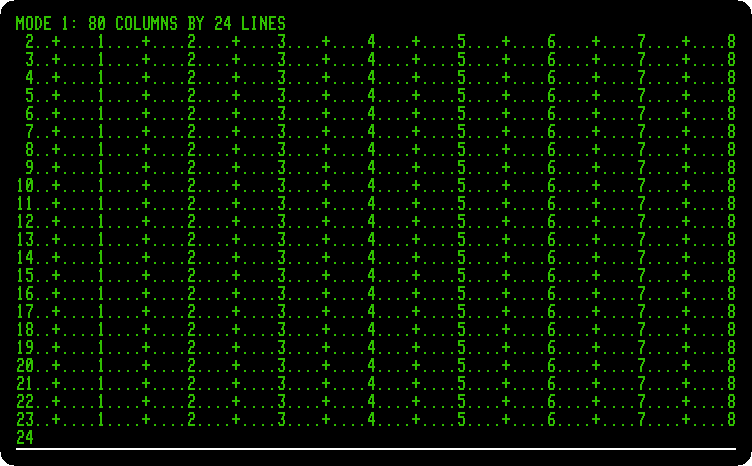
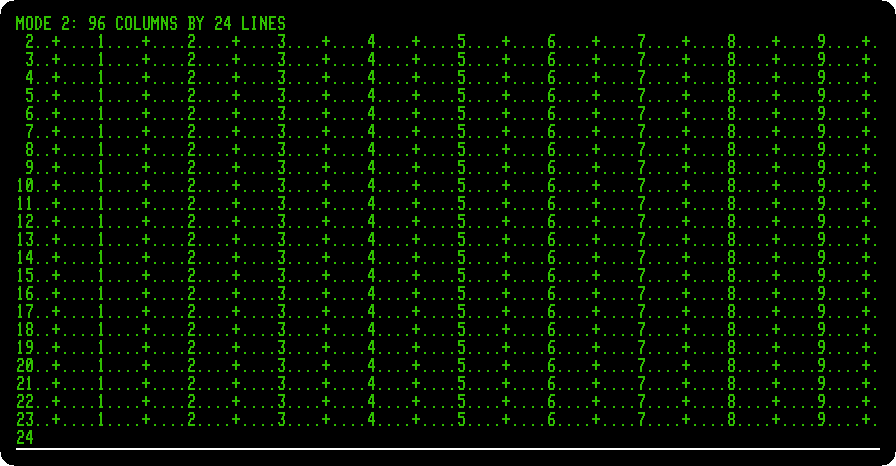
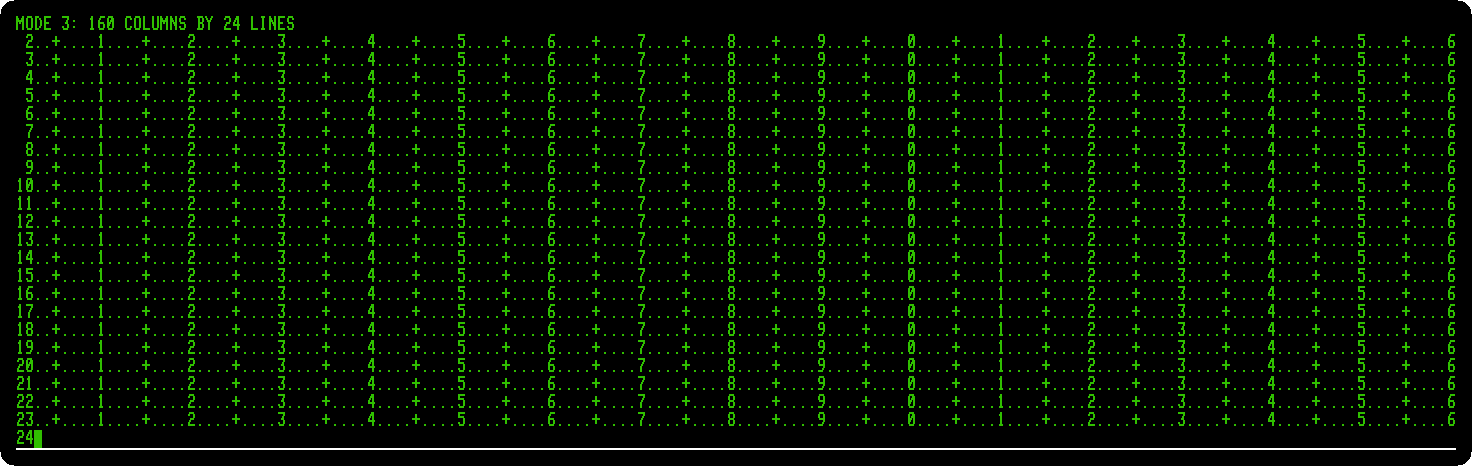
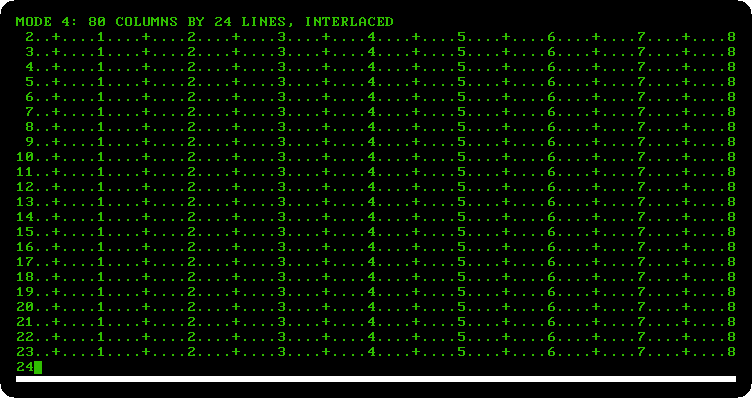
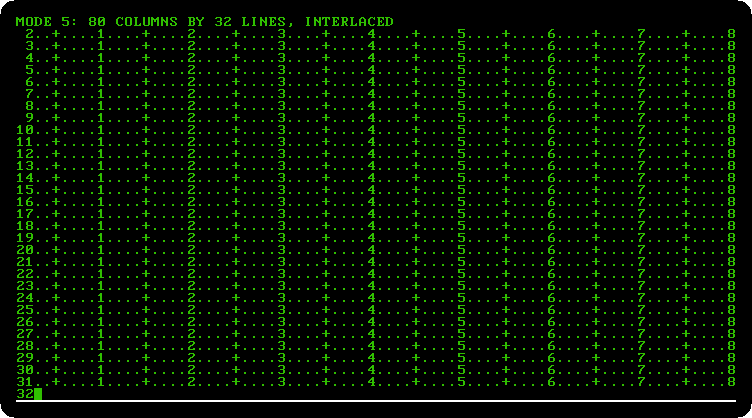
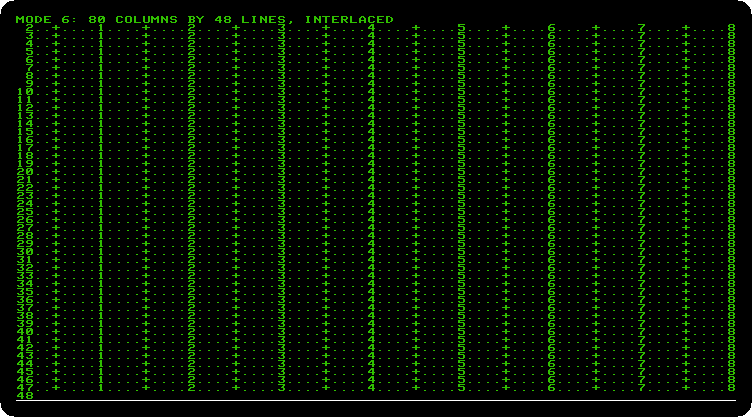
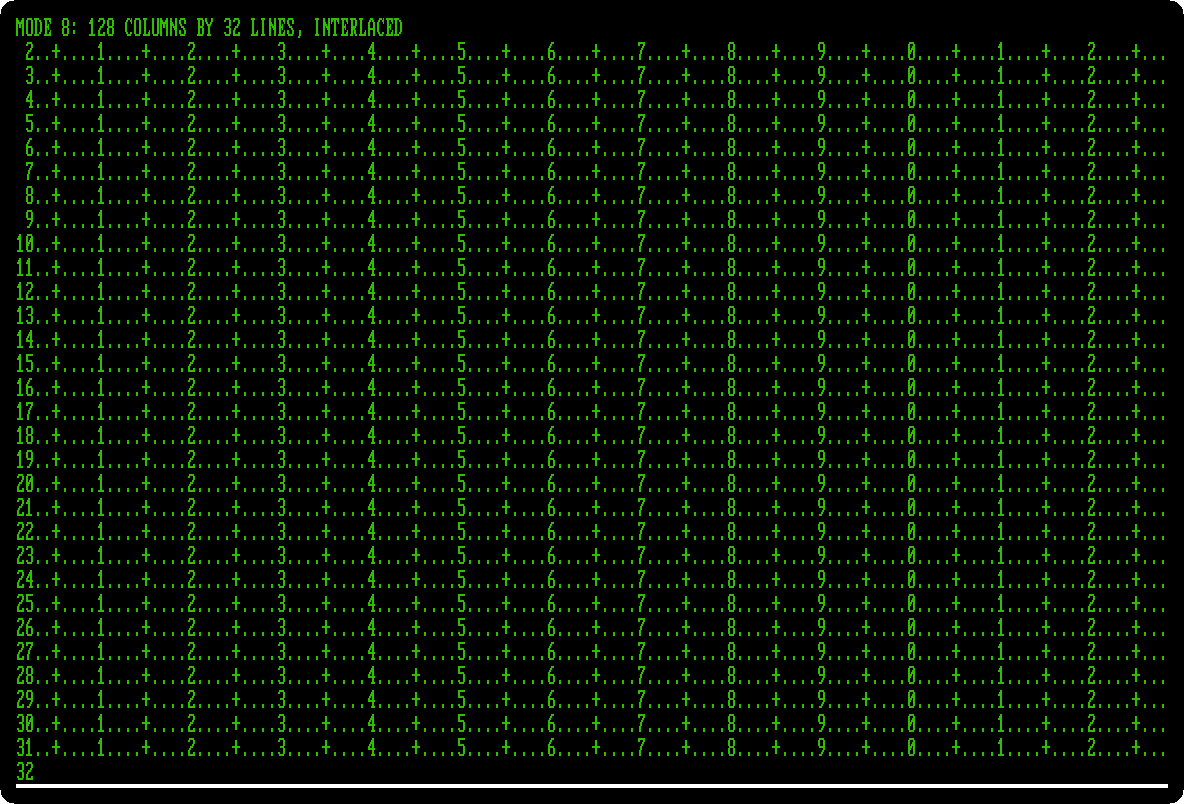
CHR$(22), and its number, from 1 to 8; from the keyboard it is Escape and the number. Control-L,CHR$(12), clears the screen. For each mode the program writes its name, and then a ruler on every line: a+every five columns, the tens every ten, and the number of the line at the left, so that the picture tells how many columns and lines there are. -
Type
RUN, and press Space for each next mode. The pictures are the size of the screen the card draws: wider for more columns, taller for more lines.Mode 1, 80 columns by 24 lines, as the Videoterm before it:
Mode 2, 96 by 24, the characters closer together:
Mode 3, 160 by 24, twice the dots across:
Mode 4, 80 by 24 interlaced: the odd lines of dots in one frame and the even ones in the next, with the finer characters of the card, those of the demonstration:
Mode 5, 80 by 32, interlaced:
Mode 6, 80 by 48, interlaced, with the plain characters, half as tall, for word processing:
Mode 7 is 132 by 24, interlaced, the width of a printer’s line; izapple2 does not show it right yet, its lines run on across the screen, so it has no picture here.
Mode 8, 128 by 32, interlaced, which the demonstration offered for spreadsheets:
After the last one the program sets mode 1 again.
What next
CP/M on the Z80 SoftCard runs on an Apple ][+ too, and its programs were written for terminals of 80 columns.