Logo and its turtle
Logo was made at the end of the sixties, at Bolt Beranek and Newman and at MIT, by Wally Feurzeig, Seymour Papert and Cynthia Solomon, as a language for children to learn with: a turtle on the floor, or on the screen, that goes forward and turns as it is told, drawing its path, and procedures that teach it new words. In the eighties it came to the school computers, and on the Apple II as Apple Logo, made for Apple by Logo Computer Systems, in 1982.
This page starts Apple Logo, prints words and lists, moves the turtle by hand, teaches it a square, a flower made of squares and a spiral that calls itself, and saves what it learnt on the diskette.
What you need
Apple LOGO.dsk, the Apple Logo disk, on the
Asimov archive.
./fetch-disks.sh in this repository downloads it into disks/ and checks
it. izapple2 writes into it the procedures the page saves.
The Apple Logo Reference Manual of 1982 is on the Internet Archive.
The machine
An Apple ][+ with 64 KB and one disk drive:
- the 6502 processor at 1 MHz, 48 KB of memory, and Applesoft BASIC in its ROM;
- the keyboard of the ][+, which types only capitals;
- a 16 KB Language Card in slot 0: Apple Logo needs 64 KB, and does not start without it;
- a Disk II controller card in slot 6, with the Logo disk in drive 1.
izapple2 -model none -board 2plus -cpu 6502 -screen green \
    -rom "<internal>/Apple2_Plus.rom" \
    -charrom "<internal>/Apple2rev7CharGen.rom" -forceCaps \
    -s0 language \
    -s6 'diskii,disk1=disks/Apple LOGO.dsk'
The model 2plus of izapple2 has this machine, with a Videx Videoterm 80
column card more:
izapple2 -model 2plus -screen green "disks/Apple LOGO.dsk"
Words and lists
-
Start izapple2 with the command above. After the drive, Logo clears the screen and waits at its prompt,
?. -
Type these lines, each with Return:
PRINT [HELLO FROM LOGO]
PRINT 3 * 4 + 1
PRINT FIRST [TURTLE GRAPHICS]
PRINT BUTFIRST "TURTLE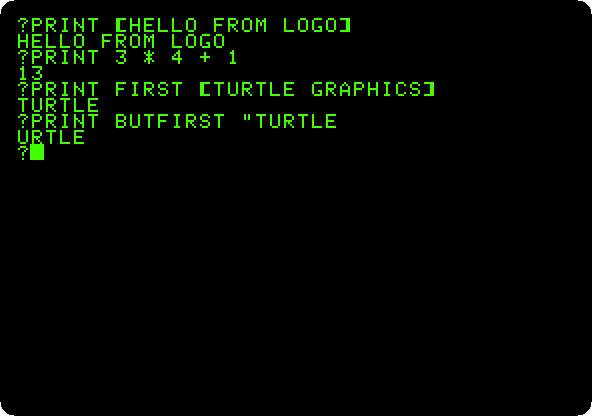
Logo works with words and lists as well as with numbers: a list is in brackets, a word starts with a quote.
FIRSTtakes the first item of a list, or the first letter of a word, andBUTFIRSTall but the first.
The turtle
-
Move the turtle:
FORWARD 60,RIGHT 90,FORWARD 60,RIGHT 135andFORWARD 85.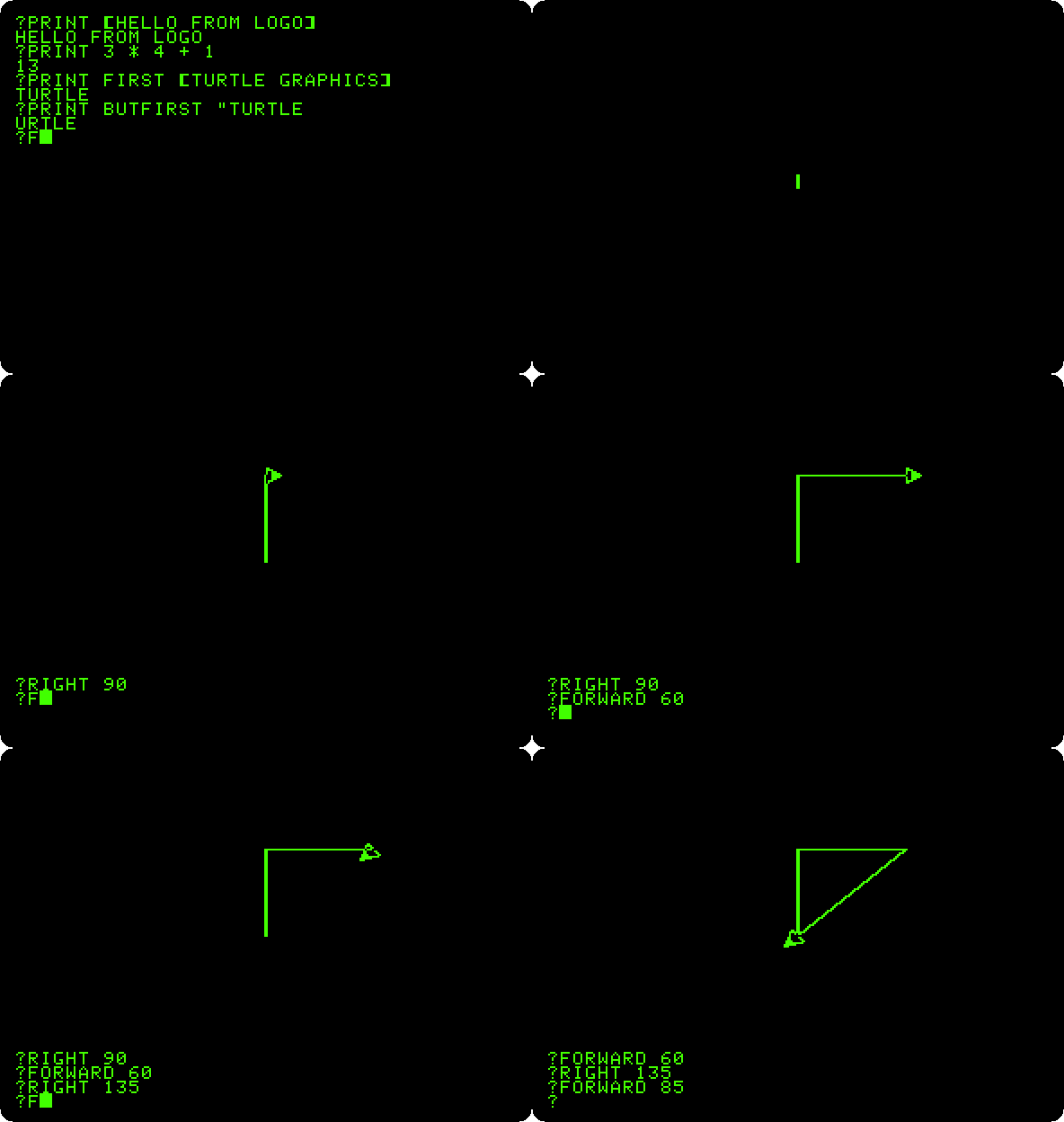
The first
FORWARDchanges the screen to the high resolution graphics, with four lines of text at the bottom. The turtle is the triangle, in the middle and pointing up when it starts;RIGHTturns it, in degrees, andFORWARDmoves it, drawing. -
Teach it a square, and draw two:
CLEARSCREEN
TO SQUARE :SIZE
REPEAT 4 [FORWARD :SIZE RIGHT 90]
END
SQUARE 40
SQUARE 70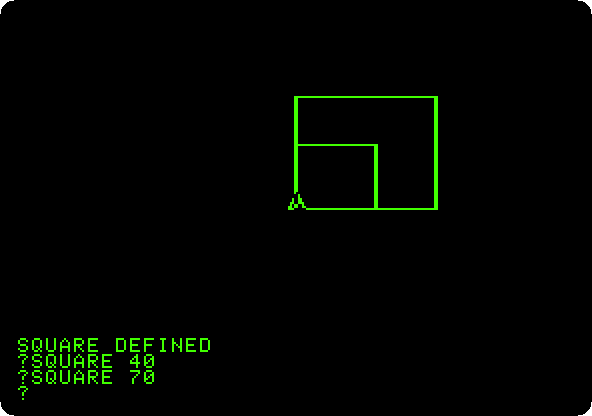
TOstarts a procedure, a new word of Logo, andENDends it; Logo prompts with>while you type it.:SIZEis its input, the number given afterSQUARE, andREPEAT 4does the list after it four times. TypeTEXTSCREENto see the whole text again.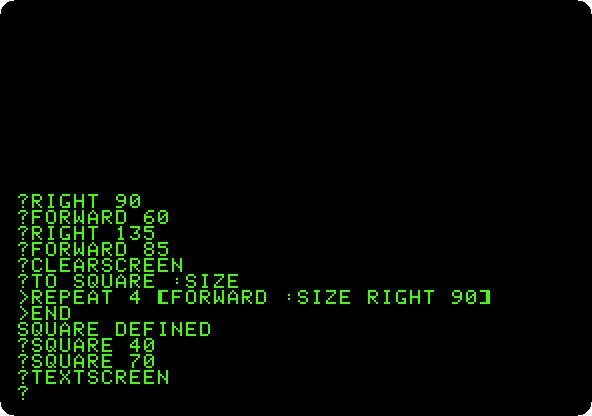
Procedures of procedures
-
Make a flower of squares:
CLEARSCREEN
TO FLOWER
REPEAT 36 [SQUARE 60 RIGHT 10]
END
FLOWER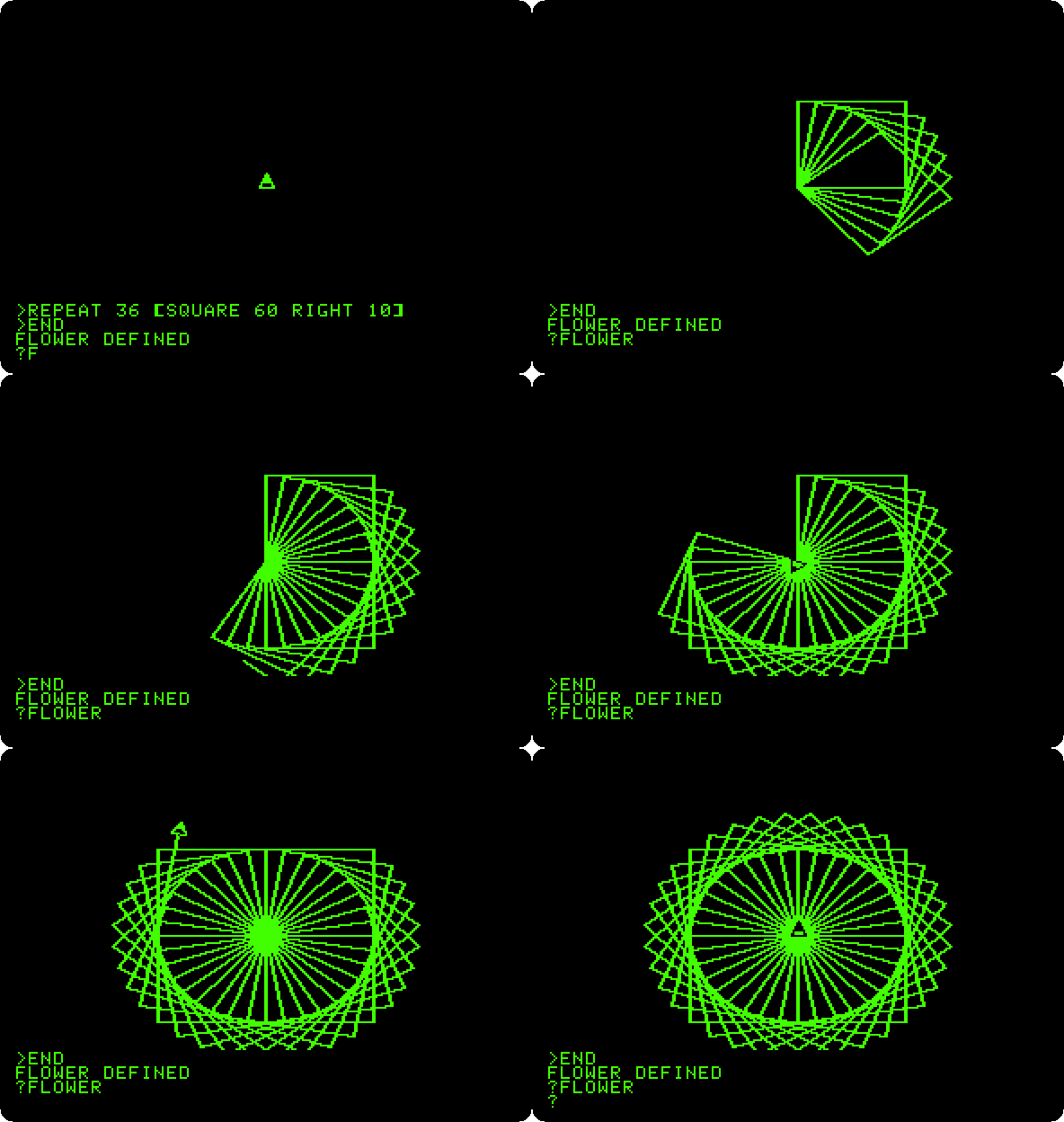
FLOWERusesSQUAREthe same as the words Logo came with: 36 squares, each turned 10 degrees from the one before, the whole turn. It takes about fifteen seconds; the recording is at the speed of the machine. -
Make a spiral that calls itself:
CLEARSCREEN
TO SPIRAL :SIDE
IF :SIDE > 120 [STOP]
FORWARD :SIDE
RIGHT 121
SPIRAL :SIDE + 3
END
SPIRAL 1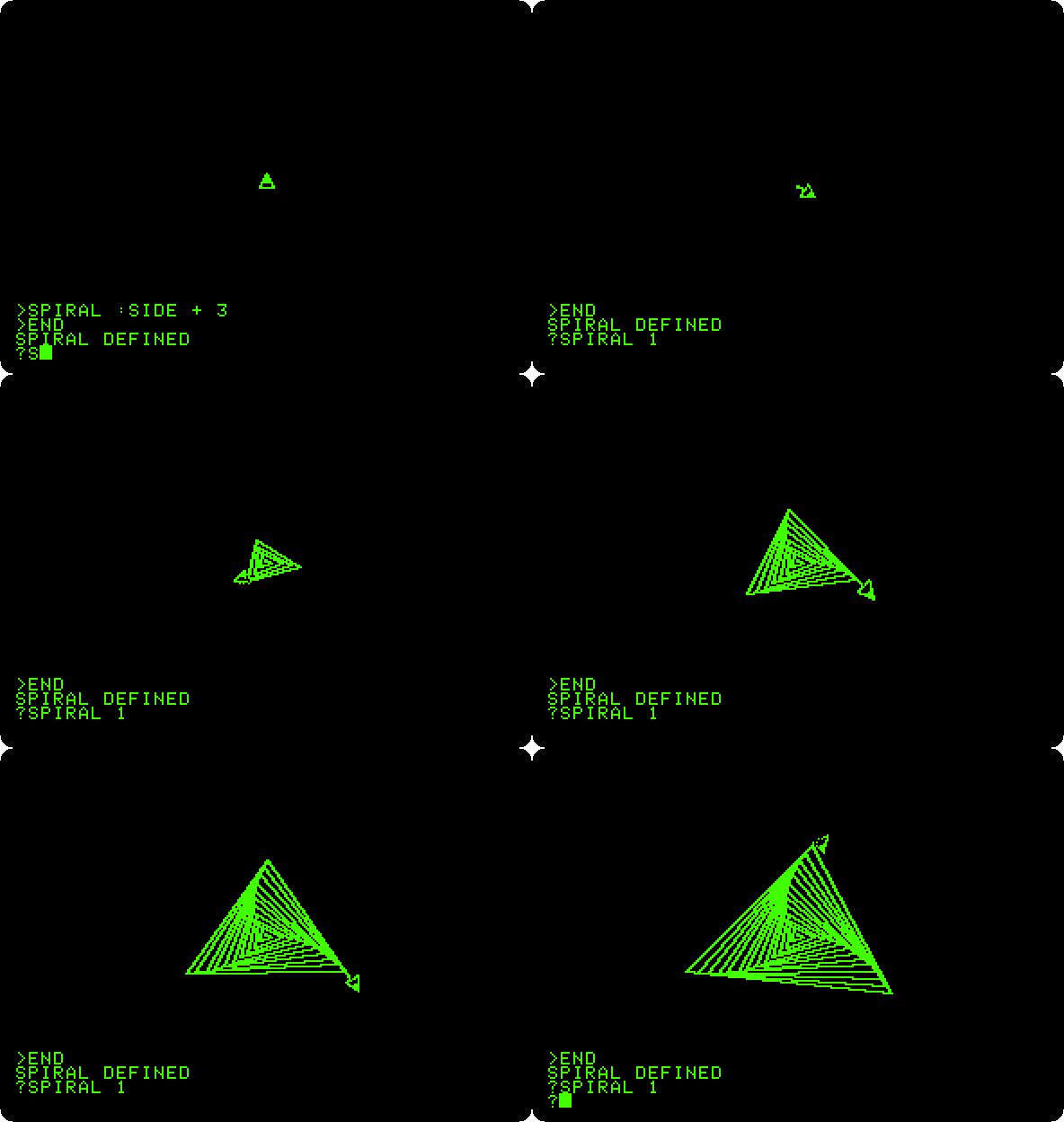
SPIRALdraws one side, turns, and callsSPIRALagain with a longer side, untilIFfinds it longer than 120 andSTOPs. Turning 121 degrees, a little more than a third of a turn, turns each triangle a little from the one before.
Saved on the diskette
-
Type
TEXTSCREEN,POTS,SAVE "SHAPESandCATALOG.POTSprints the titles of the procedures,SAVEwrites them all to the diskette in a file, andCATALOGlists the diskette, a disk of DOS 3.3.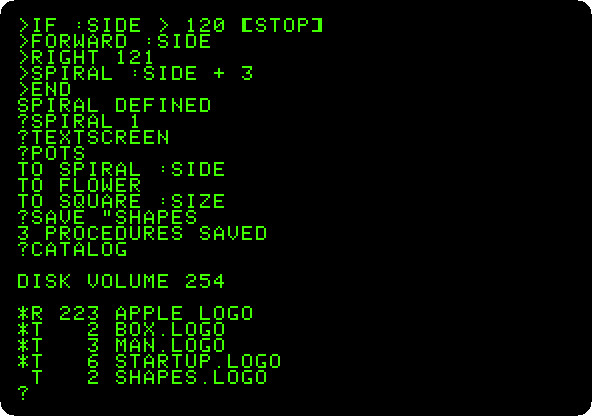
SHAPES.LOGOis there now, next to Logo itself and the files that came with it.LOAD "SHAPESbrings the procedures back another day.
What next
Apple Pascal has a turtle too, in its unit TURTLEGRAPHICS,
for programs that are compiled.