Apple Pascal
Pascal was the language for teaching programming at the end of the seventies, and the University of California, San Diego had a version of it that ran the same on very different computers: UCSD Pascal compiled programs not into the code of a processor but into p-code, for a machine of its own that an interpreter ran. The p-System came with its own editor, filer, compiler, assembler and linker, and Apple adapted it as Apple Pascal, in 1979, with libraries of its own for the machine, among them turtle graphics, to draw by steering a turtle, as in Logo.
This page starts Apple Pascal 1.3, the last version, on an enhanced Apple //e with four disk drives, looks at a disk with the Filer, writes a program in the editor, and compiles and runs it.
What you need
Only izapple2: the disks of Apple Pascal 1.3 come inside it. The originals,
the four disks APPLE0 to APPLE3 as Apple sold them, are in the woz-a-day
collection of the
Internet Archive, but izapple2 cannot write to their WOZ images yet, and the
system writes your program to its disk.
The Apple Pascal Operating System Reference Manual is on the Internet Archive.
The machine
An enhanced Apple //e with two disk drives:
- the 65C02 processor at 1 MHz and 128 KB of memory: 64 KB on the board, the top 16 KB of it the memory of a language card, which izapple2 puts in slot 0, and 64 KB more on the extended 80 column card, in the auxiliary slot;
- a Disk II controller card in slot 6, with
APPLE1, the disk it starts from, in drive 1, andAPPLE2, with the compiler, in drive 2.
izapple2 -model none -board 2e -cpu 65c02 -screen green \
    -rom "<internal>/Apple2e_Enhanced.rom" \
    -charrom "<internal>/Apple IIe Video Enhanced.bin" \
    -s0 language \
    -s6 'diskii,disk1=<internal>/Apple II Pascal 1.3 APPLE1_ 680-0283-A.dsk,disk2=<internal>/Apple II Pascal 1.3 APPLE2_ 680-0284-A.dsk'
The model pascal of izapple2 has this machine, with 8 MB more of memory on
a RAMWorks card, a No-Slot Clock, a VidHD card, a FASTChip accelerator and a
Mockingboard more, and a second Disk II controller in slot 5 with APPLE3
and APPLE0:
izapple2 -model pascal -screen green
Start it
-
Start izapple2 with the command above. Apple Pascal starts from
APPLE1, greets you in 80 columns, and shows its command line at the top of the screen: each command is one key, the letter before the parenthesis.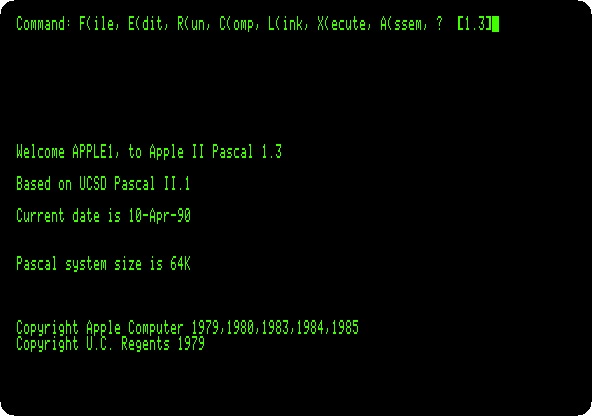
The date is the one kept on the disk, not the one of the clock of the machine.
The Filer
-
Press F for the Filer, then L to list a directory, and type
*and Return:*is the disk the system started from.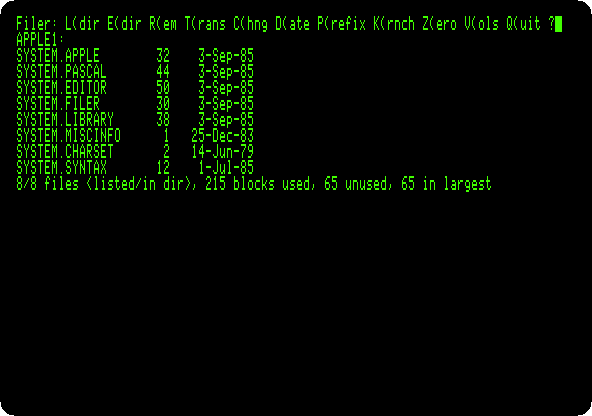
The disks of the p-System are volumes, with names: this is
APPLE1:. The sizes are in blocks of 512 bytes.SYSTEM.PASCALis the system itself,SYSTEM.EDITORthe editor andSYSTEM.FILERthe Filer, each loaded from the disk when its command is given. Press Q to leave the Filer.
A program
-
Press E for the editor, and Return to start a new file. Press I to insert, type the program, and press Control-C to end the insertion (Escape would throw it away):
(*$S+*)
program spiral;
uses turtlegraphics;
var i: integer;
begin
initturtle;
pencolor(white);
for i := 1 to 90 do
begin
move(i * 2);
turn(89)
end;
readln
end.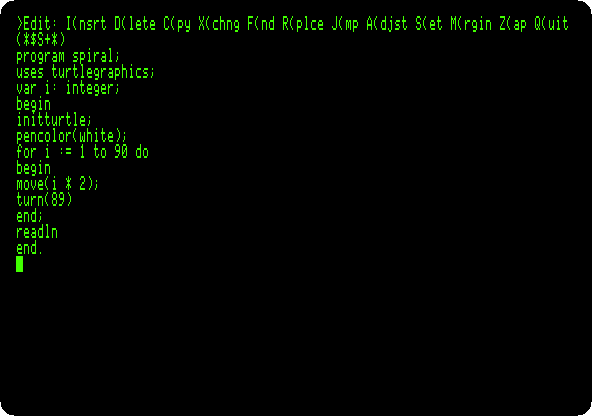
The editor keeps the indentation of the line above, so the program is typed without any. The program draws ninety lines with the turtle, each longer than the one before, turning 89 degrees after each: a square that does not quite close, and turns as it grows.
(*$S+*)is an option for the compiler, not part of the program: it makes the compiler swap its parts in and out of memory, to leave room for the turtle graphics. The system says it has 64 KB, and the compiler stops for lack of memory without it. -
Press Q to quit the editor, U to keep the program in the work file, and E to go back to the command line.
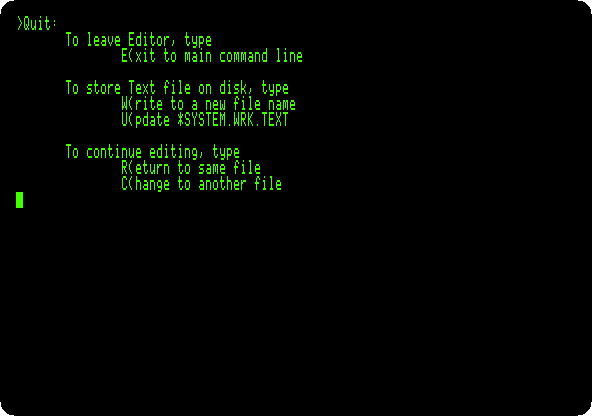
The work file,
SYSTEM.WRK.TEXT, is the program the commands of the command line work on.
Compile and run
-
Press R to run it. The work file has not been compiled, so the compiler starts first. It asks for a listing file: press Return for none. It reads the turtle graphics unit,
TURTLEGR, from the library, and the program, a dot for each line.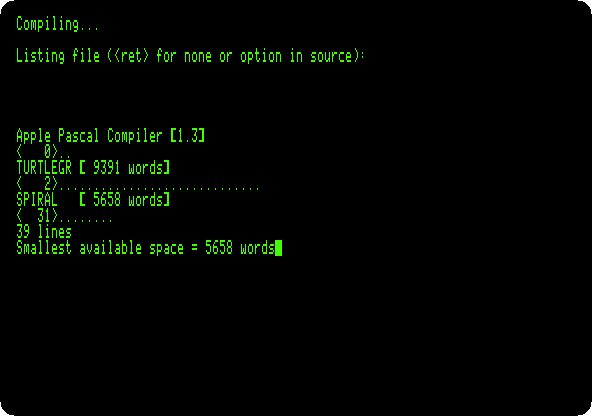
-
Watch it run. The screen changes to the high resolution graphics, and the turtle draws. Press F6 in izapple2 for colour.
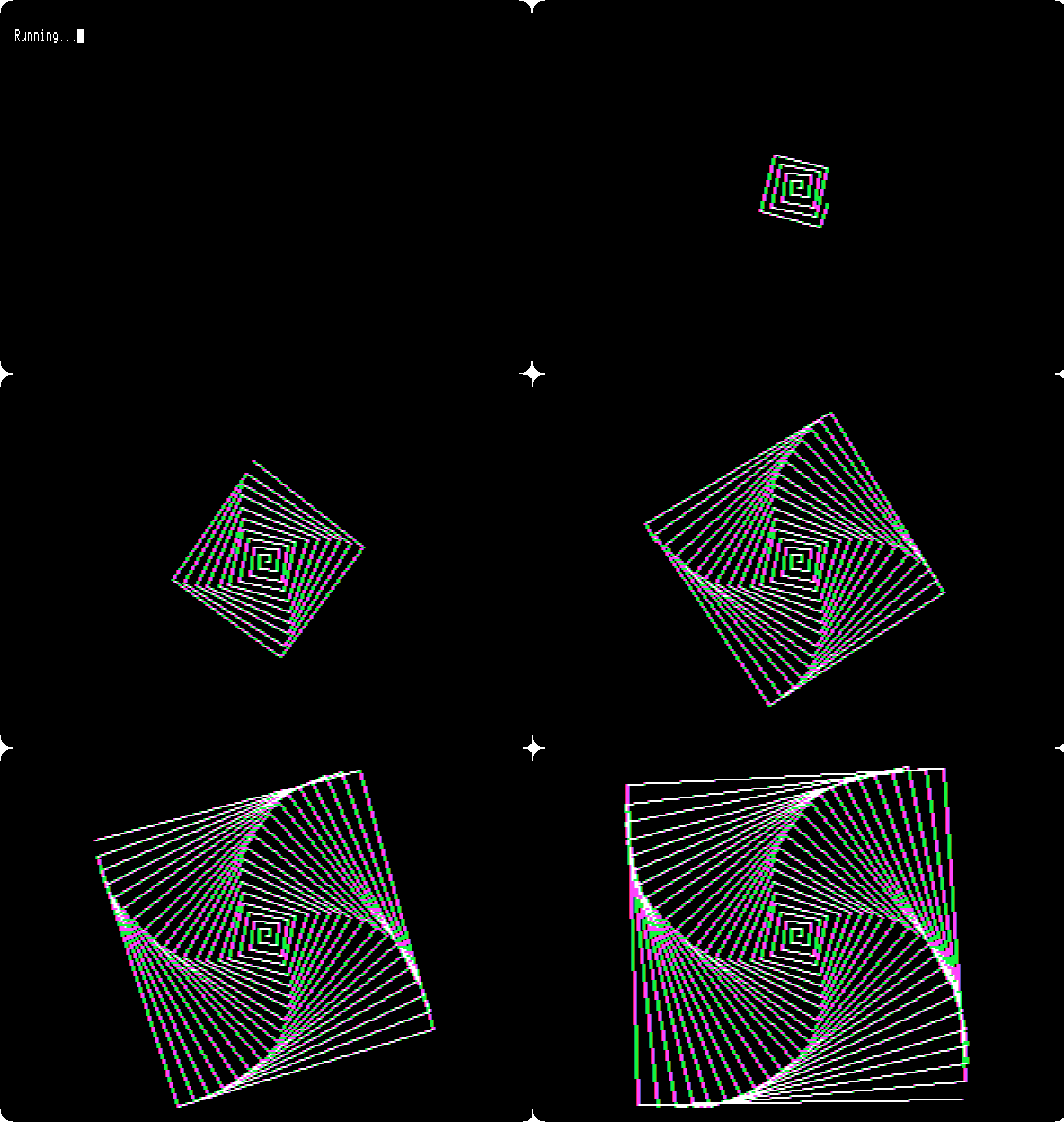
Press Return to end the program, which waits for it with
readln, and go back to the command line.
What next
The Apple ][ of 1977 has the Mini-Assembler, machine code
written a line at a time; the p-System has a full assembler, A(ssem.