Total Replay
Total Replay is a modern collection, put together by 4am and released for free: hundreds of Apple II games on one hard disk image, each started from a single launcher, with the copy protection taken out of every one so that they run from a hard disk. Its launcher shows the box art of the games in the Super Hi-Res graphics of the Apple IIgs when it finds a VidHD, a modern card that gives those graphics to an Apple //e.
This page starts Total Replay on an enhanced //e with a VidHD, looks at its attract mode, and finds and starts a game.
What you need
Total Replay v6.1.hdv, Total Replay 6.1, from the
Internet Archive. It is a 32 MB
hard disk image. ./fetch-disks.sh in this repository downloads it into
disks/.
The machine
An enhanced Apple //e with Total Replay as its hard disk:
- the 65C02 processor at 1 MHz and 128 KB of memory: 64 KB on the board, the top 16 KB of it the memory of a language card, which izapple2 puts in slot 0, and 64 KB more on the extended 80 column card, in the auxiliary slot;
- a VidHD card in slot 2, for the Super Hi-Res graphics;
- a hard disk interface, SmartPort, in slot 7, with Total Replay.
izapple2 -model none -board 2e -cpu 65c02 -screen color \
    -rom "<internal>/Apple2e_Enhanced.rom" \
    -charrom "<internal>/Apple IIe Video Enhanced.bin" \
    -s0 language \
    -s2 vidhd \
    -s7 'smartport,image1=disks/Total Replay v6.1.hdv'
The enhanced Apple //e izapple2 starts with, its model 2enh, has this
machine, with 8 MB more of memory on a RAMWorks card, a No-Slot Clock, a
FASTChip accelerator, a Mockingboard and a Disk II controller more:
izapple2 -screen color "disks/Total Replay v6.1.hdv"
The launcher
-
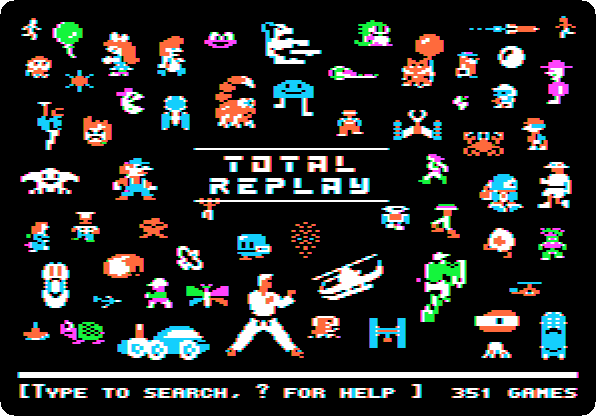
Start izapple2 with the command above. The machine starts from the hard disk in slot 7, and the launcher of Total Replay comes up: the characters of its games around its name, and the number of games at the bottom.
-
Wait. Left alone, the launcher shows its games one after the other, the box art of some in Super Hi-Res, the title screens of others.

Super Hi-Res is 320 dots across with 16 colours of 4096 for each line, the graphics of the Apple IIgs; the //e had nothing like it until the VidHD.
Play a game
-
Press Escape, to go back to the launcher, and type
karateka. The launcher finds the game as you type, and shows its title.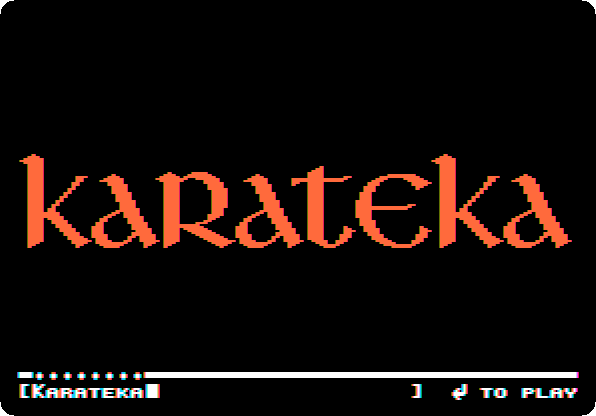
-
Press Return. The box art of Karateka, Jordan Mechner’s game of 1984, and the game itself.

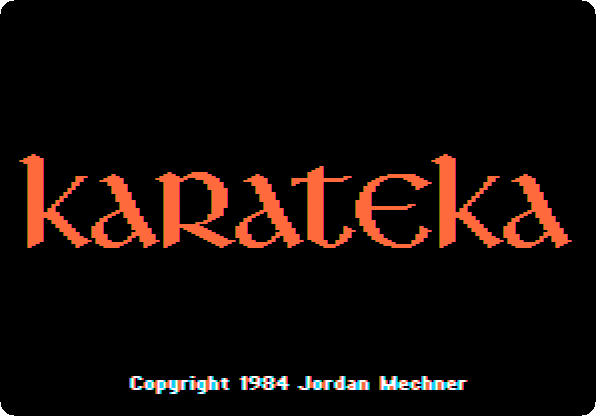
Reset, Control-F2 in izapple2, goes back to the launcher from any game. Type
?in the launcher for its help.
What next
Lode Runner is one of the games of Total Replay, started there from a copy of its own disk, protection and all.