Forth in ROM
Forth is a language made of words: each does something to a stack of numbers, and a program is new words defined from the ones there are, until there is one for the whole job. It needs little memory and runs fast, close to the machine, and in the early eighties it had a following among owners of small computers who found BASIC slow and assembler hard.
Offete Industries sold a card that put FORTH-79 in the ROM of an Apple ][+, there when the machine is switched on, the way Applesoft is. This page switches on that machine, uses some words and defines new ones, with loops and decisions, and then goes to the machine itself, as Forth programmers did: memory read in hexadecimal, the speaker clicked into a tone, and the graphics painted a byte at a time.
What you need
Only izapple2: the ROM of the Forth card comes inside it. The reference manual of this Forth is on the Internet Archive.
The machine
An Apple ][+ with Forth in ROM:
- the 6502 processor at 1 MHz, 48 KB of memory, and Applesoft BASIC in its ROM;
- the keyboard of the ][+, which types only capitals;
- the Forth ROM card of Offete Industries in slot 0;
- no disk controller card: Forth starts from the card.
izapple2 -model none -board 2plus -cpu 6502 -screen green \
    -rom "<internal>/Apple2_Plus.rom" \
    -charrom "<internal>/Apple2rev7CharGen.rom" -forceCaps \
    -s0 forthrom
The model forth of izapple2 has this machine, with a Videx Videoterm 80
column card more:
izapple2 -model forth -screen green
Switch it on
-
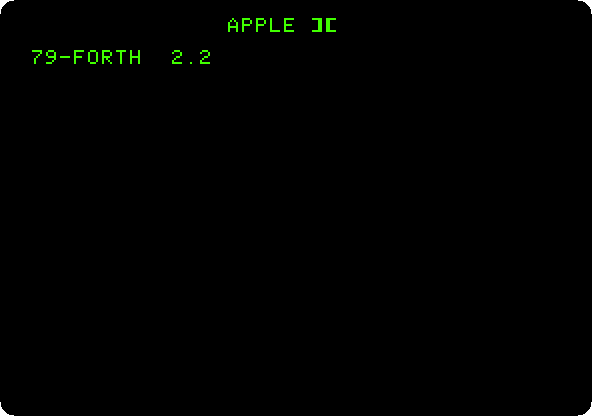
Start izapple2 with the command above. The Apple ][+ writes its name, and the card starts Forth, which says its version and waits.
Words
-
Type these lines, each with Return:
2 3 + .
: SQUARE DUP * ;
7 SQUARE .
: STARS 0 DO 42 EMIT LOOP ;
10 STARS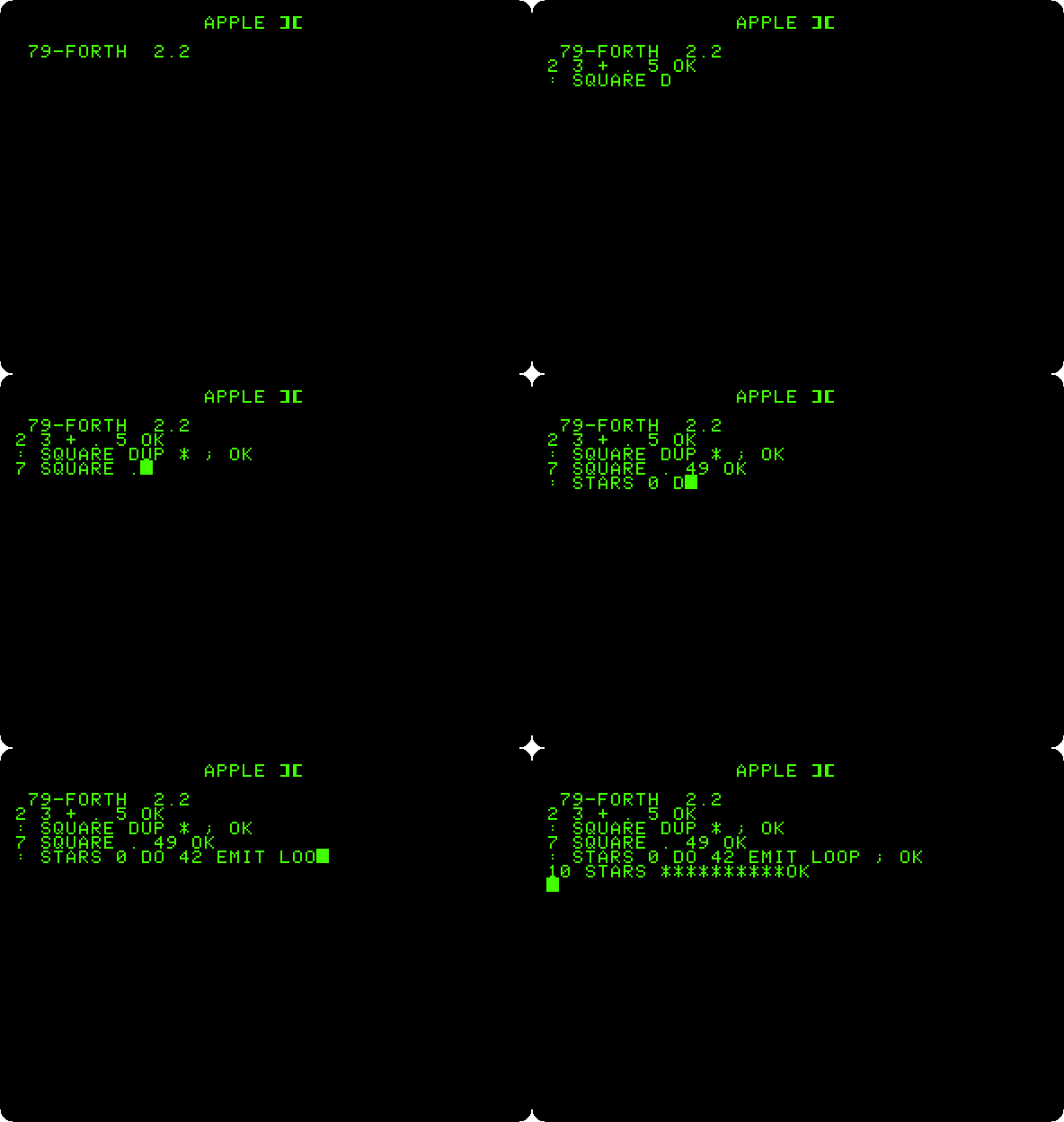
2 3 + .puts 2 and 3 on the stack,+adds them, and.prints the result and takes it off. Forth answersOKafter each line.: SQUARE DUP * ;defines a new word,SQUARE, from:to;: it duplicates the number on the stack withDUPand multiplies it by itself.7 SQUARE .prints 49.STARSloops from 0 to the number on the stack, and each timeEMITwrites the character 42, an asterisk.
Loops and decisions
-
Type these lines, each with Return:
: PYRAMID 1+ 1 DO CR I STARS LOOP ;
8 PYRAMID
: COUNTDOWN BEGIN DUP . 1- DUP 0= UNTIL DROP ;
10 COUNTDOWN
: SIGN? 0< IF ." NEGATIVE" ELSE ." NOT NEGATIVE" THEN ;
-5 SIGN?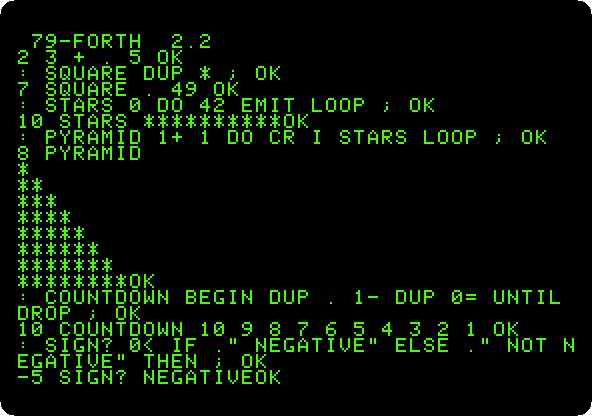
PYRAMIDis made ofSTARS, the word you defined before: a word is used the same whether it came in the ROM or you wrote it.Iis the number of the turn of the loop, andCRstarts a new line.COUNTDOWNprints the number on the stack and takes one off,1-, fromBEGINuntil it is 0.SIGN?decides withIF,ELSEandTHEN, which comes last, after what to do in each case.."prints the text up to the next quote.
The machine underneath
-
Type
HEX,F800 20 DUMP, andFF DECIMAL . HEX.HEXmakes Forth read and write numbers in hexadecimal, as the addresses of the machine are written, untilDECIMAL.DUMPshows 32 bytes of memory fromF800, the start of the Monitor in the ROM: its machine code, byte by byte, and its characters at the left.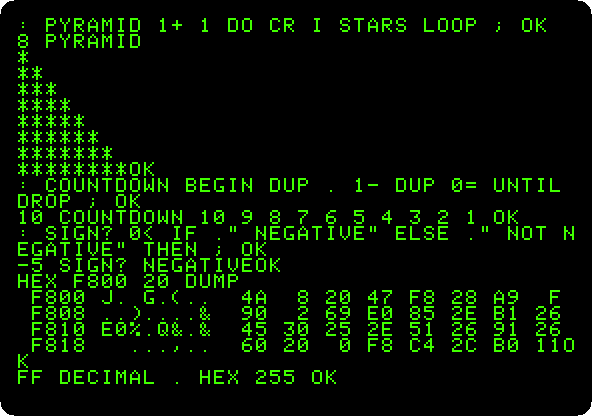
FF DECIMAL .readsFFin hexadecimal and prints it in decimal, 255. Forth stays in hexadecimal now, for the next steps. -
Make the speaker sound:
: CLICK C030 C@ DROP ;
: TONE 0 DO CLICK 20 0 DO LOOP LOOP ;
200 TONE
The speaker of the Apple II is moved by reading the address
C030:C@reads the byte there, andDROPthrows it away, as the reading is all that matters.TONEclicks it as many times as the number on the stack,200, 512 in decimal, with an empty loop between two clicks to wait.🔊 Listen to it, a low buzz of about four seconds: each turn of the loops runs a few words of Forth, and the clicks come slowly.
-
Define the words of the graphics:
: GRAPHICS C050 C@ DROP C056 C@ DROP C052 C@ DROP ;
: NORMAL C051 C@ DROP 400 400 A0 FILL ;
: BARS 400 0 DO 78 0 DO I 28 MOD 2 * 5 / 11 * J I + 400 + C! LOOP 80 +LOOP ;
: SHOW GRAPHICS BARS KEY DROP NORMAL ;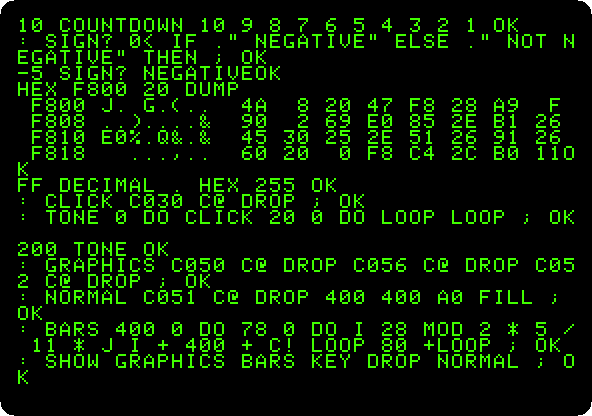
Reading
C050switches the screen to graphics,C056to low resolution andC052to the whole screen;C051back to text. The low resolution graphics are the memory of the text, from400to7FF, shown as blocks: each byte is two blocks, one above the other, its two halves the colours.BARSwrites each byte withC!, a colour from 0 to 15 by its column, in both halves,11 *.NORMALfills the memory with spaces,A0, so that the text screen is clean again. -
Type
SHOW, and press a key when the bars are drawn. Press F6 in izapple2 for colour.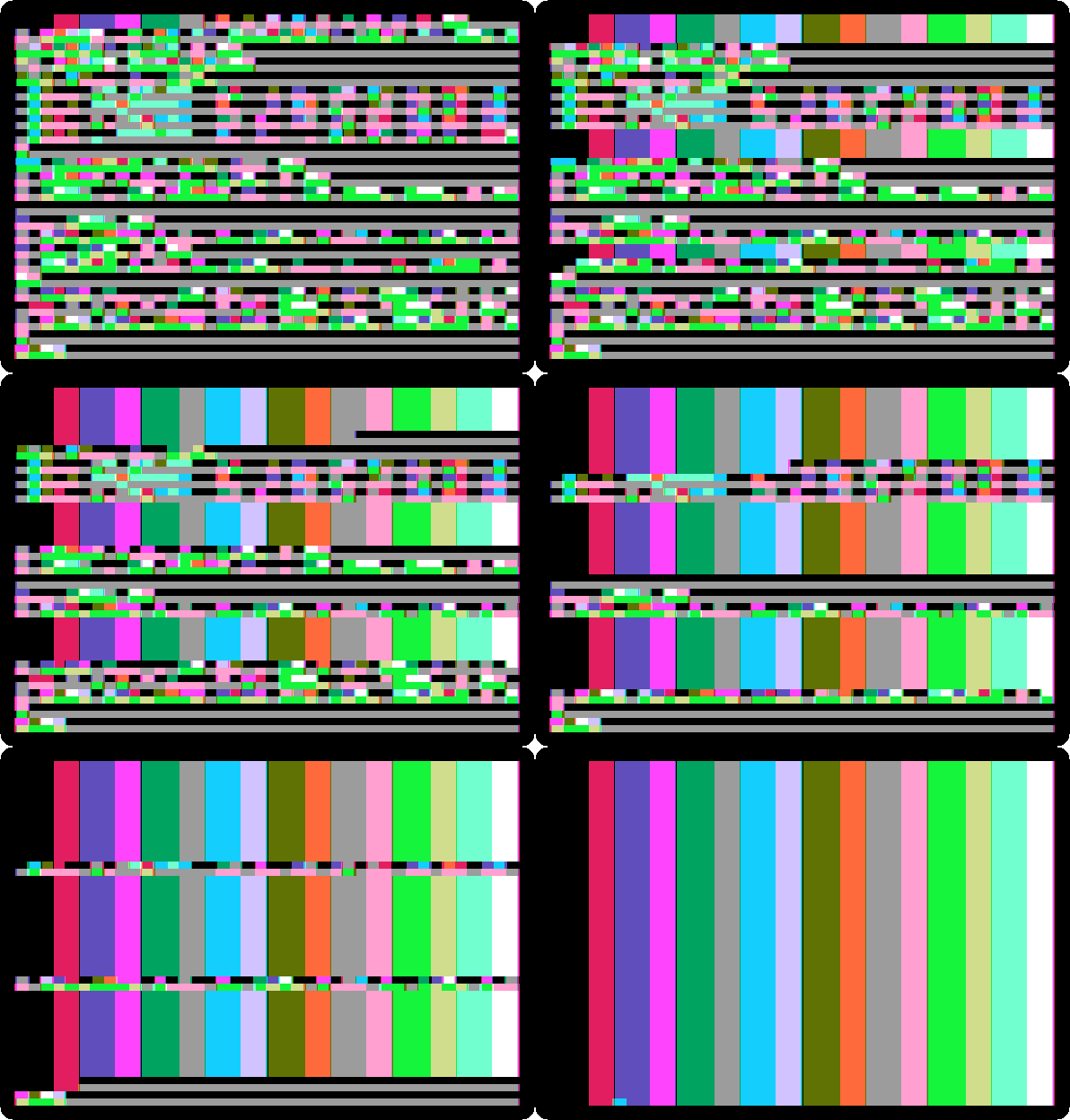
The screen shows what was in the memory of the text, as blocks, and Forth draws the sixteen colours over it, a byte at a time, in about ten seconds. The order is the order of the memory, not of the lines: the first 128 bytes are the lines 1, 9 and 17, the next ones 2, 10 and 18, and so on, the way Wozniak laid out the memory of the screen.
The dictionary
-
Type
VLIST. Forth lists every word it knows, the newest first: the ones you defined, and then those of the ROM, down to the first ones, the few in machine code that the rest are built from,DUP,SWAP,+,EMIT,KEY.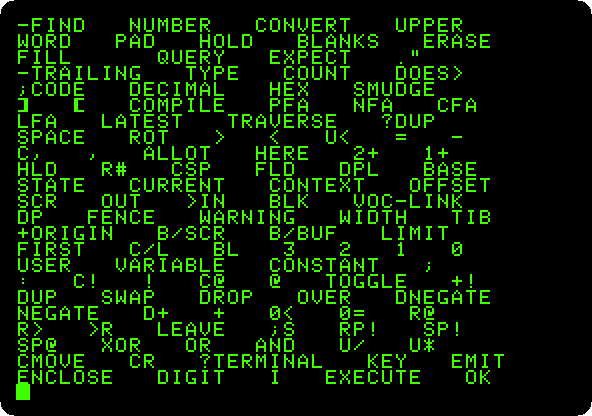
What next
The Apple ][ of 1977 has the other way of programming the machine close to the metal, its Mini-Assembler.