A game in Apple Pascal: 2048
Apple Pascal wrote a few lines; this page writes a whole game in it. 2048, by Gabriele Cirulli in 2014, slides numbered tiles on a board of four by four: two equal tiles that meet become one, their sum, and a new tile comes after every move, until the board is full. It is small enough to type in, and has what a program needs: a data structure, procedures that call each other, the keyboard and the screen.
This page sets the editor of Apple Pascal for typing a program, types the game, compiles it, and plays it to the end.
What you need
Only izapple2: the disks of Apple Pascal 1.3 come inside it, as on Apple Pascal. The program is in this repository, listings/2048.pas.
The Apple Pascal Operating System Reference Manual is on the Internet Archive.
The machine
An enhanced Apple //e with two disk drives:
- the 65C02 processor at 1 MHz and 128 KB of memory: 64 KB on the board, the top 16 KB of it the memory of a language card, which izapple2 puts in slot 0, and 64 KB more on the extended 80 column card, in the auxiliary slot;
- a Disk II controller card in slot 6, with
APPLE1, the disk it starts from, in drive 1, andAPPLE2, with the compiler, in drive 2.
izapple2 -model none -board 2e -cpu 65c02 -screen green \
    -rom "<internal>/Apple2e_Enhanced.rom" \
    -charrom "<internal>/Apple IIe Video Enhanced.bin" \
    -s0 language \
    -s6 'diskii,disk1=<internal>/Apple II Pascal 1.3 APPLE1_ 680-0283-A.dsk,disk2=<internal>/Apple II Pascal 1.3 APPLE2_ 680-0284-A.dsk'
The model pascal of izapple2 has this machine, with 8 MB more of memory on
a RAMWorks card, a No-Slot Clock, a VidHD card, a FASTChip accelerator and a
Mockingboard more, and a second Disk II controller in slot 5 with APPLE3
and APPLE0:
izapple2 -model pascal -screen green
The editor
-
Start izapple2, and press E for the editor and Return for a new file, as on Apple Pascal.
-
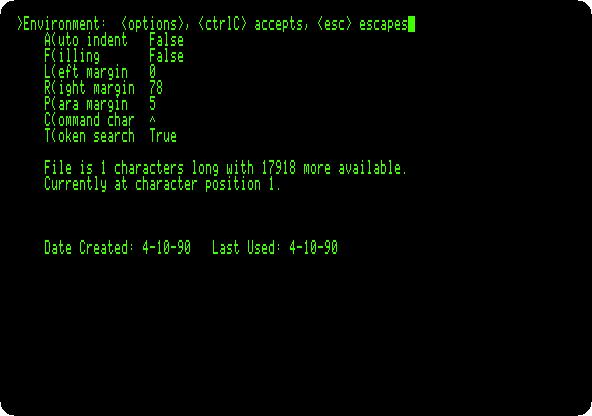
Press S and E, Set Environment, and A and F, to make Auto indent False, and Control-C to keep it. The editor indents a new line as the one above; the program has its own indentation, and the editor would add to it.
The program
-
Press I to insert, type the program, and press Control-C at the end. Here it is in parts, with what each does.
The program starts with the option
(*$S+*), which lets the compiler swap its parts in and out of memory to make room, anduses applestuff, the unit of Apple Pascal withrandomandkeypress. The board is 16 numbers, 0 for an empty square:(*$S+*) program game2048; uses applestuff; const left = 1; right = 2; up = 3; down = 4; type four = array[1..4] of integer; var tiles: array[1..4, 1..4] of integer; score, moves: integer; won, over, quit: boolean; key: char;addtilecounts the empty squares, picks one by chance, and puts a 2 in it, or a 4 one time in ten;newgameempties the board and adds two tiles:procedure addtile; var row, col, empty, pick: integer; begin empty := 0; for row := 1 to 4 do for col := 1 to 4 do if tiles[row, col] = 0 then empty := empty + 1; if empty > 0 then begin pick := random mod empty; for row := 1 to 4 do for col := 1 to 4 do if tiles[row, col] = 0 then begin if pick = 0 then if random mod 10 = 0 then tiles[row, col] := 4 else tiles[row, col] := 2; pick := pick - 1 end end end; procedure newgame; var row, col: integer; begin for row := 1 to 4 do for col := 1 to 4 do tiles[row, col] := 0; score := 0; moves := 0; won := false; over := false; addtile; addtile end;drawboarddraws the board withgotoxy, which moves the cursor to a column and a line of the screen, andwrite, with:4to give each number four places:procedure drawboard; var row, col: integer; begin for row := 1 to 4 do begin gotoxy(20, row * 3 + 1); write('+------+------+------+------+'); gotoxy(20, row * 3 + 2); for col := 1 to 4 do if tiles[row, col] = 0 then write('| ') else write('| ', tiles[row, col]:4, ' '); write('|'); gotoxy(20, row * 3 + 3); write('| | | | |') end; gotoxy(20, 16); write('+------+------+------+------+'); gotoxy(20, 18); write('SCORE ', score:6, ' MOVES ', moves:4) end;slidelineis the heart of the game: it takes four squares in the order they slide, packs the tiles to the front, and joins two equal ones that meet, once each, adding the new tile to the score. It says whether anything moved. Pascal works out both sides of anand, so a test that would look atresult[0]is split in two:function slideline(var squares: four): boolean; var result: four; i, count: integer; joined, join: boolean; begin for i := 1 to 4 do result[i] := 0; count := 0; joined := false; for i := 1 to 4 do if squares[i] <> 0 then begin (* pascal works out both sides of an and: result[0] does not exist *) join := false; if (count > 0) and not joined then join := result[count] = squares[i]; if join then begin result[count] := result[count] * 2; score := score + result[count]; if result[count] = 2048 then won := true; joined := true end else begin count := count + 1; result[count] := squares[i]; joined := false end end; slideline := false; for i := 1 to 4 do begin if result[i] <> squares[i] then slideline := true; squares[i] := result[i] end end;slidereads the board in four lines of four in the direction of the key, a row from the left for the left arrow, a column from the bottom for the down arrow, slides each withslideline, and puts them back:function slide(way: integer): boolean; var k, i, row, col: integer; squares: four; moved: boolean; procedure square(k, i: integer; var row, col: integer); begin case way of left: begin row := k; col := i end; right: begin row := k; col := 5 - i end; up: begin row := i; col := k end; down: begin row := 5 - i; col := k end end end; begin moved := false; for k := 1 to 4 do begin for i := 1 to 4 do begin square(k, i, row, col); squares[i] := tiles[row, col] end; if slideline(squares) then moved := true; for i := 1 to 4 do begin square(k, i, row, col); tiles[row, col] := squares[i] end end; slide := moved end;canmovelooks for an empty square or two equal tiles side by side; when there are none, the game is over.playmakes a move, and adds a tile and draws the board only if the tiles moved:function canmove: boolean; var row, col: integer; begin canmove := false; for row := 1 to 4 do for col := 1 to 4 do begin if tiles[row, col] = 0 then canmove := true; if col < 4 then if tiles[row, col] = tiles[row, col + 1] then canmove := true; if row < 4 then if tiles[row, col] = tiles[row + 1, col] then canmove := true end end; procedure play(way: integer); begin if slide(way) then begin moves := moves + 1; addtile; drawboard; over := not canmove end end;And the program itself: the screen cleared with
page, and a key read at a time withread(keyboard, key), which does not show it, until Q or the end. The arrows of the //e send the codes 8, 21, 11 and 10; I, J, K and L, in capitals or not, do the same, for the keyboard of the ][+:begin randomize; page(output); gotoxy(30, 1); write('2 0 4 8'); gotoxy(10, 20); write('THE ARROWS OR I, J, K, L SLIDE THE TILES; Q ENDS THE GAME'); newgame; drawboard; quit := false; repeat read(keyboard, key); if ord(key) in [8, 10, 11, 21, 73..76, 81, 105..108, 113] then case ord(key) of 8, 74, 106: play(left); 21, 76, 108: play(right); 11, 73, 105: play(up); 10, 75, 107: play(down); 81, 113: quit := true end until quit or over; gotoxy(20, 22); if won then write('2048! YOU WIN') else if over then write('NO MORE MOVES') else write('THE END'); write(' - PRESS A KEY'); (* the keys typed ahead, while the board was drawn, are thrown away *) while keypress do read(keyboard, key); read(keyboard, key) end.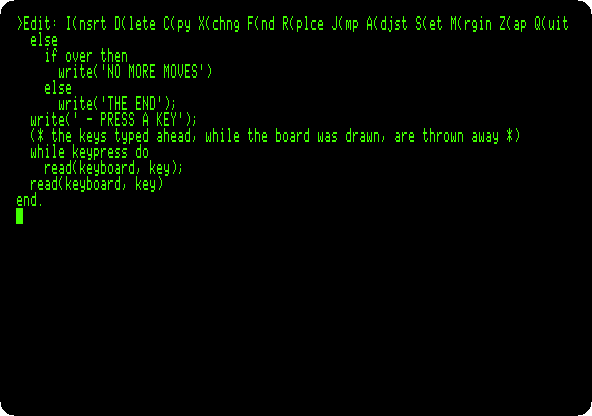
-
Press Q and U to keep it in the work file, and E to go back to the command line.
Compile and play
-
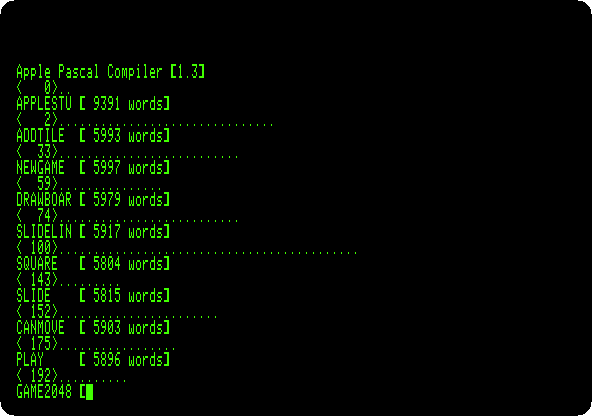
Press R. The compiler asks for a listing file, Return for none, and compiles, a line for each procedure with the memory it leaves, the dots the lines of the program.
-
Play: the arrows, or I, J, K and L.
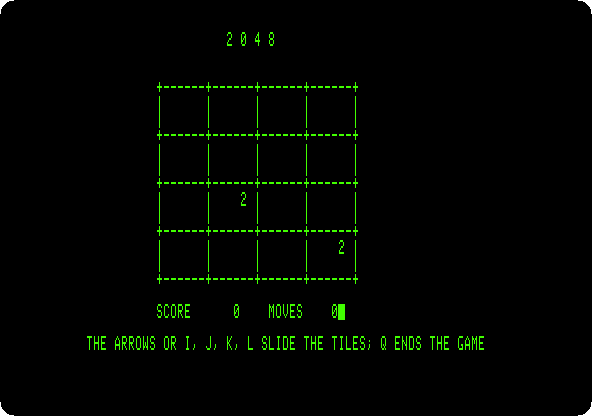
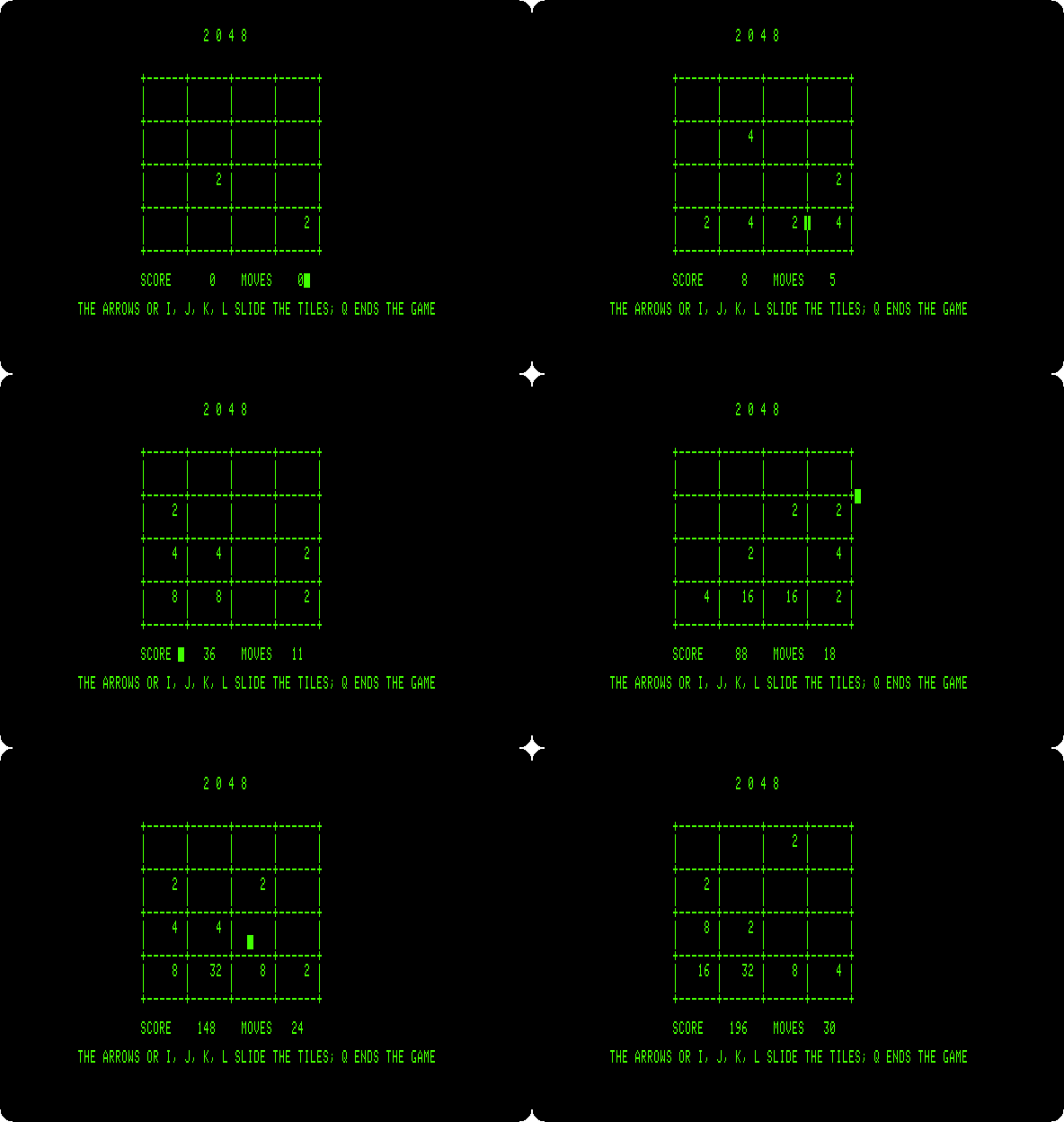
The recording is of the first thirty moves, at the speed of the machine, played by the generator of the pictures as a simple player does: down when the tiles slide down, else left, else right, else up, which keeps the big tiles in the bottom left corner.
-
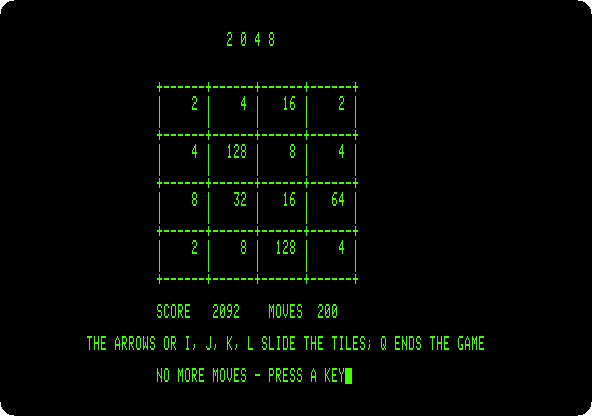
Play to the end. The same player, playing on, fills the board after 200 moves:
Press a key to go back to the command line.
Rruns the game again, without compiling it, as the work file has not changed.
What next
CP/M on the Z80 SoftCard has Microsoft’s BASIC, the other way of writing programs for business on the Apple II.