Calling a BBS with ProTERM
Before the web, a computer with a modem called other computers on the telephone line. A BBS, a bulletin board system, was a computer waiting for those calls, often in someone’s home, with one line and one caller at a time: messages, files to download, games to play a turn a day. Greg Schaefer wrote GBBS Pro, the software of many BBSes run on an Apple II, and then ProTERM, the terminal program to call them with. Version 3.1, of 1993, was the last for the Apple II.
Dura-Europos is one of those BBSes: a GBBS Pro on an Apple //e, online from 1986 to 1993, brought back from its backup disks in 2016 and on the internet since. Its games and menus are drawn for ProTERM, with MouseText, the characters of the //e that draw windows and shapes.
This page sets up ProTERM on an Apple //e with a Super Serial Card and a modem, calls Dura-Europos, looks around as a guest, plays a game of Concentration+ and says goodbye.
The pictures were taken on 1 November 2026. Dura-Europos is someone’s computer on the internet, and changes, or may be gone, when you call.
What you need
ProTERM_3_Greg_Schaefer_Intrec_Software_1993_PT3120925_Side_1.dsk and
..._Side_2.dsk, the two sides of the ProTERM 3.1 disk, on the Internet
Archive: side 1
and side 2.
./fetch-disks.sh in this repository downloads them into disks/. Side 1
sets ProTERM up, side 2 is the program.
proterm.dsk, a copy of side 1, for ProTERM to write its setup and its
dialing directory to, and keep the downloaded one as it is:
cp disks/ProTERM_3_Greg_Schaefer_Intrec_Software_1993_PT3120925_Side_1.dsk proterm.dsk
A connection to the internet: the modem of izapple2 dials a host and a port of the internet instead of a telephone number.
The ProTERM 3.1 manual is on the Internet Archive.
The machine
An enhanced Apple //e with a modem and one disk drive:
- the 65C02 processor at 1 MHz and 128 KB of memory: 64 KB on the board, the top 16 KB of it the memory of a language card, which izapple2 puts in slot 0, and 64 KB more on the extended 80 column card, in the auxiliary slot;
- a Super Serial Card in slot 2, with a modem on its cable: a modem of izapple2 that dials the internet, as the WiFi modems that people plug into their Apple IIs today;
- a Disk II controller card in slot 6, with
proterm.dskin drive 1.
izapple2 -model none -board 2e -cpu 65c02 -screen green \
    -rom "<internal>/Apple2e_Enhanced.rom" \
    -charrom "<internal>/Apple IIe Video Enhanced.bin" \
    -s0 language \
    -s2 ssc,device=netmodem \
    -s6 diskii,disk1=proterm.dsk
The modem takes the commands of a Hayes modem, AT and the rest: ATDT
and a host and port dials, as ATDT and a telephone number did.
Set up ProTERM
-
Start izapple2 with the command above. ProTERM starts, and, the first time, asks for the modem.
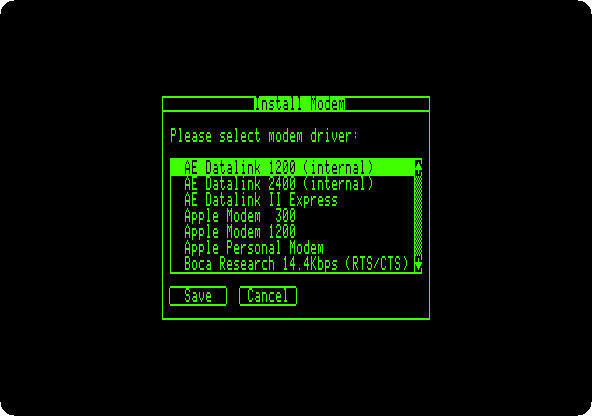
ProTERM knows dozens of modems, and talks to the one chosen for you: it sends it the commands to dial and waits for the connection. With a BBS like Dura-Europos that is too slow. ProTERM waits three seconds and a half after the connection before it answers anything, and the BBS asks who is calling before that. The modem here is left to you instead, as with a WiFi modem.
-
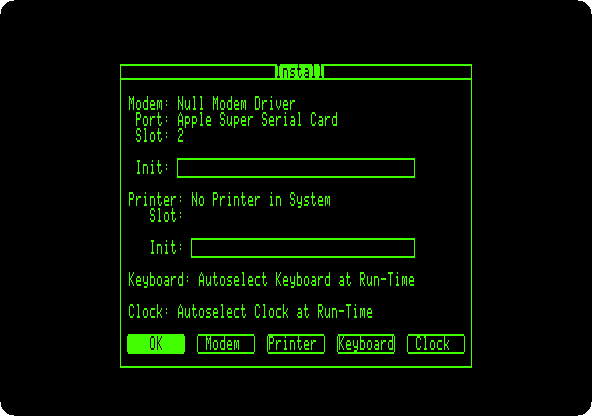
Press the down arrow 24 times, to Null Modem Driver, Return to tick it and Return to save. Then the port of the modem: down 5 times to Apple Super Serial Card, Return and Return; type 2, its slot, and Return twice. Then the printer: down 16 times to No Printer in System, Return and Return.
-
Press Return to accept it all. ProTERM writes it to
proterm.dsk, and asks for the program disk: drop side 2 of the disk on the area of drive 1 of the window of izapple2, and press Return.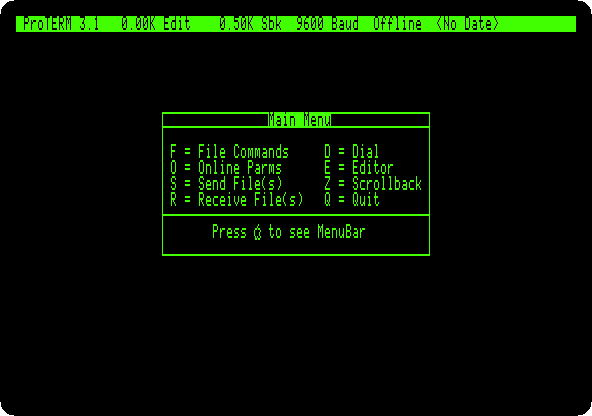
The main menu: a letter for each, and A for the bar of menus at the top.
Dura-Europos in the dialing directory
-
Press D, for the Dial menu, and Return, for Create System. Type
Dura-Europos, the name, and Tab four times, past the number, the speed and the time to connect, to Save System As: typeDURAand press Return twice. -
ProTERM opens the parameters of the system. Press Tab nine times, to Emulate, and the right arrow nine times, to ProTERM Special.
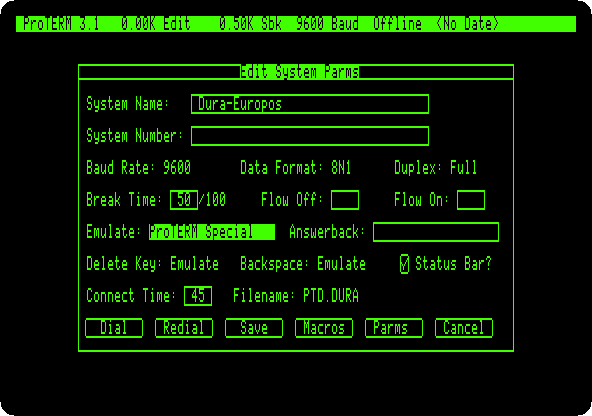
The emulation is how ProTERM shows what comes from the BBS. ProTERM Special is ProTERM’s own: the BBS sends it codes to move the cursor and to show MouseText.
The call
-
Hold Open Apple and press Return, Dial, the default button. With no number to dial, ProTERM goes online at once, Online in the status bar, and what you type goes to the modem.
-
Type
ATDTdura-bbs.net:6359and Return: the modem dials the BBS.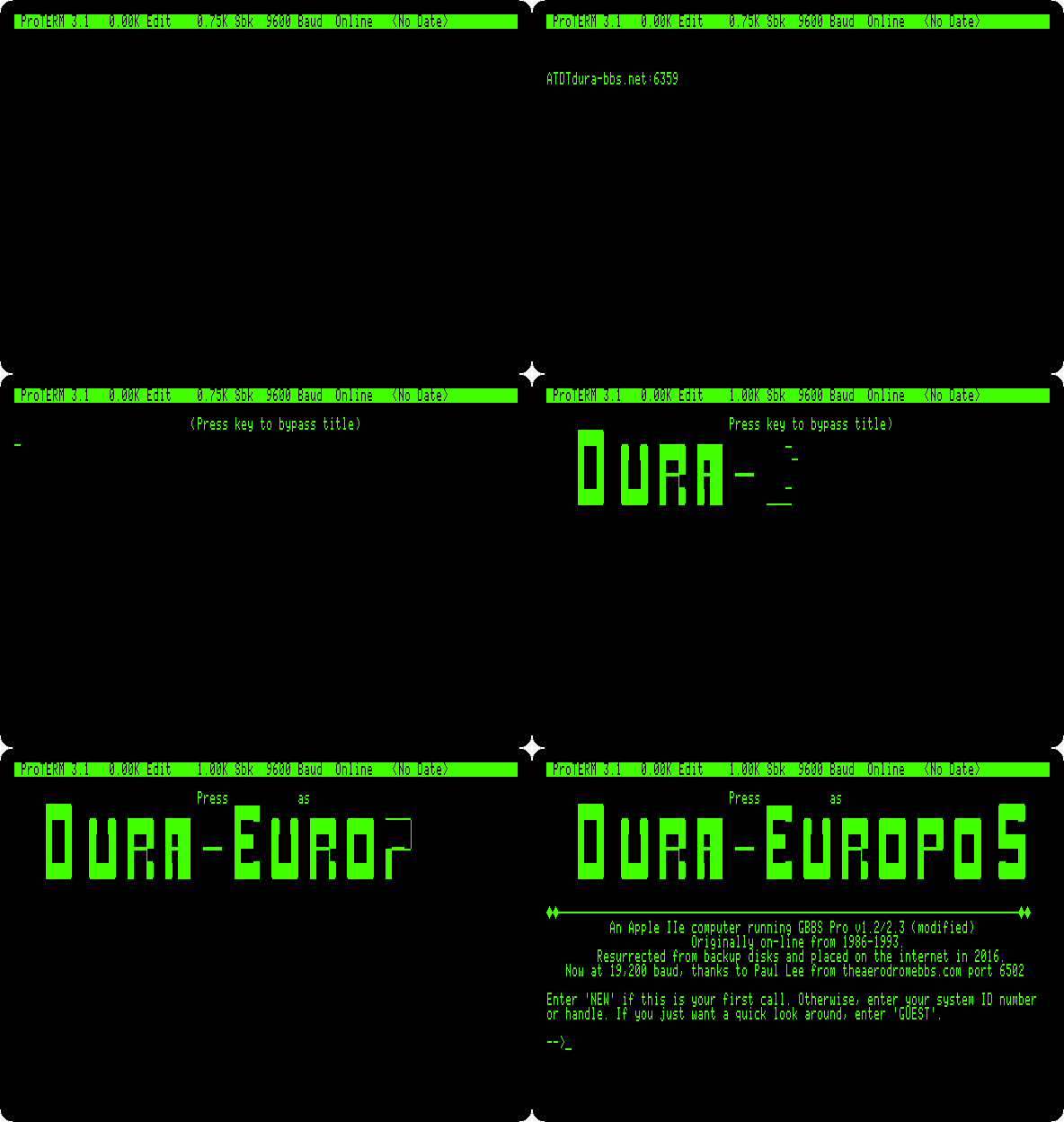
The modem answers
CONNECT, and the BBS checks what terminal calls it: it asks for ANSI, and then sends a Control-E, which ProTERM Special answers with a code of its own. Detected display: ProTERM Special version. Then its title in MouseText, drawn in a way that changes from one call to the next.The BBS is quick in its check, and over the internet it fails now and then: it asks Are you using ANSI? instead. Type Q and Return to hang up, and dial again.
As a guest
-
Type
GUESTand Return. The news of the system first, here of a game added to the menu, Concentration+, drawn with MouseText for ProTERM.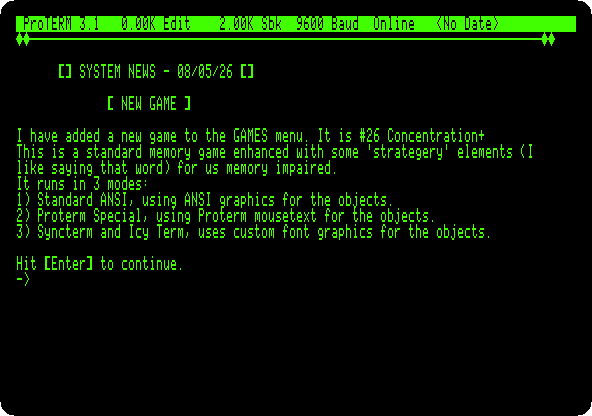
Press Return. The BBS welcomes the guest, in letters drawn with MouseText.
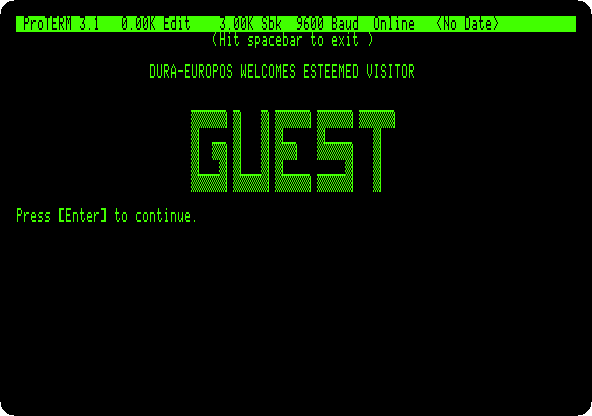
Press Return for the main prompt,
[MAIN] (?=Help):. -
Type
?and Return: the areas of the BBS, the messages, the system, the programs. TypePand Return, the programs.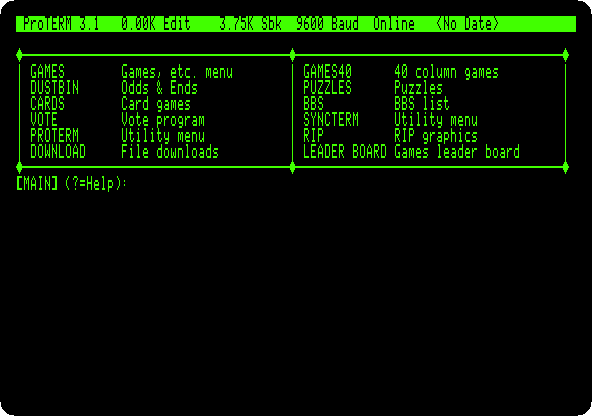
-
Type
GAMESand Return.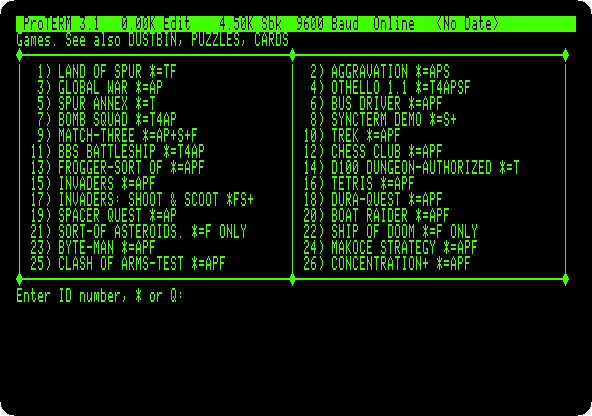
The letters after each are the terminals it draws for, as the news said of Concentration+:
Afor ANSI,Pfor ProTERM Special.
Concentration+
-
Type
26and Return. Concentration+ deals 28 objects face down, in fourteen pairs, and the rules on the right.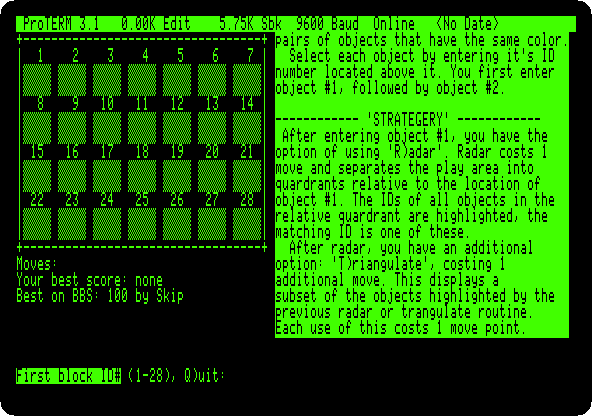
-
Type the number of an object and Return, then the number of another and Return. A pair stays turned over; two that don’t match are turned back. Remember where each was.
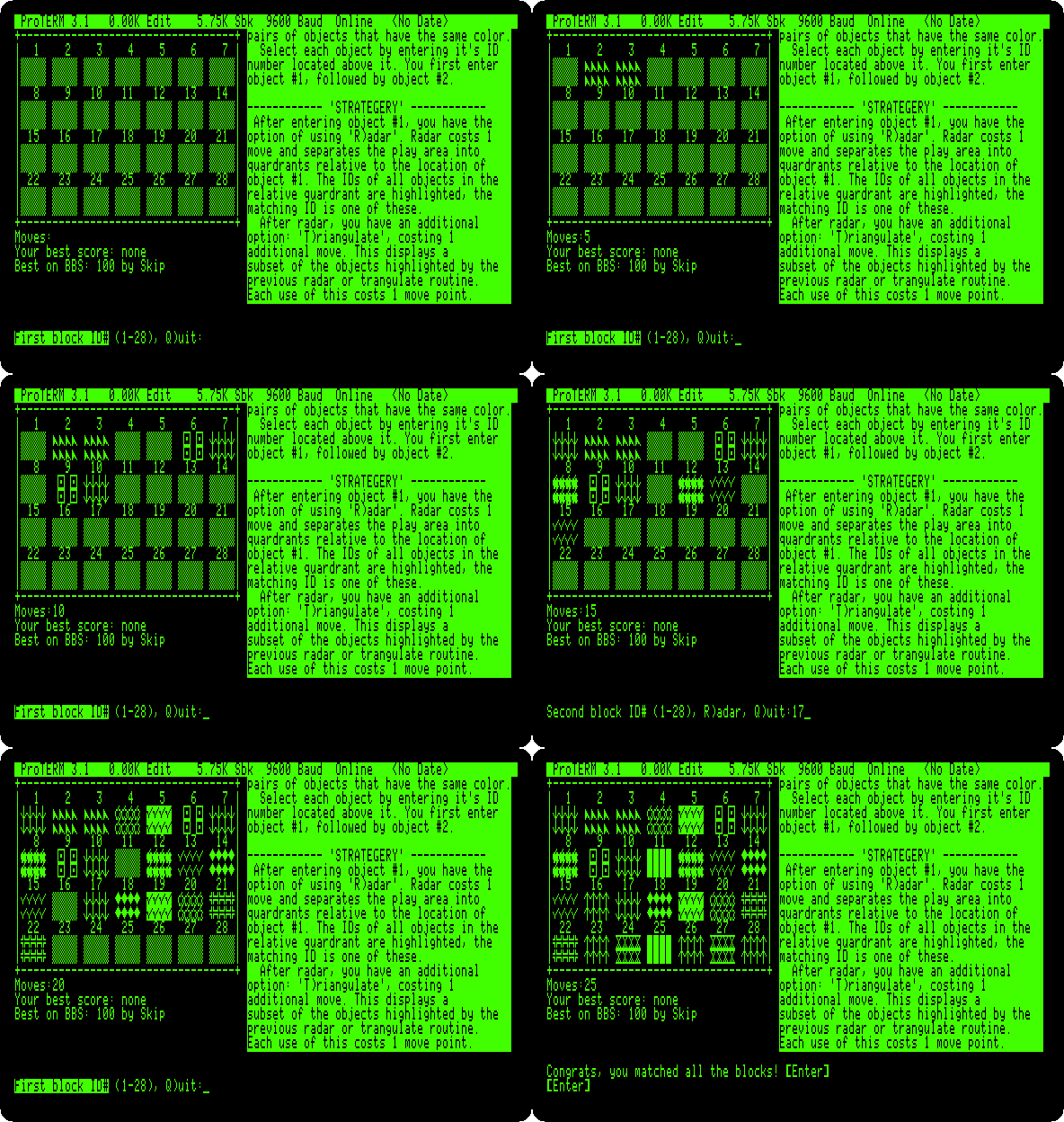
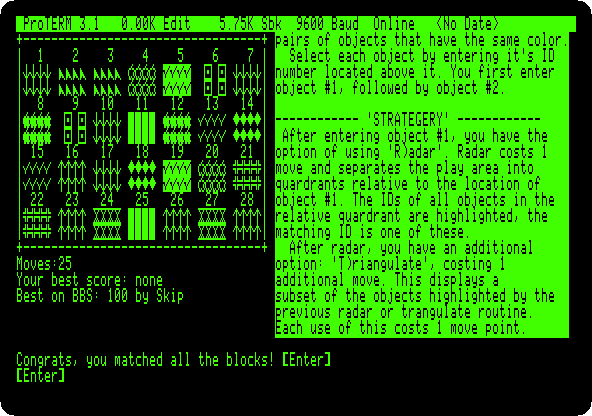
The game is played in colours on an ANSI terminal; in MouseText, on the green screen of the //e, some pairs have the same pattern, and only turning them over tells them apart. This game took 25 moves and a little over three minutes, here four times faster.
Goodbye
-
Press Return, back to the games, and type
Qand Return, back to the main prompt. TypeBYEand Return, andYand Return: the BBS thanks you, says how long you were on, and hangs up.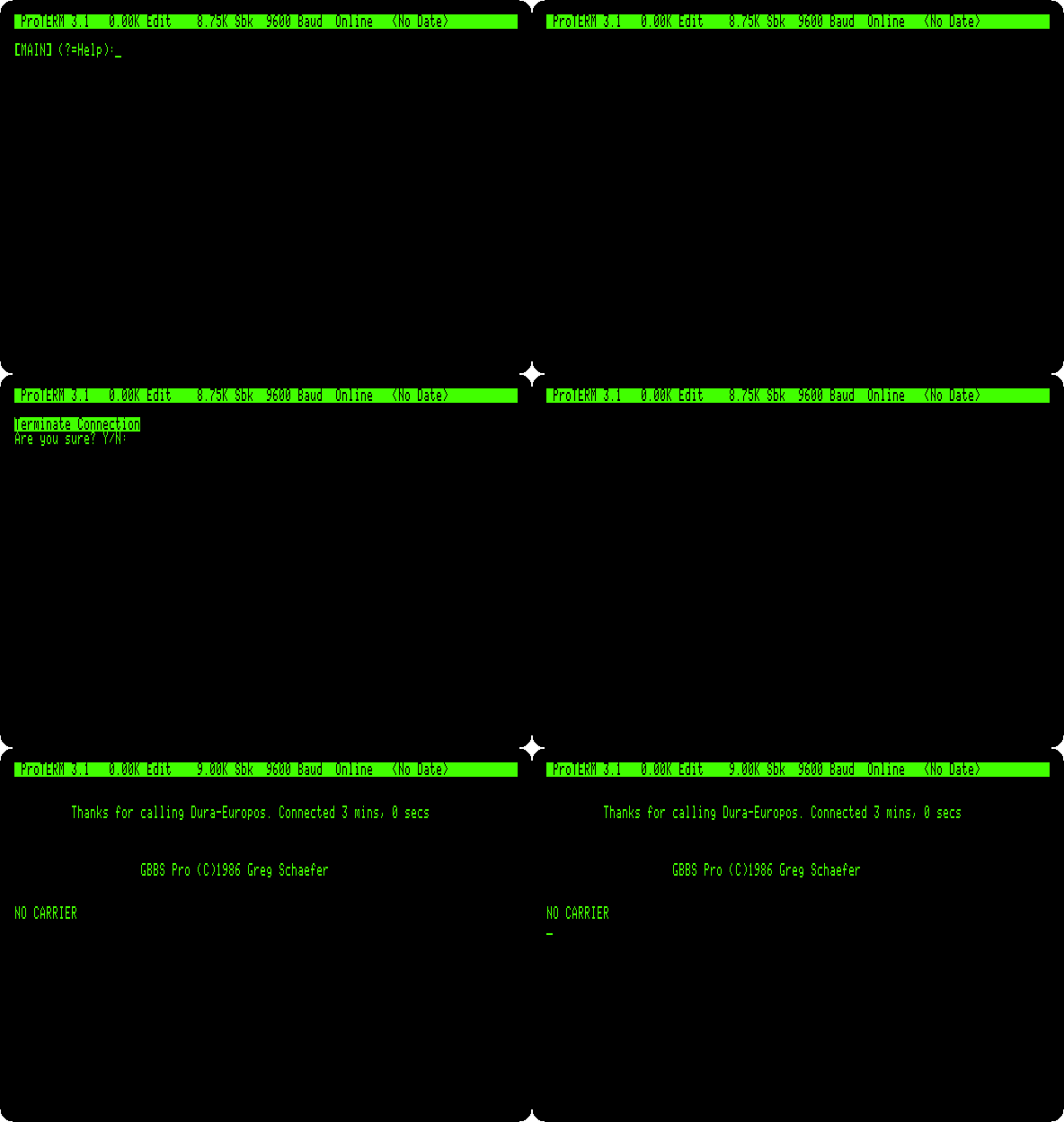
The modem says
NO CARRIER: the line is free for the next caller.
What next
Next: Two Apple IIcs on the line.
The SwyftCard is another program of the //e that takes over the screen, and The Apple //e the machine.