Switch on an Apple ][+
The Apple ][+ came out in 1979, two years after the Apple ][, with Applesoft BASIC in its ROM in place of the Integer BASIC Steve Wozniak had written for the first one. Applesoft was Microsoft’s BASIC, with the floating point numbers the first BASIC lacked. Switch the machine on and it is there, waiting for a command: there is no operating system to load and no program to start. A disk drive was an extra, and so was the card it needed.
This page switches on an Apple ][+ with no disk drive and does what its owner did first: type commands, write a program, run it, and stop it.
What you need
Only izapple2. The ROM of the Apple ][+ comes inside it, and nothing has to be downloaded.
The Applesoft Tutorial, Apple’s manual to learn Applesoft, is on the Internet Archive.
The machine
An Apple ][+ with no disk drive:
- the 6502 processor at 1 MHz, 48 KB of memory, and Applesoft BASIC in its ROM;
- the keyboard of the ][+, which types only capitals;
- no cards in its slots.
izapple2 -model none -board 2plus -cpu 6502 -screen green \
    -rom "<internal>/Apple2_Plus.rom" \
    -charrom "<internal>/Apple2rev7CharGen.rom" -forceCaps
The model 2plus of izapple2 has this machine, with a Language Card and a
Videx Videoterm 80 column card more:
izapple2 -model 2plus -screen green -s6 empty
Switch it on
-
Start izapple2 with the command above. With no disk drive to start from, the machine goes straight to BASIC: it beeps, writes
APPLE ][at the top of the screen, and shows the prompt of Applesoft,], with the cursor after it.![The Apple ][+ switched on](/guides/images/switch-on/switched-on.png)
The screen is green, as on the monochrome monitors many owners used. Press F6 in izapple2 to see the other screens it can show, the colour television among them.
Commands
-
Type
PRINT "HELLO"and press Return. A command typed without a line number is done at once, and Applesoft writesHELLOunder it. TryPRINT 2+2andPRINT 355/113, which is close to pi.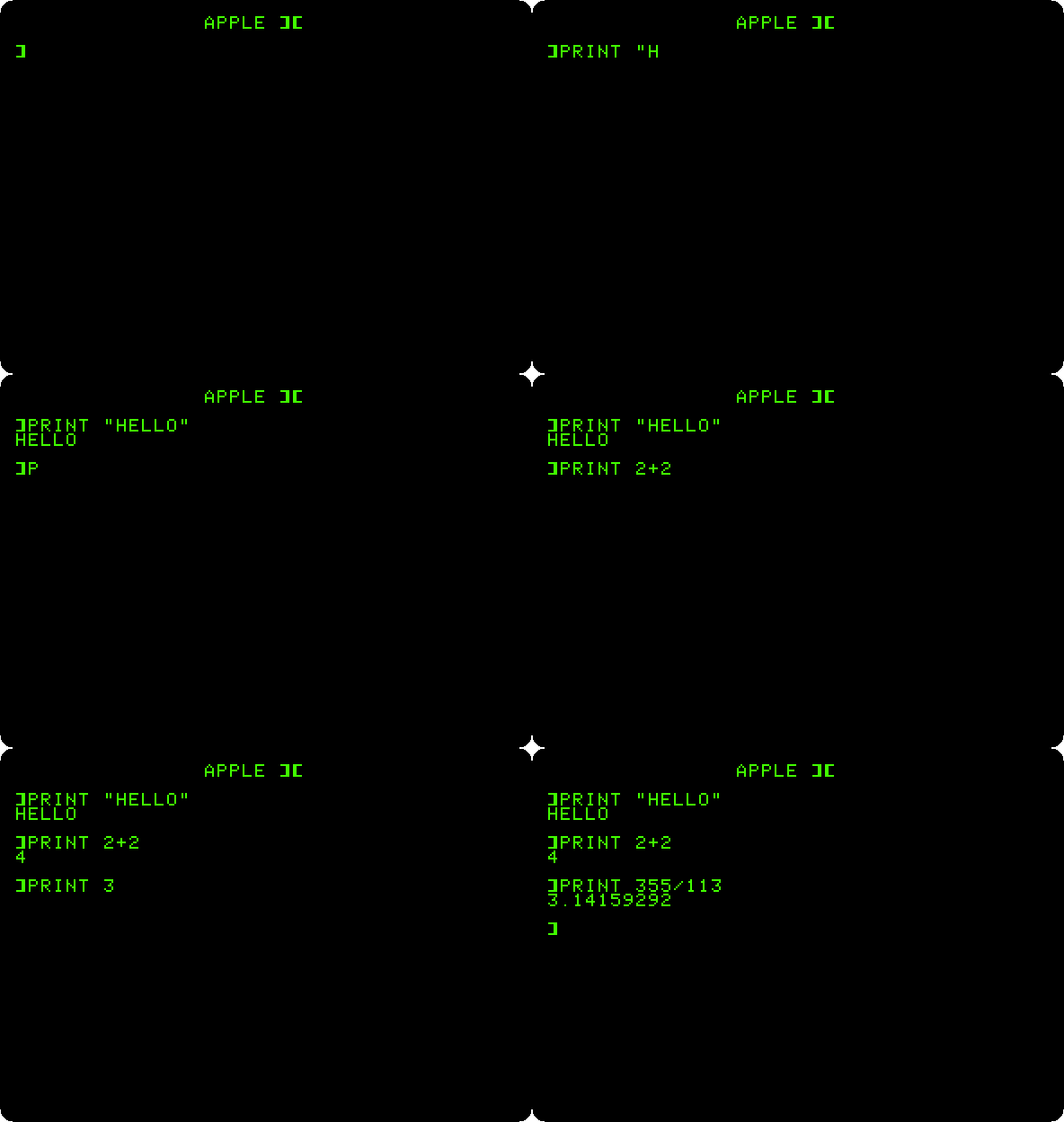
The Apple ][+ has no lower case: whatever you type comes out in capitals, and izapple2 turns your lower case letters into capitals for you.
A program
-
Type a program, a line at a time, each with its number and ended with Return.
HOMEfirst clears the screen.HOME 10 INPUT "WHAT IS YOUR NAME? ";N$ 20 FOR I = 1 TO 10 30 PRINT I;" HELLO, ";N$ 40 NEXT IA line with a number is not done but kept, in the order of its number: this is how a program is written in BASIC. Type a line with the same number to change it, or just the number to remove it.
-
Type
LIST. Applesoft shows the program as it keeps it, spaced its own way: it reads what you type into its own form and writes it back from that.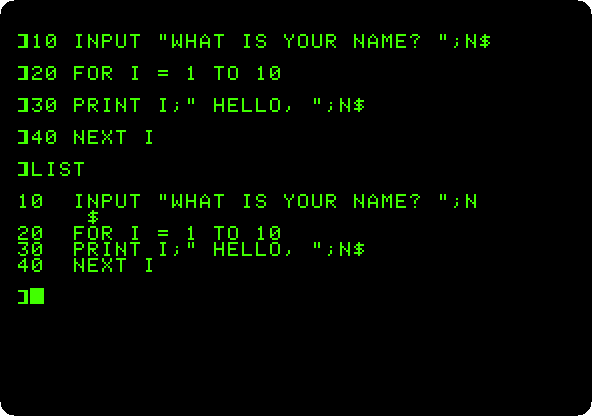
-
Type
RUN, and answer the question with a name and Return.
Stopping a program
-
Type
NEWto forget the program, and this one, which never ends:10 PRINT "APPLE ][+ "; 20 GOTO 10 -
Type
RUN, and then press Control-C to stop it. Applesoft says which line it stopped at,BREAK IN 10, and takes commands again.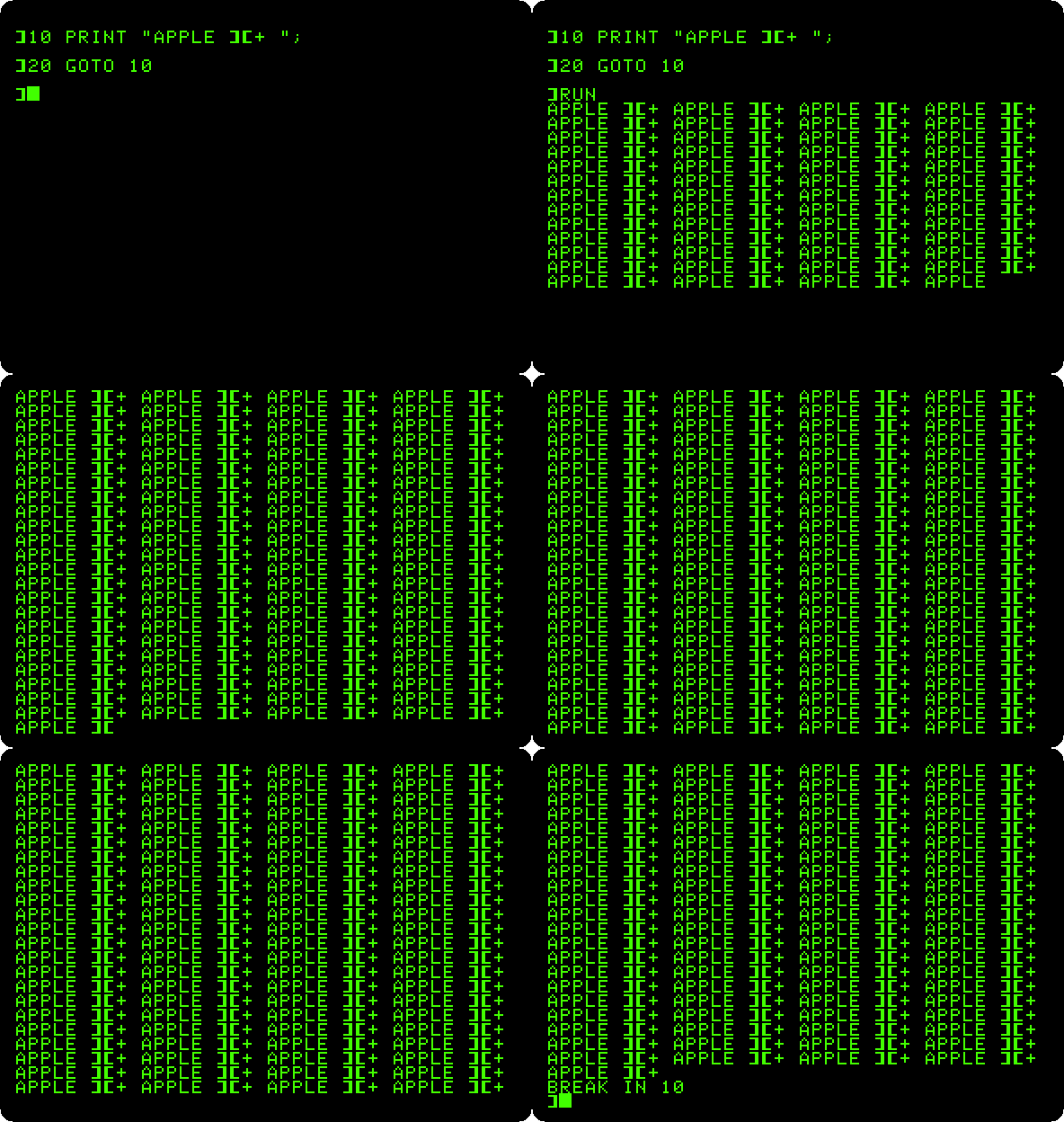
Applesoft looks for Control-C between one statement and the next, so it stops any program of its own, even one that never reads the keyboard. A program in machine code is another matter: the key above the Return key of the Apple ][+, Reset, stops anything; in izapple2 it is Control-F2. Applesoft keeps the program in memory through a reset: type
LISTand it is still there.Nothing of this is kept when the machine is switched off. To keep a program, the Apple ][+ needs a cassette recorder or a disk drive.
What next
Life with DOS 3.3 adds two disk drives to the same machine, and keeps a program on a diskette.