VisiCalc
In 1979 Dan Bricklin and Bob Frankston wrote a program for the Apple II that did on the screen what accountants did on paper with a pencil and an eraser: a sheet of rows and columns, numbers in some cells and formulas in others, and every formula worked out again when a number changes. VisiCalc, sold by Personal Software, was the first spreadsheet, and many bought an Apple II to run it: a business could try what if in seconds instead of in an afternoon.
This page starts VisiCalc 1.37 from its original disk, types in a household budget, totals it, makes a column for the year and another for the share of each item, and changes the rent to see the whole sheet worked out again.
What you need
VisiCalc v1.37.woz, VisiCalc 1.37 in the
woz-a-day collection of
the Internet Archive: download VisiCalc v1.37 (woz-a-day collection).zip
and take it out of it. It is the original disk, copy protection and all, in
the WOZ format that keeps it as it was. ./fetch-disks.sh in this
repository downloads it into disks/ and checks it.
The VisiCalc User’s Guide for the Apple ][ and ][+, of the version for 16 sectors, is on the Internet Archive.
The machine
An Apple ][+ with one disk drive of 13 sectors:
- the 6502 processor at 1 MHz, 48 KB of memory, and Applesoft BASIC in its ROM;
- the keyboard of the ][+, which types only capitals;
- a Disk II controller card in slot 6 with the ROMs of 13 sectors a track, those of 1978, with the VisiCalc disk in drive 1.
izapple2 -model none -board 2plus -cpu 6502 -screen green \
    -rom "<internal>/Apple2_Plus.rom" \
    -charrom "<internal>/Apple2rev7CharGen.rom" -forceCaps \
    -s6 'diskii,sectors13=true,disk1=disks/VisiCalc v1.37.woz'
VisiCalc came on a disk of 13 sectors a track, the format of DOS 3.2 and
before. Apple changed the Disk II to 16 sectors in 1980, with DOS 3.3, and
the disks of before needed the old ROMs of the controller, or a program
that started them on the new ones. izapple2 picks the ROMs of 13 sectors by
itself for a disk of 13 sectors in drive 1, so the model 2plus of
izapple2 runs it too, with a Language Card and a Videx Videoterm 80 column
card more:
izapple2 -model 2plus -screen green "disks/VisiCalc v1.37.woz"
VisiCalc uses the memory of the Language Card too, and says 35 kilobytes free there, where this machine has 25.
The sheet
-
Start izapple2 with the command above. After the drive, the sheet: columns A to D across, rows 1 to 20 down, and the cell A1 highlighted.
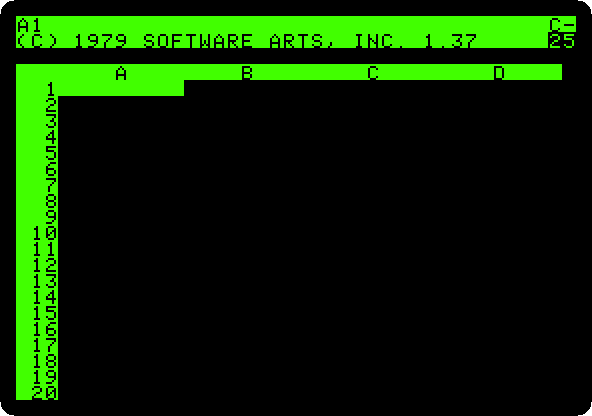
The two lines at the top are VisiCalc’s own: the first says which cell the highlight is on and what is in it, the second is where you type.
25at the right is the memory left, in kilobytes. -
Type the budget.
>goes to a cell: type>, the cell, and Return. Then type what goes in it, and Return. A word that starts with a letter is a label; one that starts with"is a label too, written that way for one that would look like something else; a number is a value.>A1 ITEM >B1 "MONTH >A2 RENT >B2 450 >A3 FOOD >B3 210 >A4 FUEL >B4 65 >A5 PHONE >B5 30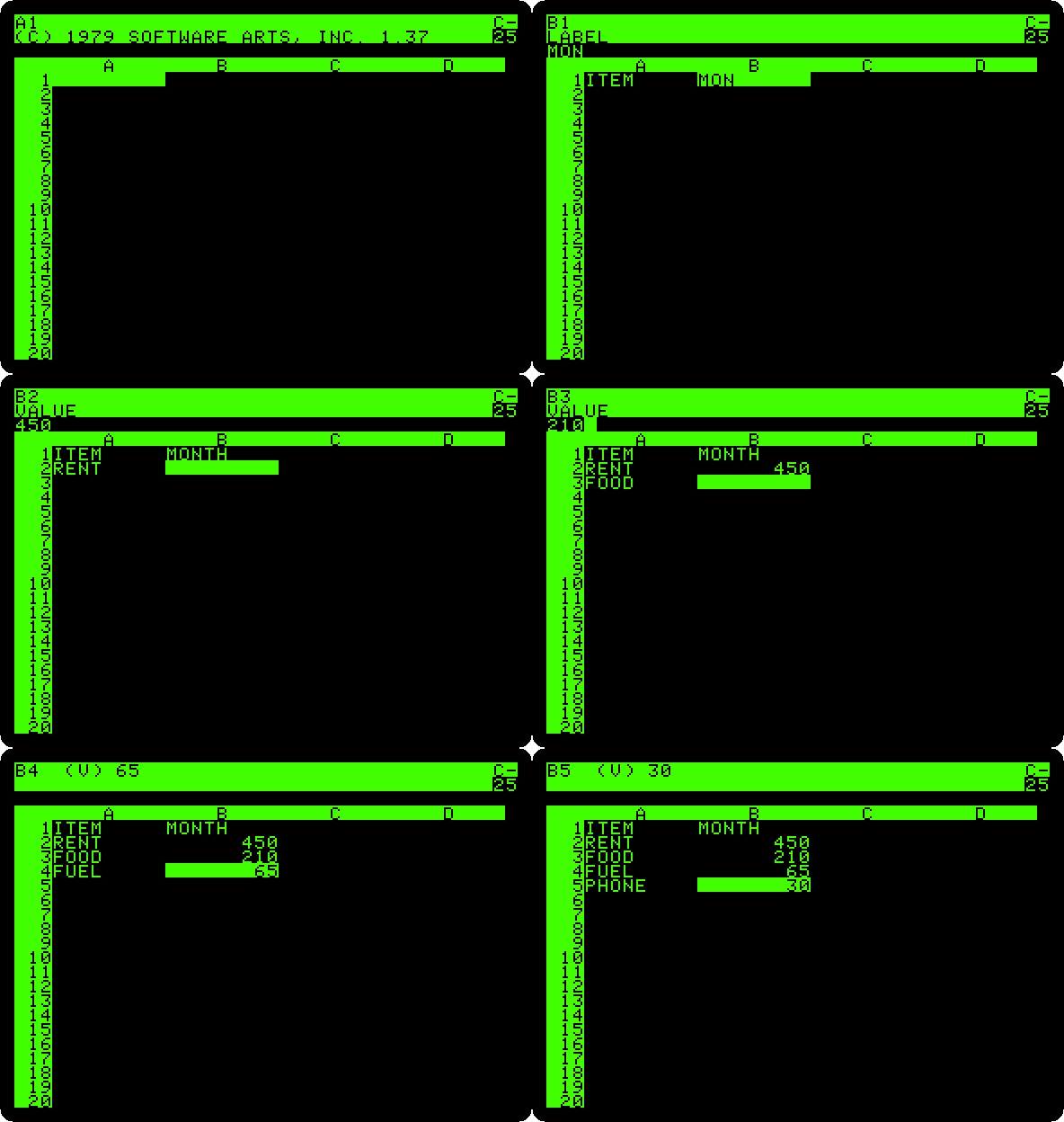
Formulas
-
Total the month:
>A6,TOTAL, and>B6,@SUM(B2.B5).@starts a function, and the.between two cells is shown...: from B2 to B5.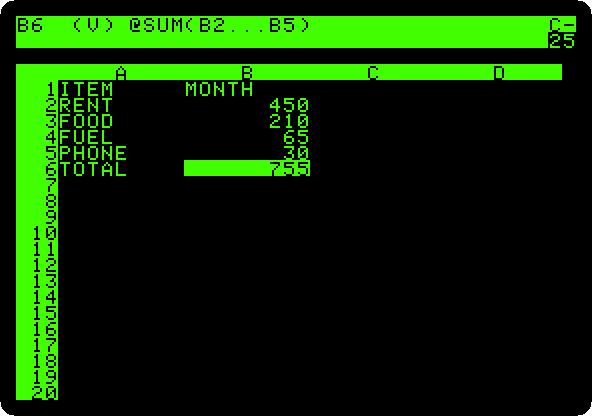
The cell shows the result, 755, and the top line shows the formula behind it, with
(V), a value. -
Make the column of the year:
>C1,"YEAR, and>C2,+B2*12. A formula starts with+or a number, so that VisiCalc does not takeB2for a label. Then type/R, Replicate, Return for the cell to copy, C2, andC3.C6and Return for where to copy it. VisiCalc asks what to do withB2in the copies.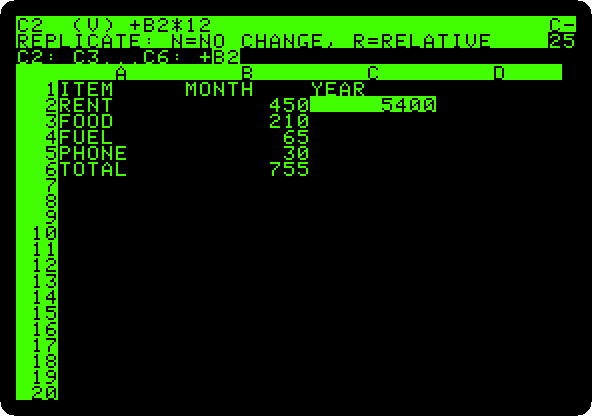
-
Press R, relative: in each row the formula takes the B of its own row,
+B3*12,+B4*12, down to the total.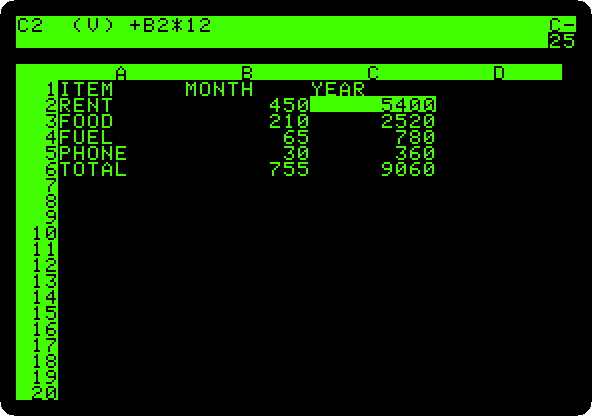
-
Make the column of the share of each item in the total:
>D1,"SHARE %,>D2,+B2/B6*100, then/R, Return,D3.D6and Return, and answer R forB2, which follows the row, and N, no change, forB6, the total, which does not.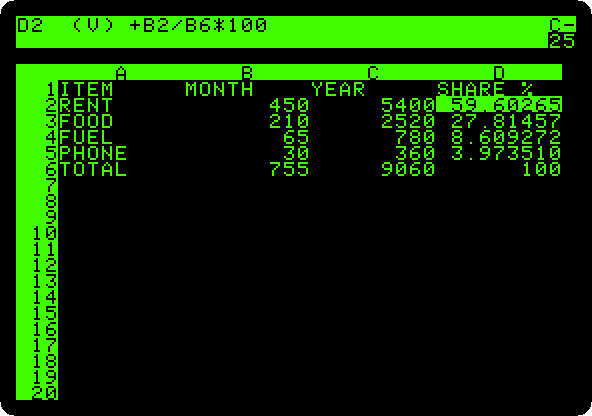
-
Type
/GFI, a Global Format of Integers: every number on the sheet is shown as a whole number.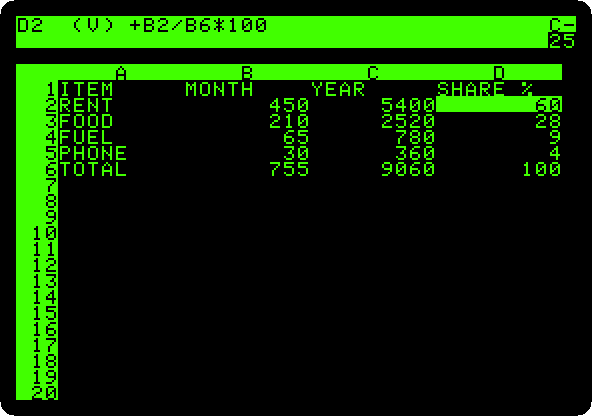
What if
-
Change the rent:
>B2,500, and Return. VisiCalc works out again every formula that depends on it, and the screen changes in front of you: the year of the rent, the totals, and every share, as each item is a smaller part of a bigger total now.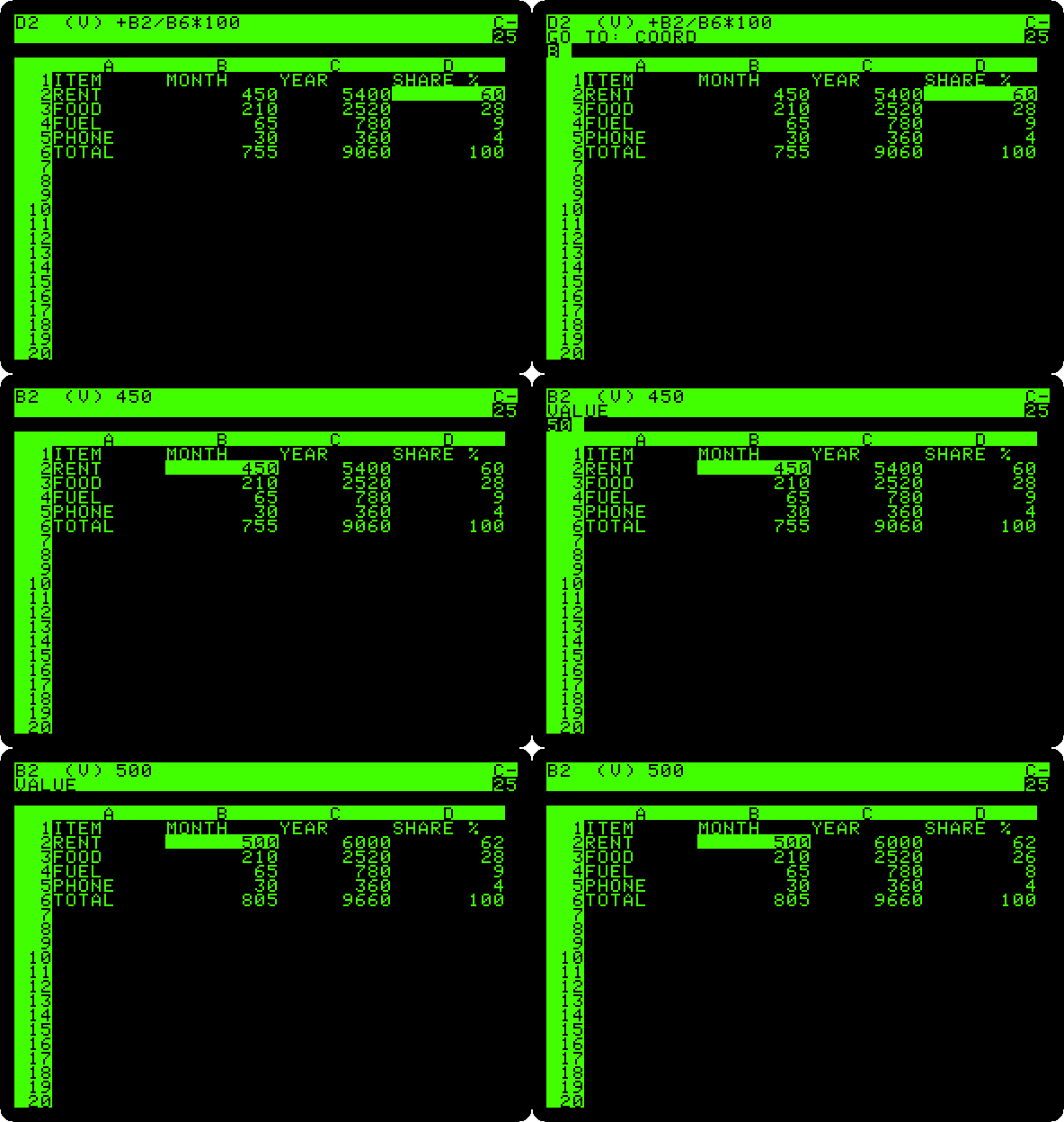
That is what sold VisiCalc: a change, and the whole sheet answers.
/Ssaves a sheet on a diskette, and/Pprints it; this page does neither.
What next
CP/M on the Z80 SoftCard is the other way a business used an Apple II then, with the programs written for CP/M.