AppleWorks
AppleWorks, by Rupert Lissner, came out from Apple in 1984 and was the program of the //e: a word processor, a spreadsheet and a data base in one, with the same keys in the three, and a Desktop that keeps up to a dozen files in memory at once, with a clipboard between them. For years it was among the best-selling programs for the Apple II, at home, at school and at work.
This page uses AppleWorks 3.0, of 1989, to work out the costs of a trip in the spreadsheet, write a letter in the word processor with that table in it, keep a list of friends in the data base, and save the three.
What you need
a2_AppleWorks_3.0_8-bit.2mg, AppleWorks 3.0 on a disk of 800 KB, from
the Internet Archive.
./fetch-disks.sh in this repository downloads it into disks/ and checks
it. izapple2 writes the files the page saves into it.
The machine
An enhanced Apple //e with a disk of 800 KB:
- the 65C02 processor at 1 MHz and 128 KB of memory: 64 KB on the board, the top 16 KB of it the memory of a language card, which izapple2 puts in slot 0, and 64 KB more on the extended 80 column card, in the auxiliary slot; AppleWorks 3.0 needs the 128 KB;
- a hard disk interface, SmartPort, in slot 7, with the disk of AppleWorks, as a 3.5 inch drive would have it.
izapple2 -model none -board 2e -cpu 65c02 -screen green \
    -rom "<internal>/Apple2e_Enhanced.rom" \
    -charrom "<internal>/Apple IIe Video Enhanced.bin" \
    -s0 language \
    -s7 smartport,image1=disks/a2_AppleWorks_3.0_8-bit.2mg
The enhanced Apple //e izapple2 starts with, its model 2enh, has this
machine, with 8 MB more of memory on a RAMWorks card, a No-Slot Clock, a
VidHD card, a FASTChip accelerator, a Mockingboard and a Disk II controller
more:
izapple2 -screen green disks/a2_AppleWorks_3.0_8-bit.2mg
The main menu
-
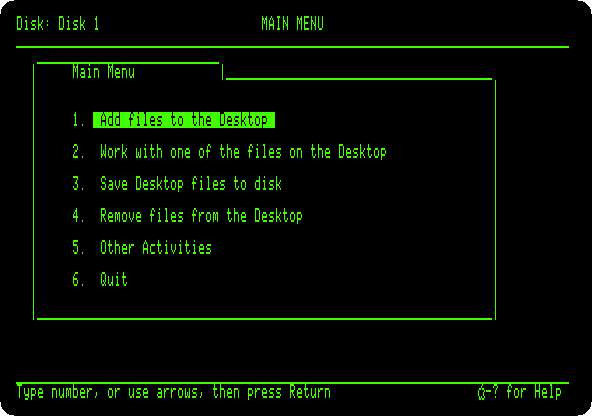
Start izapple2 with the command above. AppleWorks asks for the date; press Return for the one it offers. Its main menu: AppleWorks is used with menus of numbers, Return to choose, and Escape to go back.
-
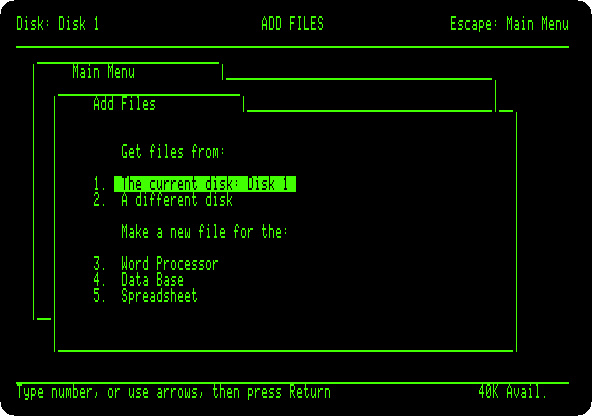
Choose 1, Add files to the Desktop: files from the disk, or a new one for each of the three programs.
The spreadsheet
-
Choose 5, Spreadsheet, and From scratch, and type
Tripfor its name. Type the cells: a word, a number or a formula, and Right Arrow to enter it and go to the next; at the end of a row, Return, Left Arrow back to column A, and Down Arrow.A B C D ItemDaysPer dayCostHotel485+B2*C2Car440+B3*C3Food460+B4*C4Museum125+B5*C5Total@SUM(D2.D5)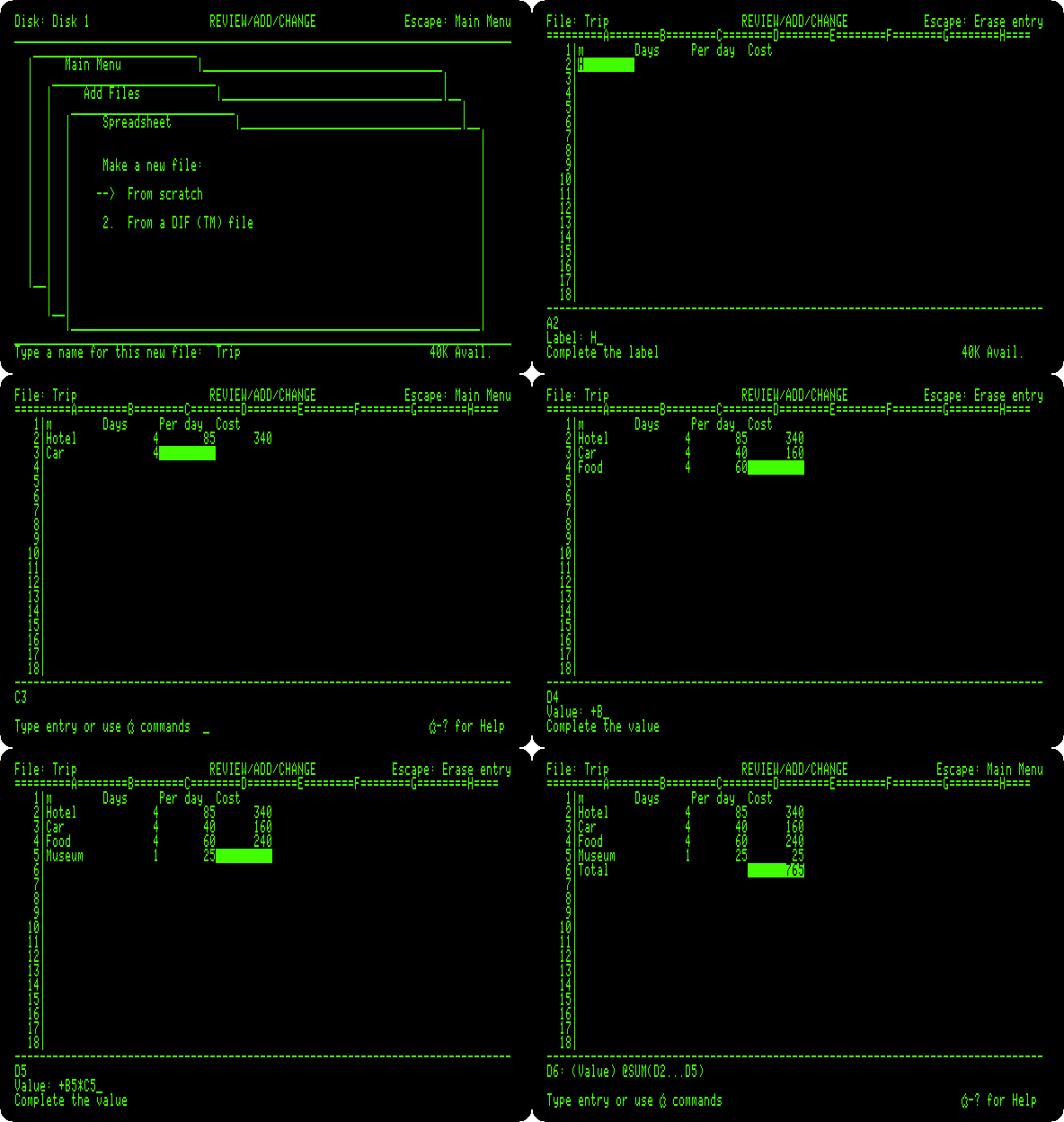
A formula starts with
+, or@for a function, as in VisiCalc; the rangeD2.D5is shownD2...D5. -
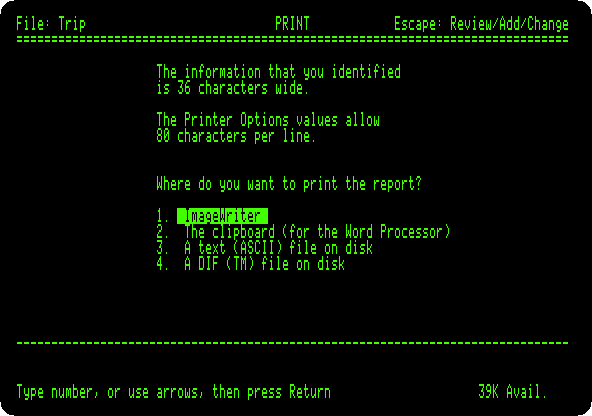
Press Open Apple and P, Print, and Return for all of it. Besides the printer and files on disk, there is the clipboard, for the word processor. Choose 2, press Return for no date, and Space.
The word processor
-
Press Escape for the main menu, choose 1, 3, Word Processor, From scratch, and type
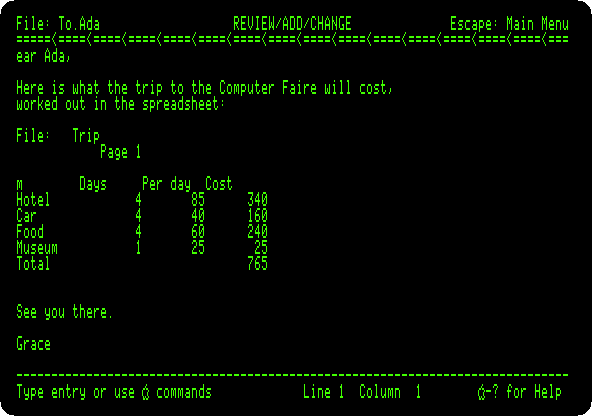
To.Adafor its name. Type the start of the letter:Dear Ada, Here is what the trip to the Computer Faire will cost, worked out in the spreadsheet:The lines break by themselves at the end of the screen; Return ends a paragraph.
-
Press Open Apple and C, Copy, and F, From clipboard: the table comes in, as the spreadsheet printed it, with its heading. Press Open Apple and 9 to go to the end, and type the end of the letter:
See you there.

Grace
Open Apple and 1 goes to the start, to see it all:
The data base
-
Escape, 1, 4, Data Base, From scratch,
Friends. A data base has categories, the fields of each record: press Control-Y to clear the first name, and typeName,CityandPhone, each with Return.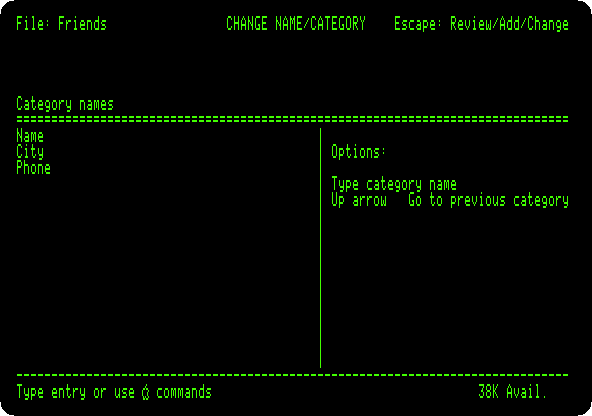
-
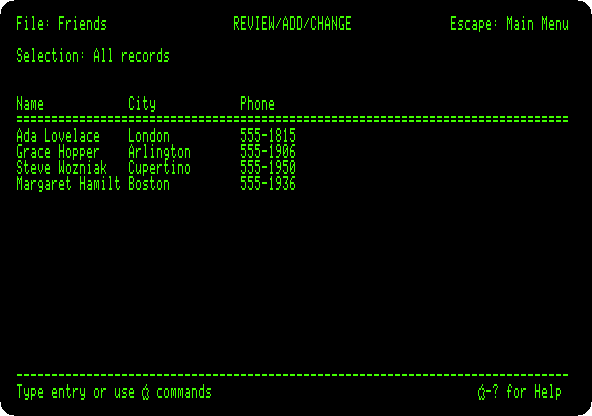
Press Escape, and Space: AppleWorks asks for the first record. Type four, a field and Return at a time:
Ada Lovelace       London      555-1815
Grace Hopper       Arlington   555-1906
Steve Wozniak      Cupertino   555-1950
Margaret Hamilton  Boston      555-1936
Press Escape for the list of all of them, a record a line, the longer names cut to the width of their column.
The Desktop
-
Press Open Apple and Q: the Desktop Index, the three files in memory at once, and the program of each,
SS,WPandDB. Choosing one goes to it, where it was left. Press Escape.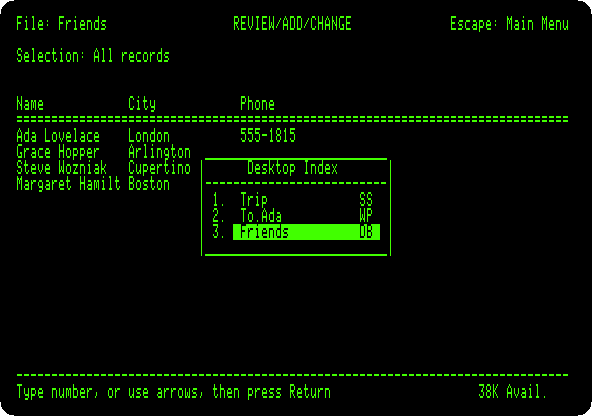
Saved
-
Press Escape for the main menu, and choose 6, Quit, and Y. AppleWorks asks what to do with each new file: press Return for Save the file on the current disk, for each of the three.
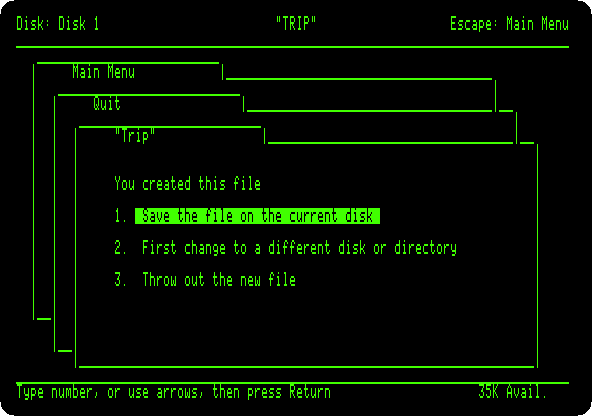
AppleWorks ends in the program selector of its disk.
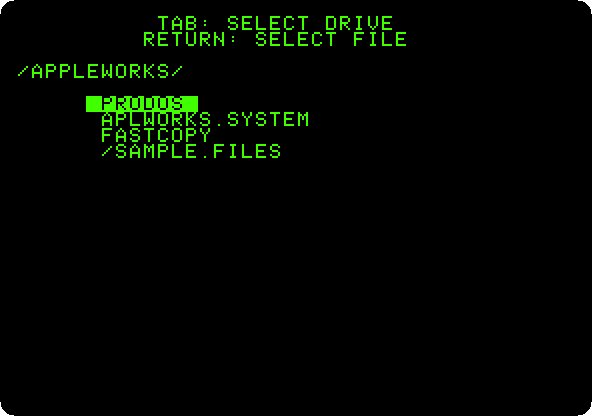
-
Choose
APLWORKS.SYSTEMto start it again, Return for the date, and choose 1 and 1, The current disk: the three files are on the disk, next to the samples that came on it, with the date given to AppleWorks.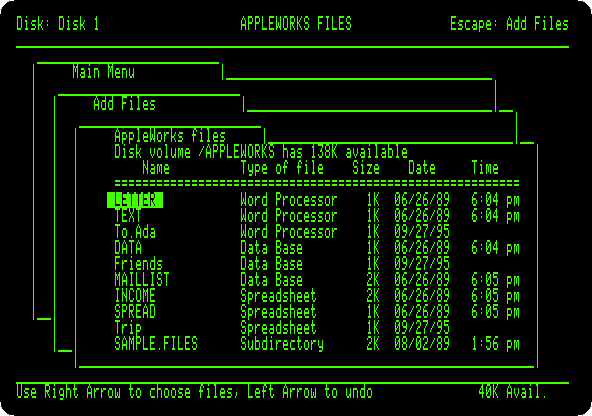
What next
ProDOS is the system AppleWorks runs on, and Apple II DeskTop the other way of the //e with files, with a mouse.