The Apple ][ and its cassettes
The first Apple ][s went on sale on June 10, 1977: a board of Steve Wozniak’s in a plastic case, with its keyboard, two paddles, 4 KB of memory, and Integer BASIC in its ROM, ready when switched on. There was no disk drive. To keep a program, or to buy one, there was the cassette: a jack on the back of the machine for the earphone of an ordinary tape recorder, and another for its microphone. The recorder was not in the box, nor was the television; the programs Apple sold were on cassettes, and the first ones showed what the machine could do: a game, and its colours.
Getting a program in took a minute and some patience: the volume and the
tone of the recorder had to be right, or the Apple answered ERR. And the
colours were not all there yet. The first boards, Revision 0, the first
6,000 machines, showed four colours in the high resolution graphics: black,
white, violet and green. In June 1979 Byte printed how to give them two more,
in Wozniak’s own words.
This page loads three of Apple’s tapes into a first Apple ][, plays Breakout, runs the demonstrations of the colour graphics and of the high resolution graphics, and shows the colours of the two boards side by side.
What you need
The recordings of three of Apple’s cassettes, from the Apple cassettes of the Brutal Deluxe cassette project, which keeps the tapes of the Apple ][ as sound files:
k7_apple_002000101_breakout.wavandk7_apple_002000101_colorgraphics.wav, the two programs of the tape 002-0001-01, Breakout / Color Graphics;k7_apple_600201600_highresolutiongraphics.wav, the tape 600-2016-00, High-Resolution Graphics.
Each comes in a .zip of the same name. ./fetch-disks.sh in this repository
downloads them into disks/, takes the recordings out and checks them.
Wozniak’s note is in the Byte of June 1979, on the Internet Archive, after Allen Watson’s article, from page 60; and Apple’s manual of its tapes for the Apple ][, The Apple Tapes, of 1979, is on Brutal Deluxe.
The machine
The first Apple ][, as it came:
- the 6502 processor at 1 MHz and 48 KB of memory;
- the ROM with Integer BASIC and the Monitor;
- the board of Revision 0, with four colours in the high resolution graphics, and a keyboard of capitals only;
- the cassette input, with a tape in the recorder;
- paddles in the game port, and no cards in its slots.
The machine with the tape of Breakout:
izapple2 -model none -board 2plus -cpu 6502 -screen color \
    -rom "<internal>/341-000x_integer.rom" \
    -charrom "<internal>/Apple2rev7CharGen.rom" -forceCaps \
    -mods four-colors \
    -tape disks/k7_apple_002000101_breakout.wav
With the tape of Color Graphics:
izapple2 -model none -board 2plus -cpu 6502 -screen color \
    -rom "<internal>/341-000x_integer.rom" \
    -charrom "<internal>/Apple2rev7CharGen.rom" -forceCaps \
    -mods four-colors \
    -tape disks/k7_apple_002000101_colorgraphics.wav
With the tape of High-Resolution Graphics:
izapple2 -model none -board 2plus -cpu 6502 -screen color \
    -rom "<internal>/341-000x_integer.rom" \
    -charrom "<internal>/Apple2rev7CharGen.rom" -forceCaps \
    -mods four-colors \
    -tape disks/k7_apple_600201600_highresolutiongraphics.wav
And an Apple ][ of a later board, with six colours, and no tape:
izapple2 -model none -board 2plus -cpu 6502 -screen color \
    -rom "<internal>/341-000x_integer.rom" \
    -charrom "<internal>/Apple2rev7CharGen.rom" -forceCaps
izapple2 plays the tape when the Apple starts listening to the cassette input, and stops it when the Apple stops: there is no Play button to press, and it runs the machine as fast as it can while the tape plays, so a program that took half a minute to load comes in a moment.
Breakout
-
Start izapple2 with the first command. The Apple ][ starts in the Monitor, with its prompt,
*. Press Control-B and Return for Integer BASIC, with its prompt,>. -
Type
LOAD. The Apple listens to the cassette: a tone first, to set the level, then the program, as tones of two pitches, one for each value of a bit. When it has all of it, the prompt comes back. TypeRUN.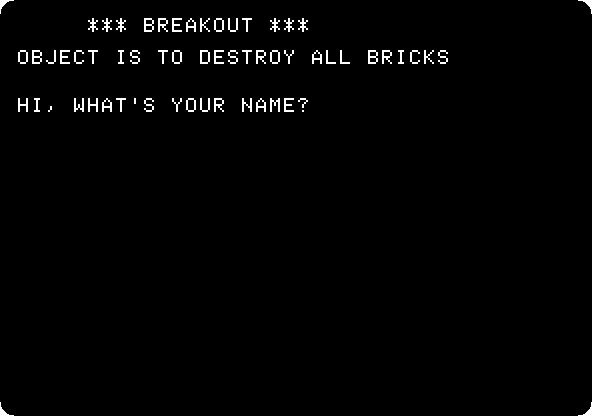
Breakout was a game of Atari, of 1976, which Wozniak had designed. Here it is in Integer BASIC, with the bricks in columns at the right and the bat at the left.
-
Type a name, and
Yfor the standard colours. Move the mouse left and right over the izapple2 window to move the bat up and down: without a joystick, izapple2 makes the mouse paddle 0, from 0 at the left of the window to 255 at the right.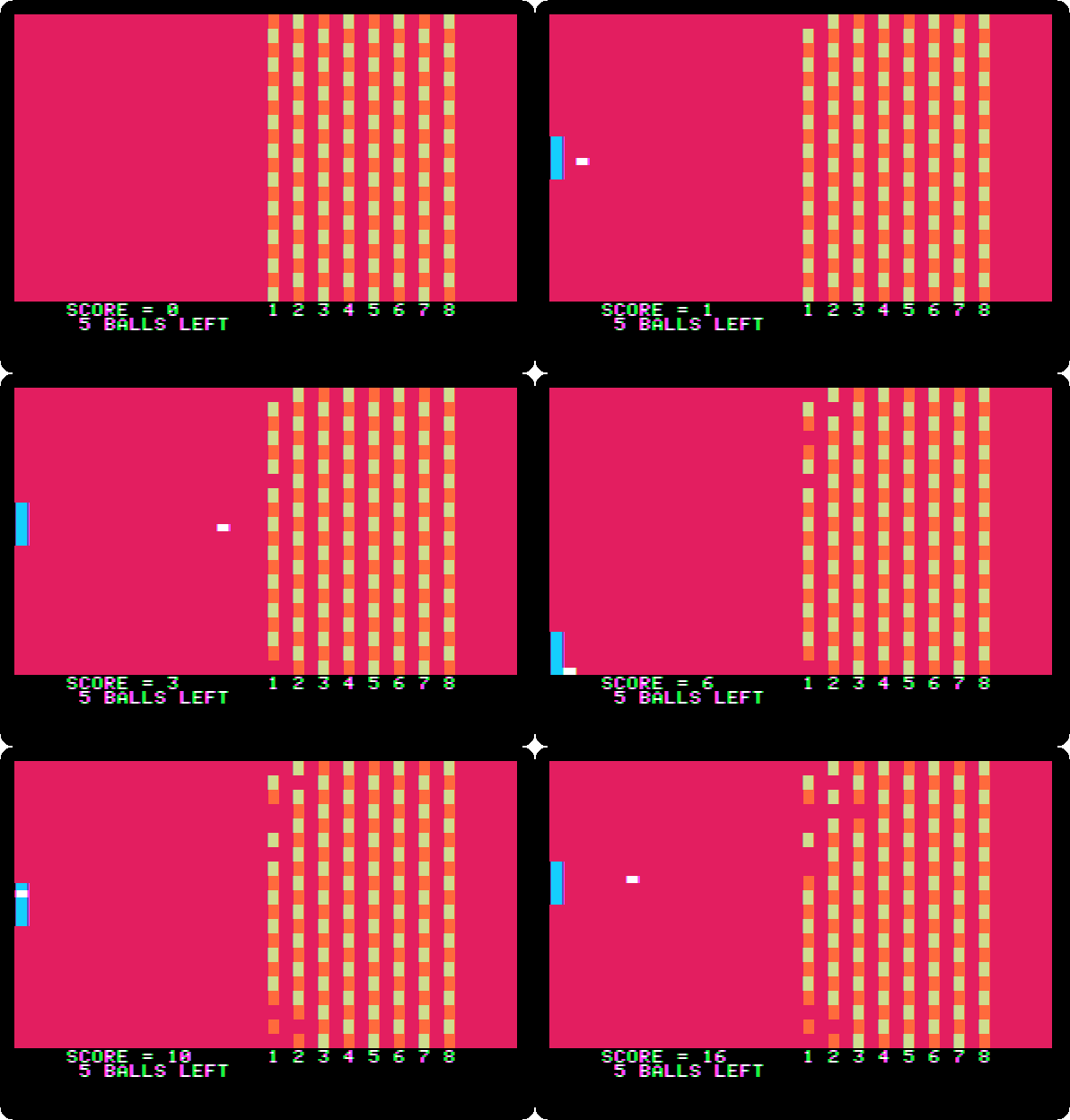
The bricks of the column at the right count more than the ones at the left. This is the speed of the machine: Integer BASIC works out every line of the game, the ball, the bat, the bricks and the score.
Color Graphics
-
Quit izapple2 and start it with the second command. Control-B, Return,
LOADandRUN, as before. The menu of the demonstrations: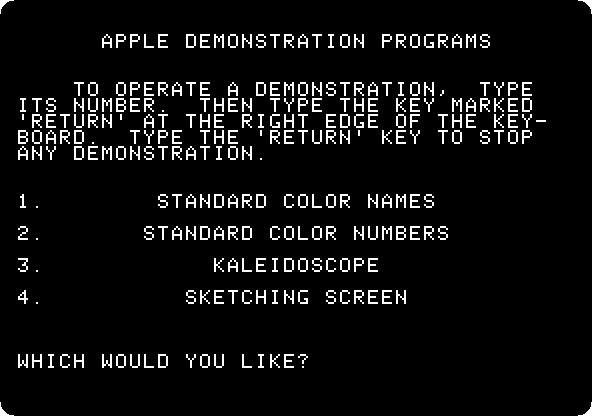
-
Type
3and Return, the kaleidoscope: the colours of the low resolution graphics, drawn in patterns that mirror each other, as in a kaleidoscope.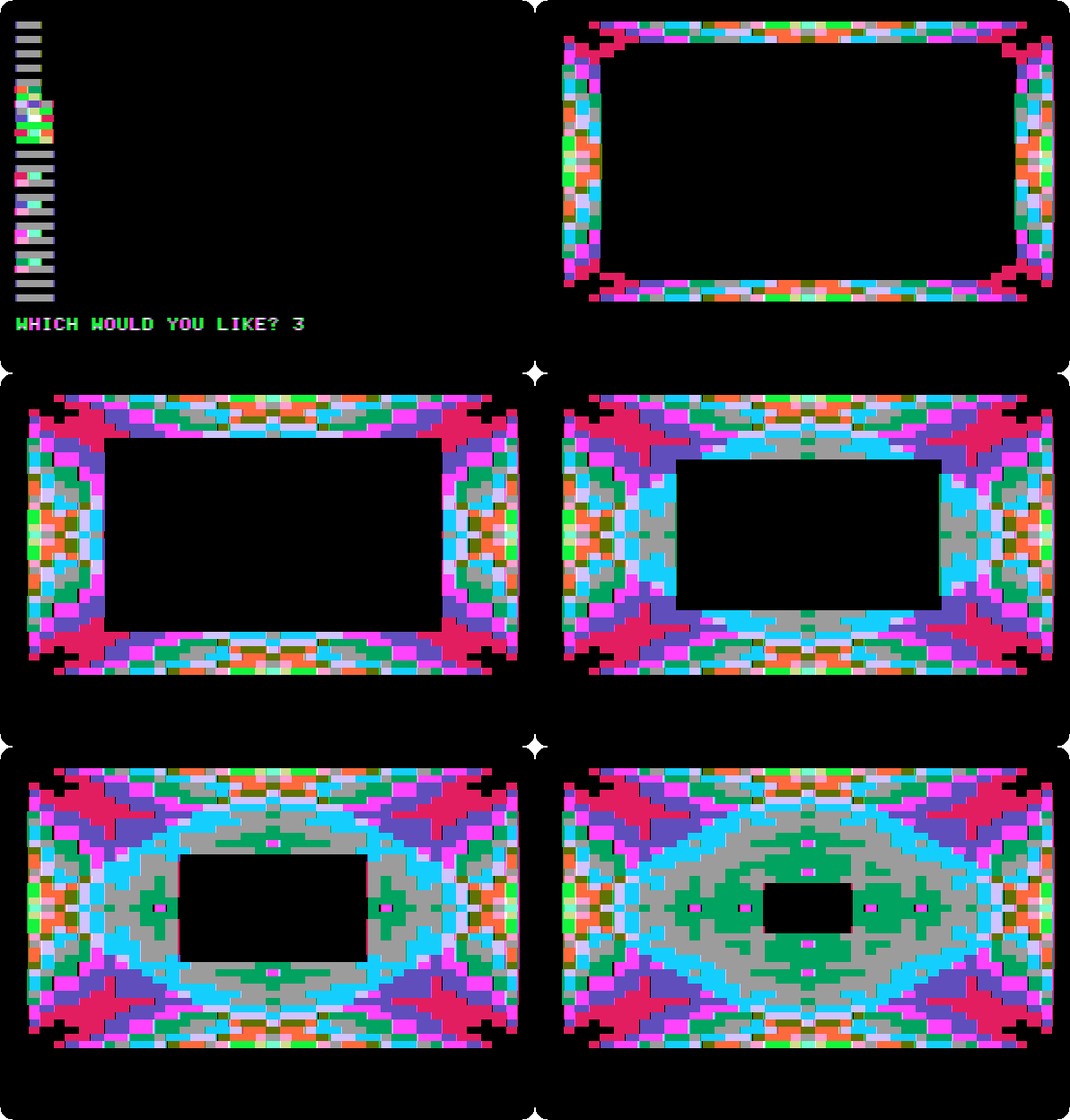
The colour of the Apple ][ was the point: the Commodore PET and the TRS-80 of the same year had none. The Apple made its colours from the way a colour television decodes its signal, with very few chips.
High-Resolution Graphics
-
Quit izapple2 and start it with the third command. This tape has two parts: routines in machine code, that draw in the high resolution graphics, and a program in Integer BASIC that calls them. The machine code comes first, and the Monitor reads it: type
C00.FFFR, read the tape into memory fromC00toFFF. Then Control-B and Return, andLOADfor the BASIC that comes next on the tape, andRUN.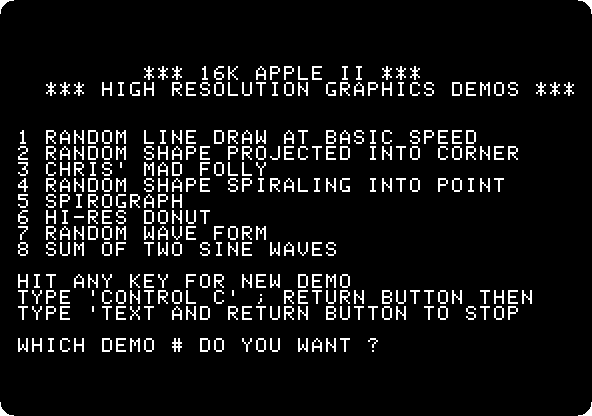
-
Type
6and Return, the donut, rings drawn one after the other: a minute of the machine.
Each dot of the high resolution graphics is a bit of memory, 280 across and 192 down. All of them are violet and green, as everything on a board of Revision 0.
Six colours
In June 1979 Byte published More Colors for Your Apple, by Allen Watson III, on how the controls of the television, its tint, gave other colours to the high resolution graphics. Wozniak added a note to it. Only seven bits of each byte of the high resolution graphics made dots; the eighth did nothing. “A simple modification allows the high order bit of each to specify one of two color sets by generating a 90 degree phase shift of displayed information”, and the note went on with the steps, from taking the board out of its case. The later boards have it: with the eighth bit set, violet and green are blue and orange.
-
Press Reset, Control-F2 in izapple2, Control-B and Return, and type this program, which paints the high resolution graphics in four bands, the last two with the eighth bit set:
10 POKE -16304,0: POKE -16297,0: POKE -16302,0
20 FOR C=0 TO 119
30 B=C MOD 40/10:V=85: IF B MOD 2#C MOD 2 THEN V=42
40 IF B>1 THEN V=V+128
50 FOR A=8192+C TO 16383 STEP 128: POKE A,V: NEXT A
60 NEXT C
70 END
The
POKEs of line 10 switch the screen to the high resolution graphics, all of it, with no lines of text. The screen is 8 KB of memory from 8192, in blocks of 128 bytes, each with three lines of 40 bytes.Cgoes through the 120 bytes of a block andBis its band, of 10 bytes.85and42alternate the dots so that the band is of a colour, and128is the eighth bit. Line 50 puts the byte in its place in each of the 64 blocks. It is also in this repository, listings/colours.bas.Type
RUN. In about half a minute the bands are painted: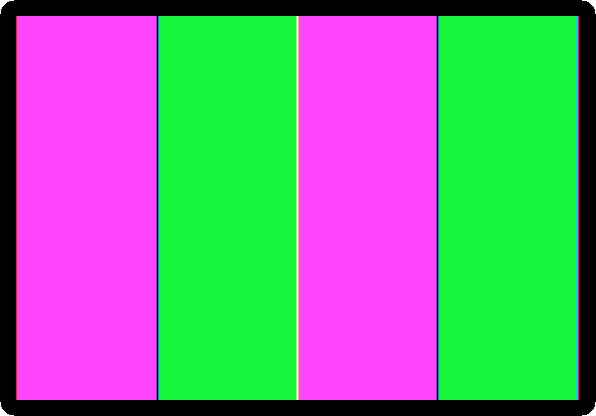
Violet, green, violet and green: the eighth bit changes nothing.
-
Quit izapple2 and start it with the last command, an Apple ][ of a later board. Control-B, Return, the same program, and
RUN: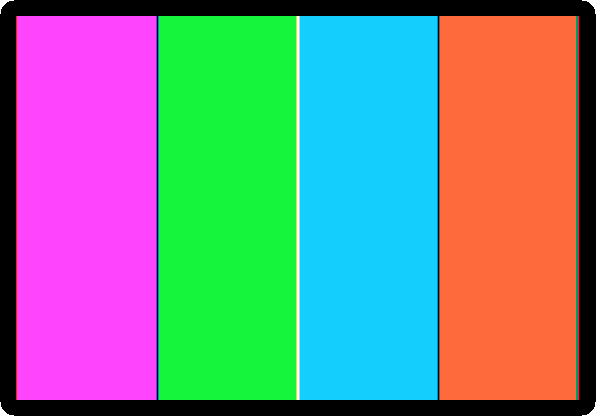
Violet, green, blue and orange, and black and white: the six colours of the high resolution graphics of every Apple ][ since.
What next
The Apple ][ of 1977 goes through the Monitor, the Mini-Assembler and Integer BASIC of the same machine, and A game in Applesoft is a game of bat and ball typed in.