The languages of the BBC Micro on a //e: Applecorn
The BBC Micro, made by Acorn for the computer literacy project of the BBC in 1981, was the computer of British schools in the eighties. It had a 6502, as the Apple II, but at 2 MHz, twice as fast, and its languages did not talk to the hardware: they came in ROMs of 16 KB, and asked the MOS, the operating system in another ROM, for everything, a character written, a key read, a line drawn, a file opened, through a few calls Acorn documented. Acornsoft, Acorn’s publisher, sold languages that way: BBC BASIC was in every machine, and COMAL, Lisp, Forth, micro-PROLOG, BCPL and ISO-Pascal, and the word processor View, were among the ROMs to plug in.
Applecorn, written by Bobbi Webber-Manners and others from 2021, is that MOS for the Apple II: a ProDOS program for the enhanced //e, which loads a ROM of the BBC into the auxiliary memory, unchanged, and takes the calls the ROM makes to the MOS. Applecorn translates each into what does the same on the Apple: a character written goes to the text screen of the //e, a line drawn to its high resolution graphics, a key read to its keyboard, and a file opened, read or saved to the calls of ProDOS, so that the files of the languages are files of ProDOS on its disks. This page starts it, and writes a small program in each of its languages: four roses drawn by BBC BASIC in the colours of the Apple, and in the others a sequence of numbers, a puzzle, a family tree, the primes, and Pascal’s triangle, compiled where the language compiles. Then a text in View, and all the languages loaded at once.
What you need
applecorn-0.54-beta.po, the disk of 800 KB of Applecorn 0.54, in the
Releases
folder of its repository on GitHub. ./fetch-disks.sh in this repository
downloads it into disks/ and checks it. The disk has the ROMs of the
languages, Applecorn itself, and the example programs that came with them.
The manuals of the languages, scanned, are in the Applecorn-Manuals repository: BBC Microcomputer User Guide, for BBC BASIC and the MOS, and COMAL on the BBC Microcomputer, LISP on the BBC Microcomputer, Forth on the BBC Microcomputer, the micro-PROLOG Reference Manual, BCPL for the BBC Microcomputer, ISO-Pascal on the BBC Microcomputer and Acorn Electron and the View Guide. The README of Applecorn says what it does of the BBC and how.
The machine
An enhanced Apple //e with a hard disk interface:
- the 65C02 processor at 1 MHz and 128 KB of memory: 64 KB on the board, the top 16 KB of it the memory of a language card, which izapple2 puts in slot 0, and 64 KB more on the extended 80 column card, in the auxiliary slot; Applecorn needs the 65C02 and the 128 KB;
- a hard disk interface, SmartPort, in slot 7, with the disk of Applecorn.
izapple2 -model none -board 2e -cpu 65c02 -screen green \
    -rom "<internal>/Apple2e_Enhanced.rom" \
    -charrom "<internal>/Apple IIe Video Enhanced.bin" \
    -s0 language \
    -s7 smartport,image1=disks/applecorn-0.54-beta.po
The model 2enh of izapple2 has this machine, with 8 MB more of memory on a
RAMWorks card, a No-Slot Clock, a VidHD card, a FASTChip accelerator, a
Mockingboard and a Disk II controller more:
izapple2 -model 2enh -screen green disks/applecorn-0.54-beta.po
Start it
-
Start izapple2 with the command above. ProDOS starts from the disk and runs Applecorn,
APLCORN.SYSTEM, which asks for a ROM of the BBC.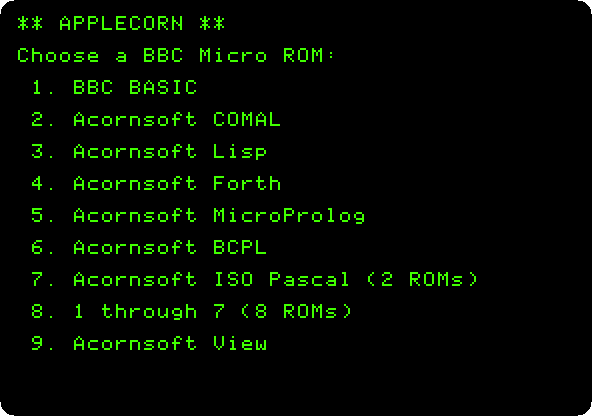
Seven languages, ISO-Pascal in two ROMs, and View. Choice 8 loads the seven at once, as the sockets of a BBC Micro held them; that is the last step of the page.
-
Press
1. Applecorn loads the ROM of BBC BASIC from the disk, writes its own version, and hands the machine to BASIC, which says its name and gives its prompt,>.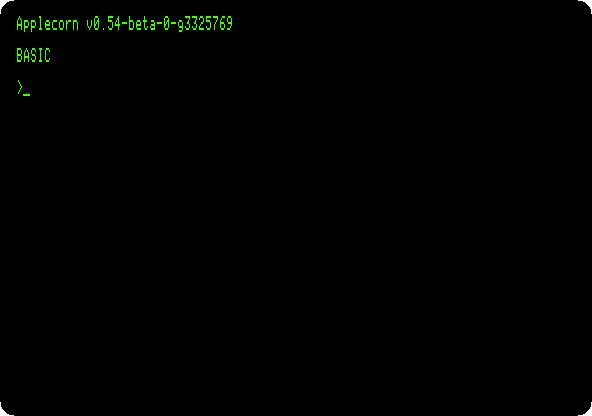
The text is in 80 columns, Applecorn’s
MODE 3. The languages of the BBC want their words in capitals, as the programs here are typed.
BBC BASIC
-
Type the program, each line with Return, and
LIST:10 REM Four mystic roses: points on a circle, each joined to every other 20 MODE 2 30 PROCrose(320,768,5,1) 40 PROCrose(960,768,7,2) 50 PROCrose(320,256,9,4) 60 PROCrose(960,256,11,5) 70 END 80 DEF PROCrose(X%,Y%,N%,C%) 90 LOCAL I%,J% 100 GCOL 0,C% 110 FOR I%=0 TO N%-2 120 FOR J%=I%+1 TO N%-1 130 MOVE FNx(I%),FNy(I%) 140 DRAW FNx(J%),FNy(J%) 150 NEXT 160 NEXT 170 ENDPROC 180 DEF FNx(K%)=X%+260*SIN(2*PI*K%/N%) 190 DEF FNy(K%)=Y%+230*COS(2*PI*K%/N%)It is
rose.basin this repository.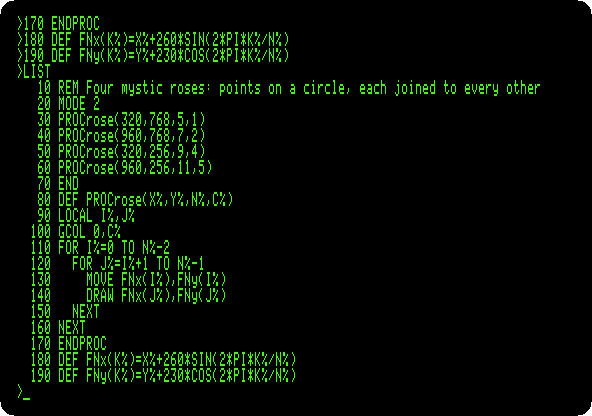
BBC BASIC had what Applesoft lacked: procedures and functions with names and parameters,
PROCandFN, variablesLOCALto them, and variables of whole numbers, those that end in%. A mystic rose is points on a circle, every one joined to every other:PROCrosedraws one, around a centre, ofN%points, in the colourC%, andFNxandFNygive the place of a point. The graphics of the BBC are 1280 by 1024, from the bottom left, whatever the mode;MOVEgoes to a point andDRAWdraws a line to the next. -
Press F6 in izapple2 until the screen is in colour, and type
RUN.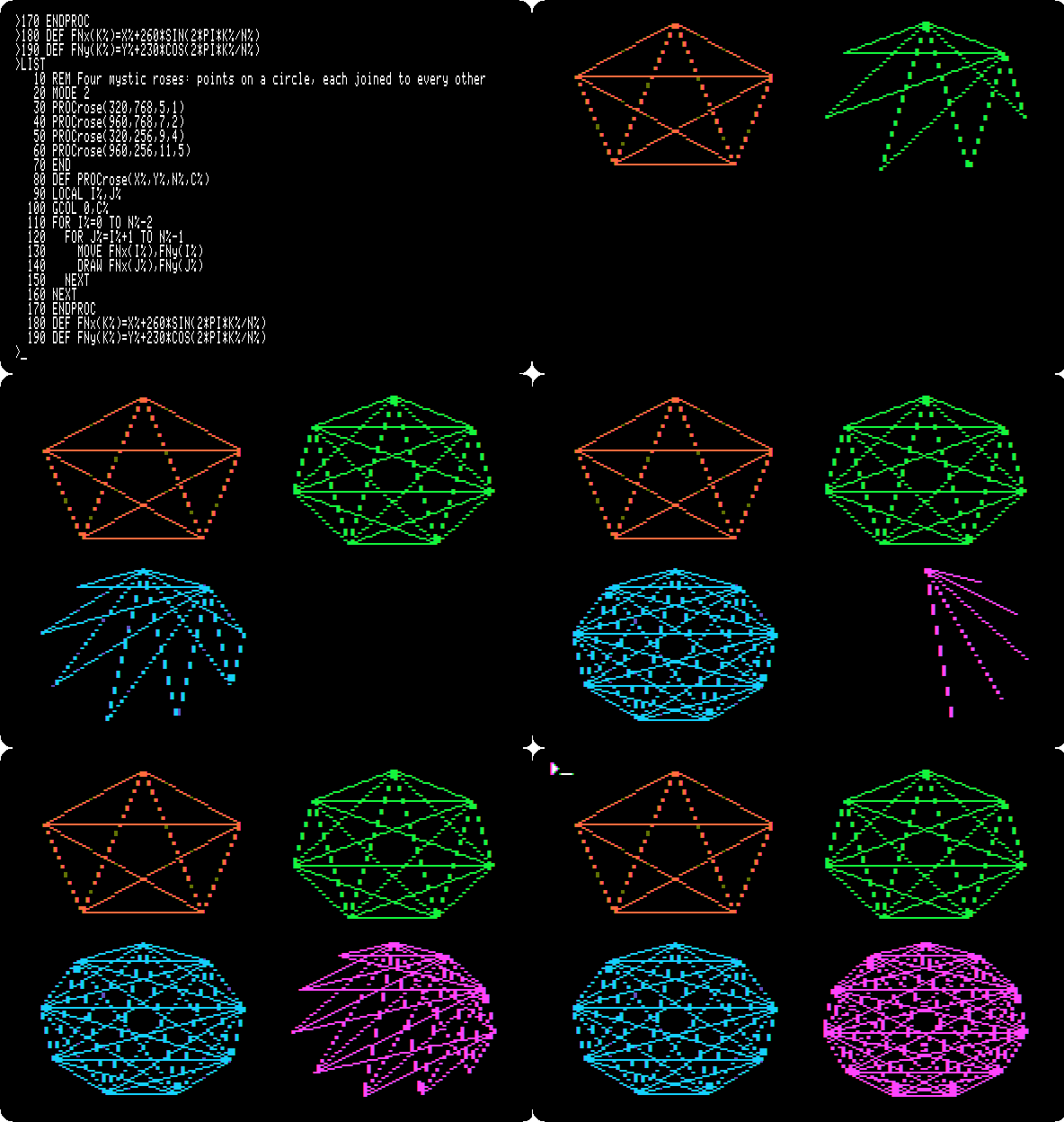
MODE 2on Applecorn is the high resolution graphics of the Apple, 280 dots by 192, which Applecorn draws with Andy McFadden’s FDraw. On the BBC, the colours 1, 2, 4 and 5 ofGCOLare red, green, blue and magenta; here they are the nearest of the six colours of the Apple, orange, green, blue and violet. A colour in high resolution is every other dot, so the lines of a colour are dotted, and where many cross, as in the rose of eleven points, the dots run together. The four roses take 32 seconds, as long as the recording: BASIC works out the place of each point withSINandCOS, twice for every line.>comes back at the top left, written in the graphics, as all the text ofMODE 2.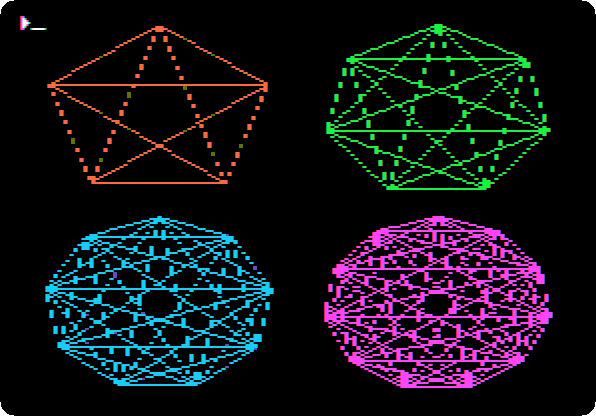
-
Press F6 until the screen is green again, and type
*QUIT. A command that starts with*is for the MOS, and Applecorn’s*QUITleaves for ProDOS, which runs its program selector, Bitsy Bye.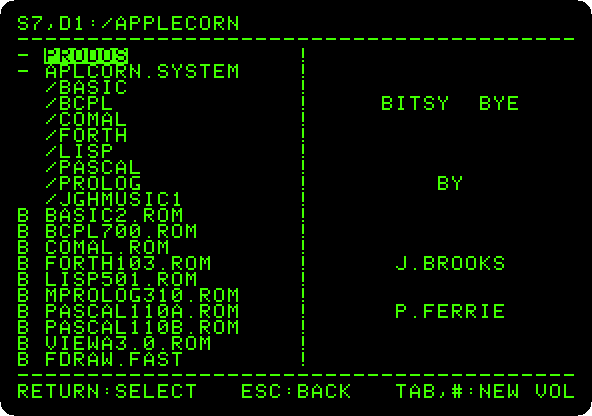
Press the down arrow once, to
APLCORN.SYSTEM, and Return: the menu comes back. The steps that follow choose a language from it, and leave it the same way, each language with its own way of giving a command to the MOS.
COMAL
-
Press
2for COMAL, type the program, each line with Return, andLISTandRUN:10 // How a number comes down to 1 20 FOR n:=6 TO 9 DO steps(n) 30 END 40 PROC steps(n) CLOSED 50 WHILE n<>1 DO 60 PRINT STR$(n);" "; 70 IF n MOD 2=0 THEN 80 n:=n DIV 2 90 ELSE 100 n:=3*n+1 110 END IF 120 END WHILE 130 PRINT "1" 140 END PROC stepsIt is
steps.comalin this repository.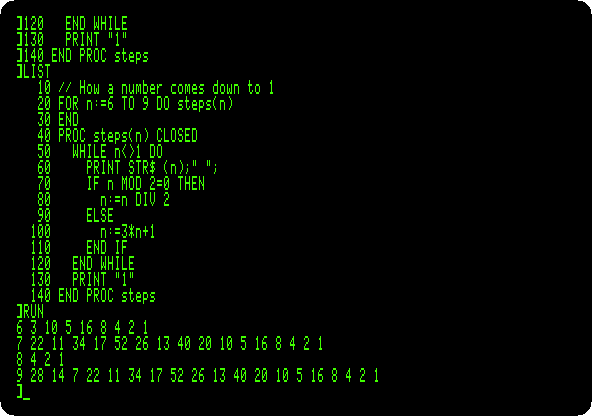
COMAL, made in Denmark for schools, is BASIC with the structures of Pascal:
WHILE,IFwithELSE, and procedures with their own variables,CLOSED, called by their names. The prompt is].LISTindents the program by its structure itself, whatever the indentation it was typed with, and gives the names in small letters. The program takes a number down to 1: halved when even, three times and one more when odd. Nobody has proved it always gets there.Type
*QUIT, and in Bitsy Bye the down arrow and Return.
Lisp
-
Press
3for Lisp, and type the program, each line with Return:(DEFUN HANOI (N FROM TO SPARE) (COND ((ZEROP N) NIL) (T (HANOI (SUB1 N) FROM SPARE TO) (PRINT (LIST 'MOVE N 'FROM FROM 'TO TO)) (HANOI (SUB1 N) SPARE TO FROM)))) (HANOI 3 'LEFT 'RIGHT 'MIDDLE)It is
hanoi.lispin this repository.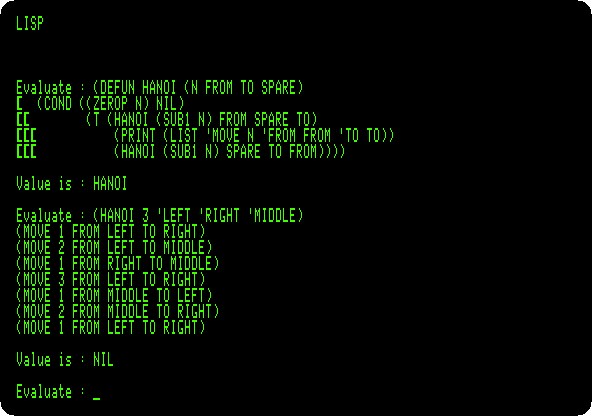
Lisp asks
Evaluate :, takes an expression until its brackets close, a[on each line for each one still open, and says itsValue is.DEFUNdefinesHANOI, which moves a tower of discs from one peg to another, a disc at a time and never one on a smaller one: the tower but its last disc to the spare peg, the last disc to its place, and the tower on top of it, by the same function. Three discs take seven moves, printed as lists.Type
(* 'QUIT), the function*of Lisp with the command for the MOS, and in Bitsy Bye the down arrow and Return.
Forth
-
Press
4for Forth, and type the program, each line with Return:( The first twenty numbers of Fibonacci ) : FIB 0 1 ROT 0 DO OVER . SWAP OVER + LOOP DROP DROP ; 20 FIBIt is
fibonacci.forthin this repository.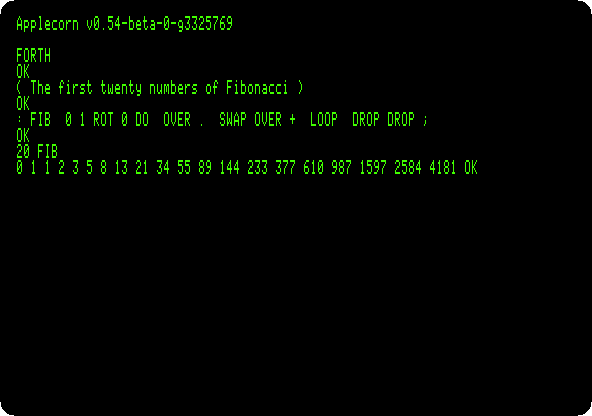
FIBkeeps the last two numbers on the stack, prints the first, and puts their sum in its place, as many times as the number given, whichROTbrings to the top forDO. Forth in ROM goes into the language on an Apple ][+.Type
OS' QUIT', the word of Acornsoft Forth for a command to the MOS, and in Bitsy Bye the down arrow and Return.
micro-PROLOG
-
Press
5for micro-PROLOG, type the program, each line with Return, andLIST ALL:((Parent Anne Bob)) ((Parent Anne Carol)) ((Parent Bob Dave)) ((Parent Bob Emma)) ((Parent Carol Fred)) ((Grandparent x z) (Parent x y) (Parent y z)) ?((Grandparent Anne x) (PP x) FAIL)It is
family.prologin this repository.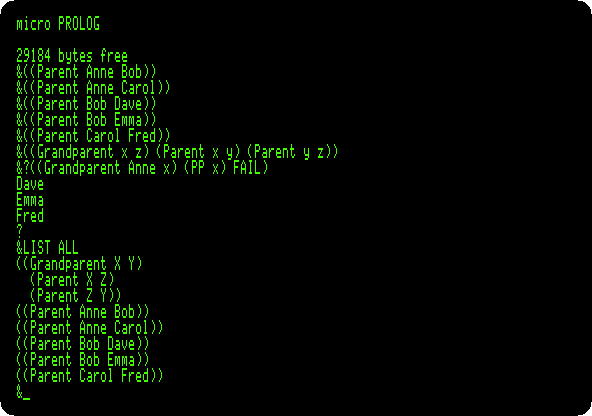
micro-PROLOG, of Logic Programming Associates in London, writes everything as lists. A program is facts and rules, not steps: five facts of who is the parent of whom, and a rule, x is a grandparent of z if x is a parent of some y and y a parent of z;
x,yandzare variables. The prompt is&.?asks a question, a grandchild x of Anne:PPprints each answer found, andFAILmakes the question fail after each, so that micro-PROLOG looks for another, until there is none and it says so with?.LIST ALLshows the program as it keeps it.Type
** QUIT,**being the command to the MOS of micro-PROLOG, and in Bitsy Bye the down arrow and Return.
BCPL
-
Press
6for BCPL, and type these two commands:*DIR BCPL COPY /C TO SIEVE*DIRgoes into the folderBCPLof the disk, which has the compiler and the files it needs. BCPL has no editor in its ROM;COPYcopies from the keyboard,/C, a line at a time, to the fileSIEVE. Type the program, each line with Return, and press Escape to end it:GET "LIBHDR" LET START() BE $( LET SIEVE = VEC 100 FOR I = 2 TO 100 DO SIEVE!I := TRUE FOR I = 2 TO 100 DO IF SIEVE!I DO $( LET J = I * I WRITEF("%N ", I) WHILE J <= 100 DO $( SIEVE!J := FALSE J := J + I $) $) NEWLINE() $)It is
sieve.bcplin this repository.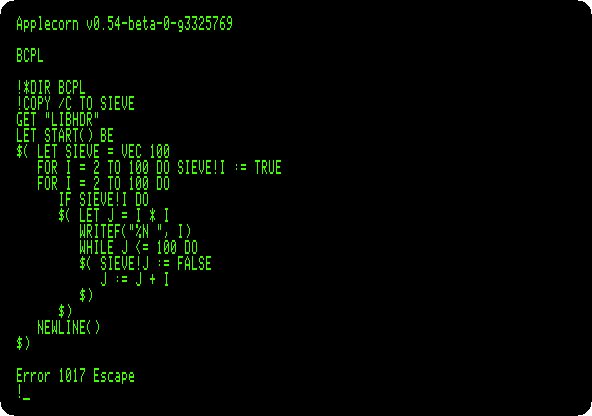
Error 1017 Escapeis howCOPYstops. BCPL, from Cambridge, is the language B came from, and then C: no types, everything a word of the machine, and$(and$)where C has braces.VEC 100is 101 words on the stack, andSIEVE!Ithe wordIof them. The sieve of Eratosthenes crosses out the multiples of each prime, so that what is left are primes. The file is written on the disk, in the folderBCPL. -
Type
BCPL SIEVE SIEVEC, to compileSIEVEinto the programSIEVEC, and when it is done, typeSIEVECto run it.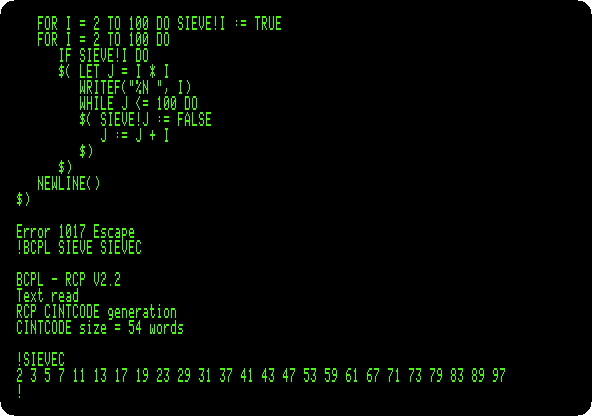
The compiler takes four minutes and a quarter: it is a program of the disk, in CINTCODE, the compact code of BCPL that the ROM interprets, and it reads its overlays and
LIBHDR, the declarations of the library, from the disk as it goes. The program it makes is 54 words of CINTCODE, and prints the 25 primes under 100.Type
*QUIT, and in Bitsy Bye the down arrow and Return.
ISO-Pascal
-
Press
7for ISO-Pascal, which Applecorn loads in two ROMs, and typeEDIT. The editor of Pascal takes the whole screen, its state in the last line. Type the program:program triangle(output); { Pascal's triangle, each row made from the one above } var row: array[0..10] of integer; n, i: integer; begin for n := 0 to 10 do begin row[n] := 1; for i := n - 1 downto 1 do row[i] := row[i] + row[i - 1]; write(' ': 2 * (10 - n) + 1); for i := 0 to n do write(row[i]: 4); writeln end end.It is
triangle.pasin this repository.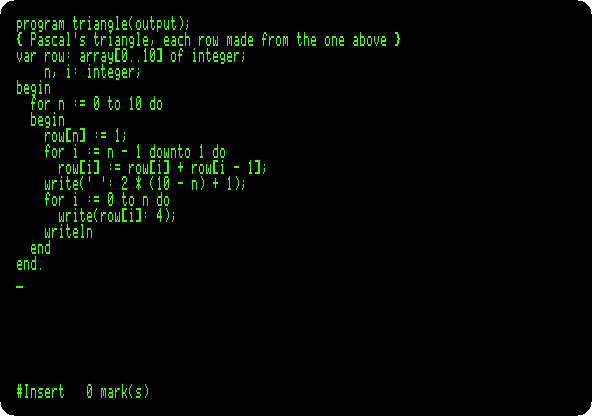
Each number of the triangle is the sum of the two above it, so a row is made from the one before in place, from its end, in one array.
-
Press Shift-f4 to leave the editor: the function keys of the BBC are the number keys with an Apple key held, and with Shift, Closed Apple, the right Alt or Option key in izapple2. So hold Closed Apple and press
4. At the prompt,%, typeCOMPILE, and thenGO.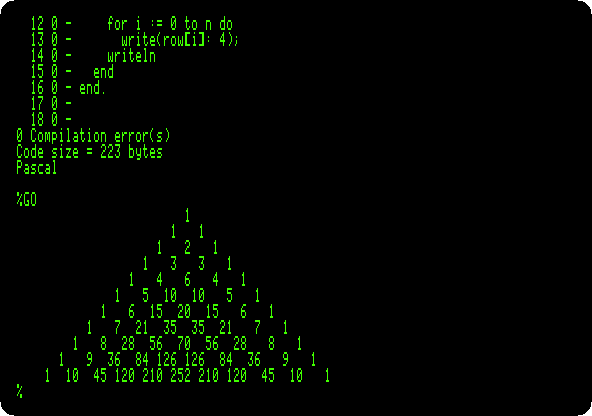
COMPILEcompiles from the memory to the memory, the program listed line by line as it goes, in 20 seconds: no errors, and 223 bytes of code.GOruns it.Type
*QUIT, and in Bitsy Bye the down arrow and Return.
View
-
Press
9for View, the word processor, and typeNEW.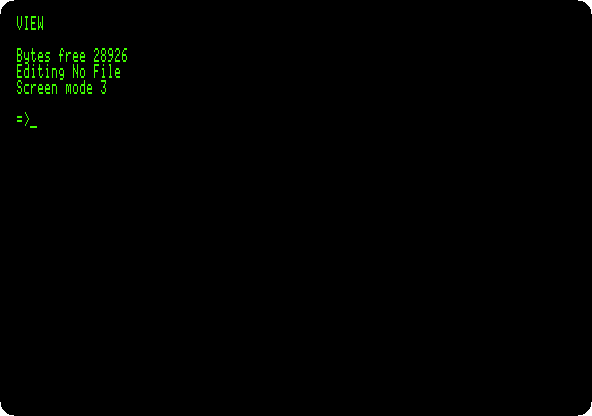
View starts in its mode of commands,
=>. Press Escape for the text, under a ruler:Fis for format, words that do not fit go to the next line, andJfor justify, the lines made even. Press Shift-f8, edit command, Closed Apple and8, and typeCE, a command stored in the left margin to centre the line, then Return, the title, Return, Return again, and the paragraph:View on the Apple //e View was the word processor of the BBC Micro, in a ROM of 16 KB. Here it runs on an Apple //e, the words that do not fit carried to the next line and the spaces spread to make the lines even.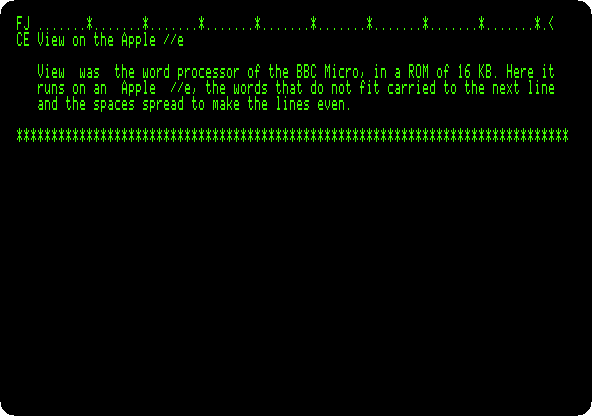
-
Press Escape for the commands again, and type
SCREEN, which shows the text as it will be printed, without the printer.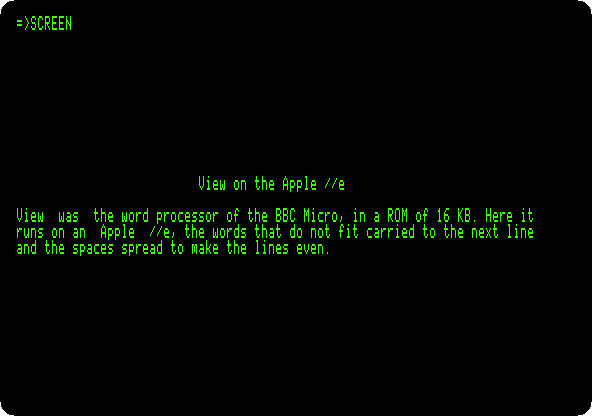
The title is centred, and the paragraph has no ruler and no margin.
SCREENshows the whole page, 66 lines, a screen at a time, and waits for Shift for the next, which on Applecorn is Open Apple, the left Alt or Option key: hold Open Apple, twice, to get back to=>. -
Type
SAVE ESSAY, and then*QUIT. View asks the MOS to save the text in the fileESSAY, and Applecorn makes it a file of ProDOS, in the top folder of the disk of Applecorn, the current one. In Bitsy Bye, pressE, which goes to the first name that starts with it.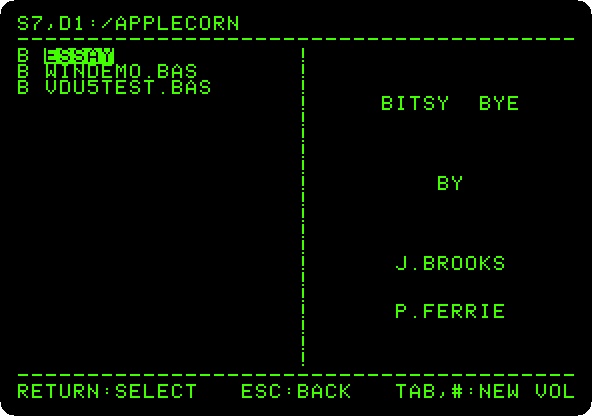
ESSAYis there with the other files of the disk, aB, binary, for ProDOS, as are the ROMs. PressA, which goes toAPLCORN.SYSTEM, and Return.
All seven at once
-
Press
8, which loads the seven languages, eight ROMs, as the sideways ROMs of a BBC Micro, BASIC first. Type*HELP, which asks each ROM to say what it is, then*COMALand*BASIC.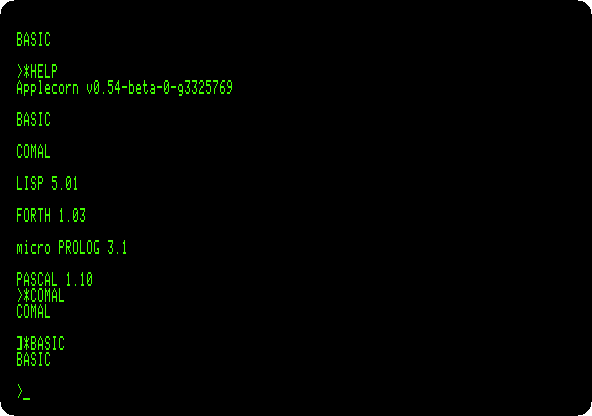
BCPL does not answer
*HELP, a fault of its ROM, the README of Applecorn says.*COMALpasses the machine to COMAL,], and*BASICback to BASIC,>: Applecorn loads the ROM again from the disk each time, where the BBC switched between its sockets at once.
What next
Next: The Base 64A, an Apple ][+ from Taiwan.
CP/M on the Z80 SoftCard is another system brought to the Apple II, with a processor of its own. Apple Pascal is the Pascal of the Apple, and Forth in ROM its Forth.