Fantavision: drawings that move
Activities › Making things and work
Fantavision was Scott Anderson’s animation program, published by Broderbund in 1985 for the Apple II, and later for the Apple IIgs and the IBM PC. You draw shapes as points joined by lines, a few of them in each frame of a movie, and the program draws the frames in between, as many as 64 of them: a shape moves from where it is in one frame to where it is in the next, and changes into the shape of the next on the way. Its manual calls the first tweening and the second transformation. With a mouse, a joystick or a graphics tablet, and no programming, anyone could make an animated title, a greeting card or a show for a class, in the high resolution colours of the Apple II.
This page watches the Movie Matinee, the show of movies on the back of the disk, and then makes three movies in Fantavision: a star that turns into a circle and a square, a title that spins, and a spiral of triangles that leave their trace. It saves them on a diskette of its own and lists them.
What you need
Fantavision side A - program.woz and Fantavision side B -
demos.woz, the two sides of the Fantavision disk, the program and the
demonstrations, in the
woz-a-day collection of
the Internet Archive: download Fantavision (woz-a-day collection).zip and
take them out of it. They are the original disk, copy protection and all.
./fetch-disks.sh in this repository downloads them into disks/ and
checks them.
my-movies.po, a diskette of ProDOS for the movies. Fantavision formats
its own with Format Disk in its File menu, but in izapple2 that stops with
Drive Error (see IZAPPLE2.md). Its manual says that any
diskette of ProDOS will do instead, so this page saves on a copy of the
ProDOS 2.4.3 disk, which ./fetch-disks.sh downloads too and which has 13
KB free, room for the three movies of the page:
cp disks/ProDOS_2_4_3.po my-movies.po
izapple2 writes what Fantavision saves straight into my-movies.po.
The user’s manual of Fantavision for the Apple II is on the Internet Archive.
The machine
An enhanced Apple //e with a mouse and two disk drives:
- the 65C02 processor at 1 MHz and 128 KB of memory: 64 KB on the board, the top 16 KB of it the memory of a language card, which izapple2 puts in slot 0, and 64 KB more on the extended 80 column card, in the auxiliary slot; Fantavision needs 64 KB;
- a mouse card in slot 4;
- a Disk II controller card in slot 6, with a side of the Fantavision disk
in drive 1 and
my-movies.poin drive 2. Fantavision wants a diskette in drive 2 when there is one: without it, the Movie Matinee stays on its title.
For the Movie Matinee, with the side of the demonstrations:
izapple2 -model none -board 2e -cpu 65c02 -screen color \
    -rom "<internal>/Apple2e_Enhanced.rom" \
    -charrom "<internal>/Apple IIe Video Enhanced.bin" \
    -s0 language -s4 mouse \
    -s6 'diskii,disk1=disks/Fantavision side B - demos.woz,disk2=my-movies.po'
For the program, with the side of the program:
izapple2 -model none -board 2e -cpu 65c02 -screen color \
    -rom "<internal>/Apple2e_Enhanced.rom" \
    -charrom "<internal>/Apple IIe Video Enhanced.bin" \
    -s0 language -s4 mouse \
    -s6 'diskii,disk1=disks/Fantavision side A - program.woz,disk2=my-movies.po'
The Movie Matinee
-
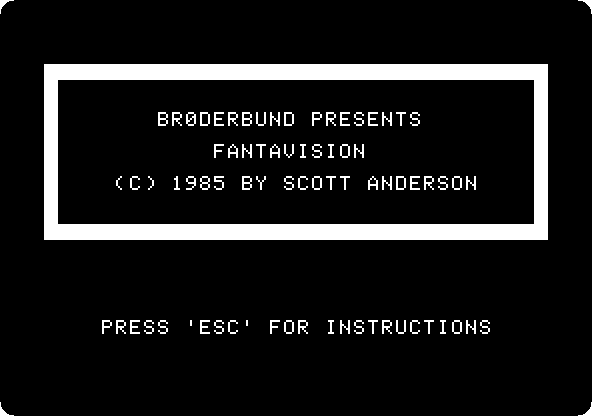
Start izapple2 with the first command. The title of the show comes up while the movies load.
-
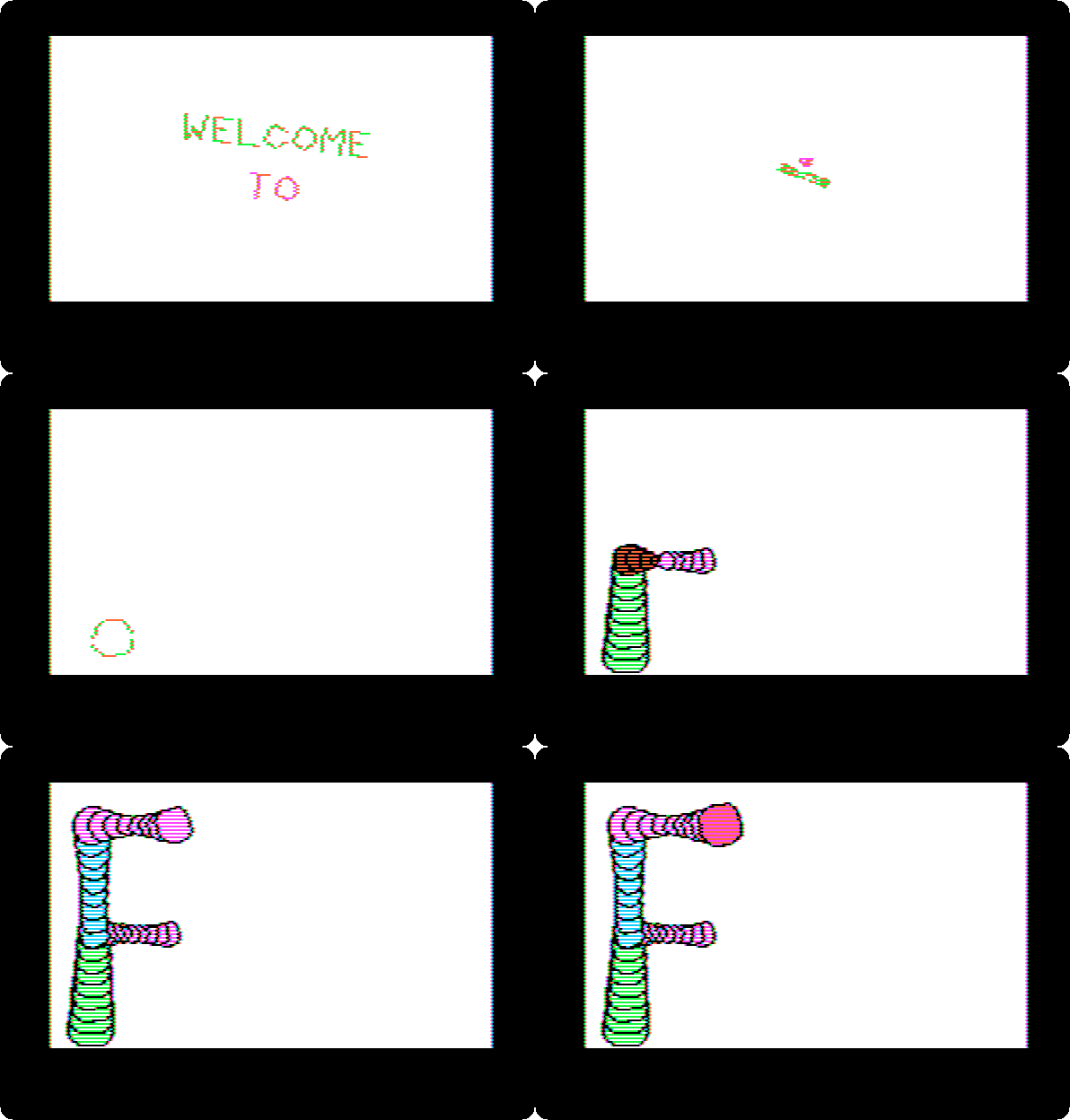
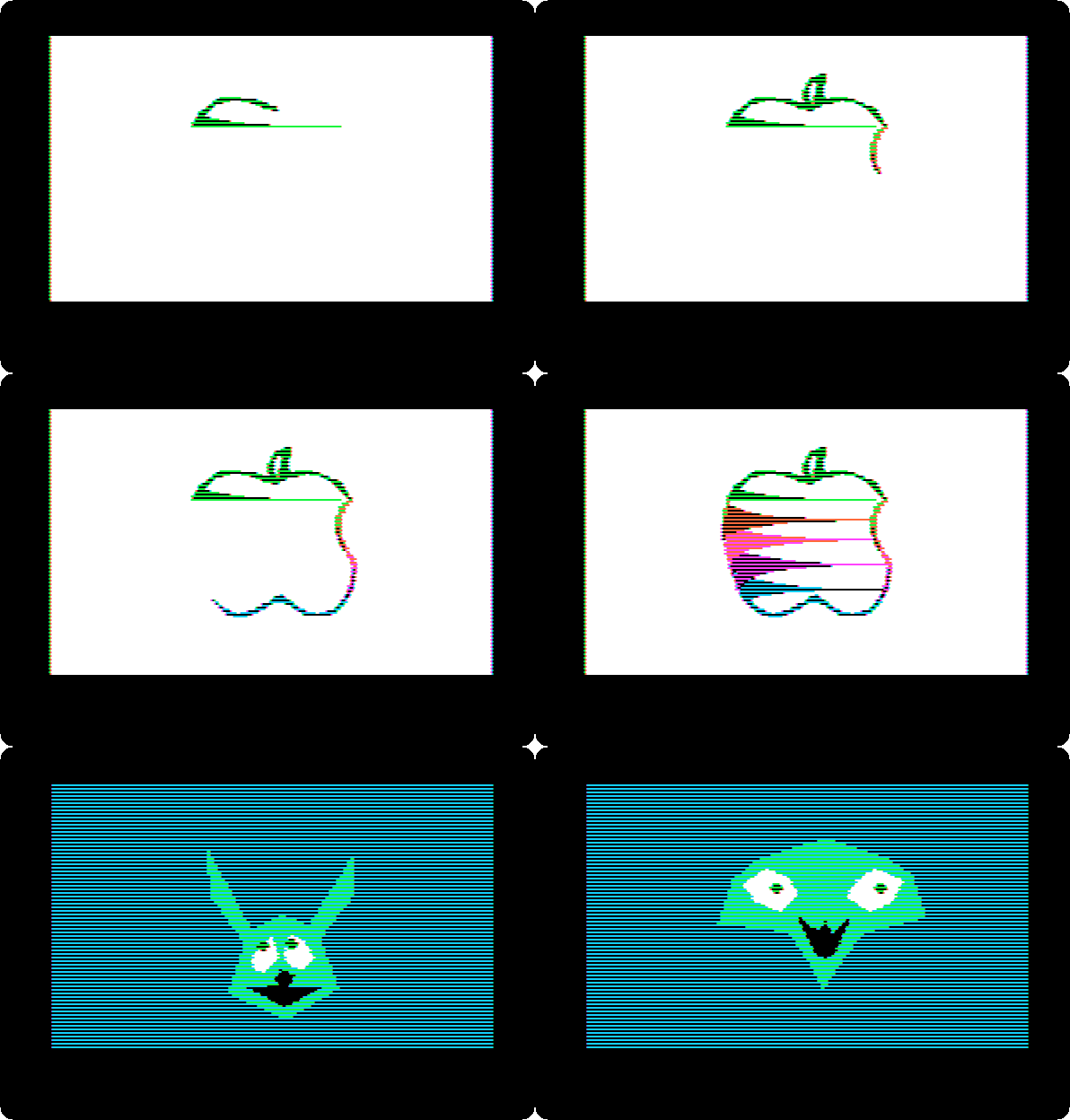
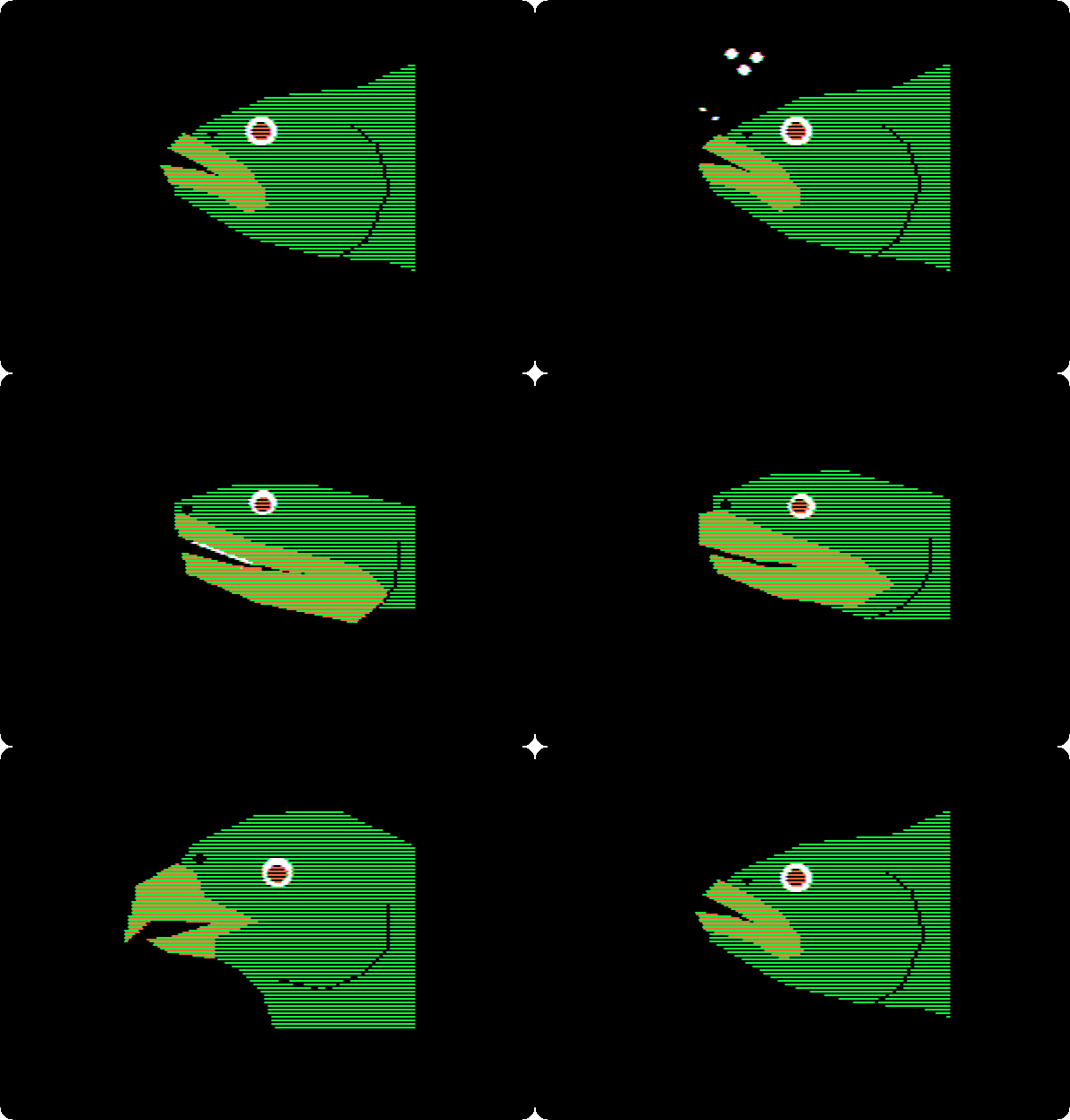
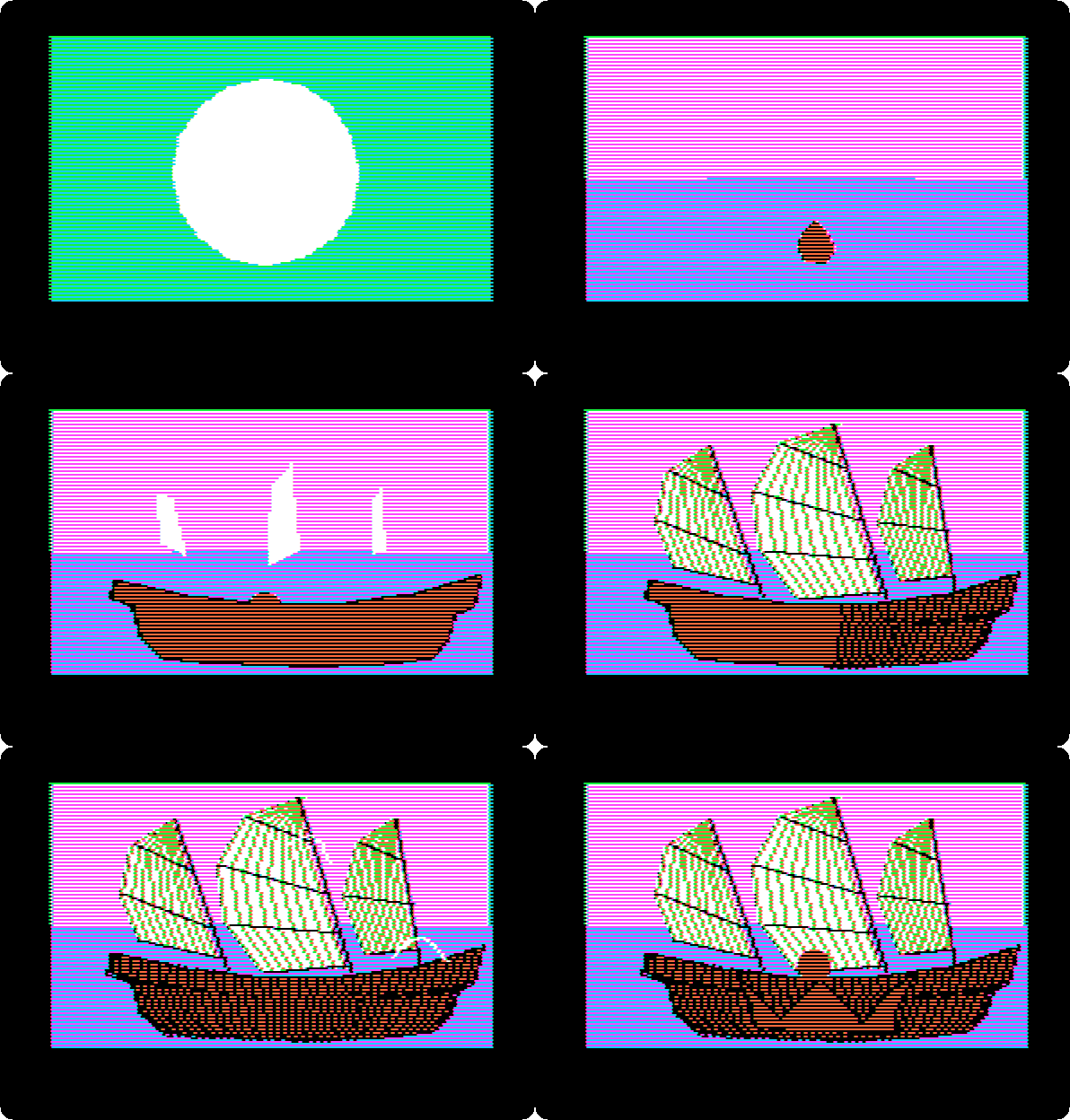
Wait. After about twenty seconds the movies start, one after the other, without a key: fireworks, a title, an apple, a face, words written by hand, a fish, shapes, a volcano, a spider, a ship, and more. These are five of them, at the speed of the machine.
The title: WELCOME TO turns and shrinks to a dot, and the letter F grows out of the bottom, a stack of rings, and then the rest of the word.
The apple, drawn a line at a time and filled with colours, and the face, one shape that changes from frame to frame, the frames in between drawn by the program.
The fish, whose mouth opens and shuts.
The ship: the sea, the hull and the sails, each brought in by a shape that grows into it.
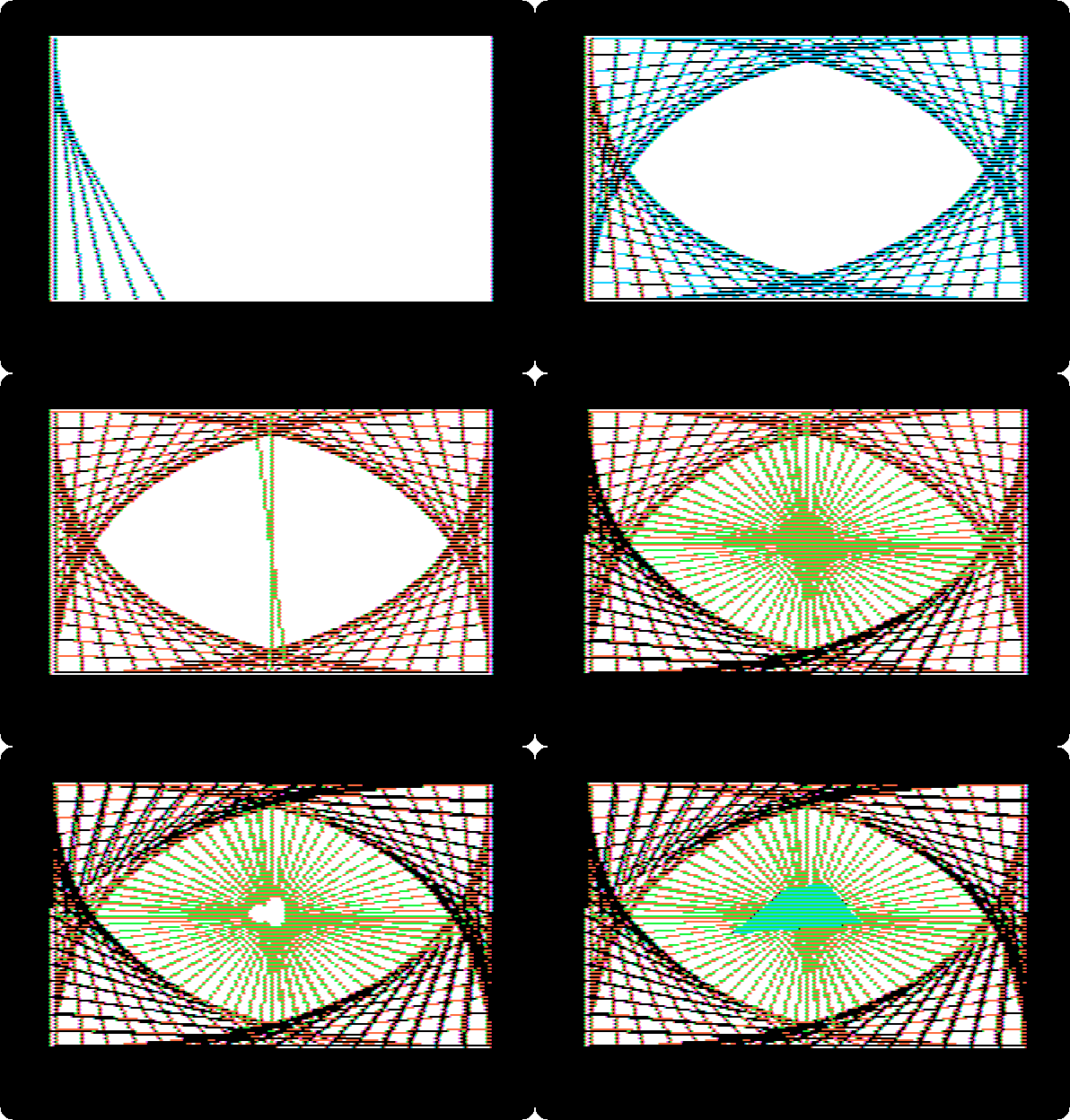
The eye: lines that turn and leave behind them all the places they pass through.
Start Fantavision
-
Start izapple2 with the second command. The title says which drawing tool Fantavision found: the mouse. The Space bar would choose another.
The mouse is the mouse of your computer: wherever the pointer is on the izapple2 window, it is on the Apple II screen. Clicking is pressing its button.
-
Wait. The screen to draw on comes up, the pointer a pencil.
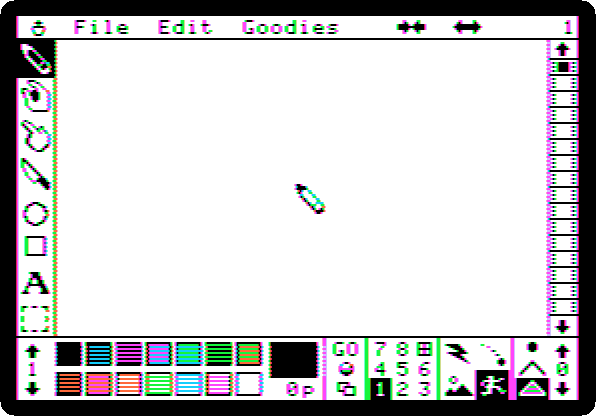
Around the white page, the tools down the left: draw, grab a point, insert a point, delete a point, circle, rectangle, text
Aand the capture box. Along the bottom: the arrows of the palette, its number between them, and its fourteen colours; the colour of the object and its number of points; GO; the object counter, 1 to 8, with the French window, the square at the right of 8, for the background; the animation box, of four modes; and the dimension box, a dot, a line or a solid shape. Down the right, the film strip, the frame number above it. A frame holds up to eight objects, of up to 32 points each.
A star that turns into a circle and a square
-
Set the colours: click the down arrow under the palette number, at the bottom left, twice, for palette 3, of orange and blue; click the French window, then black, the first colour, for a black background; then click 1 in the object counter, to draw object 1.
-
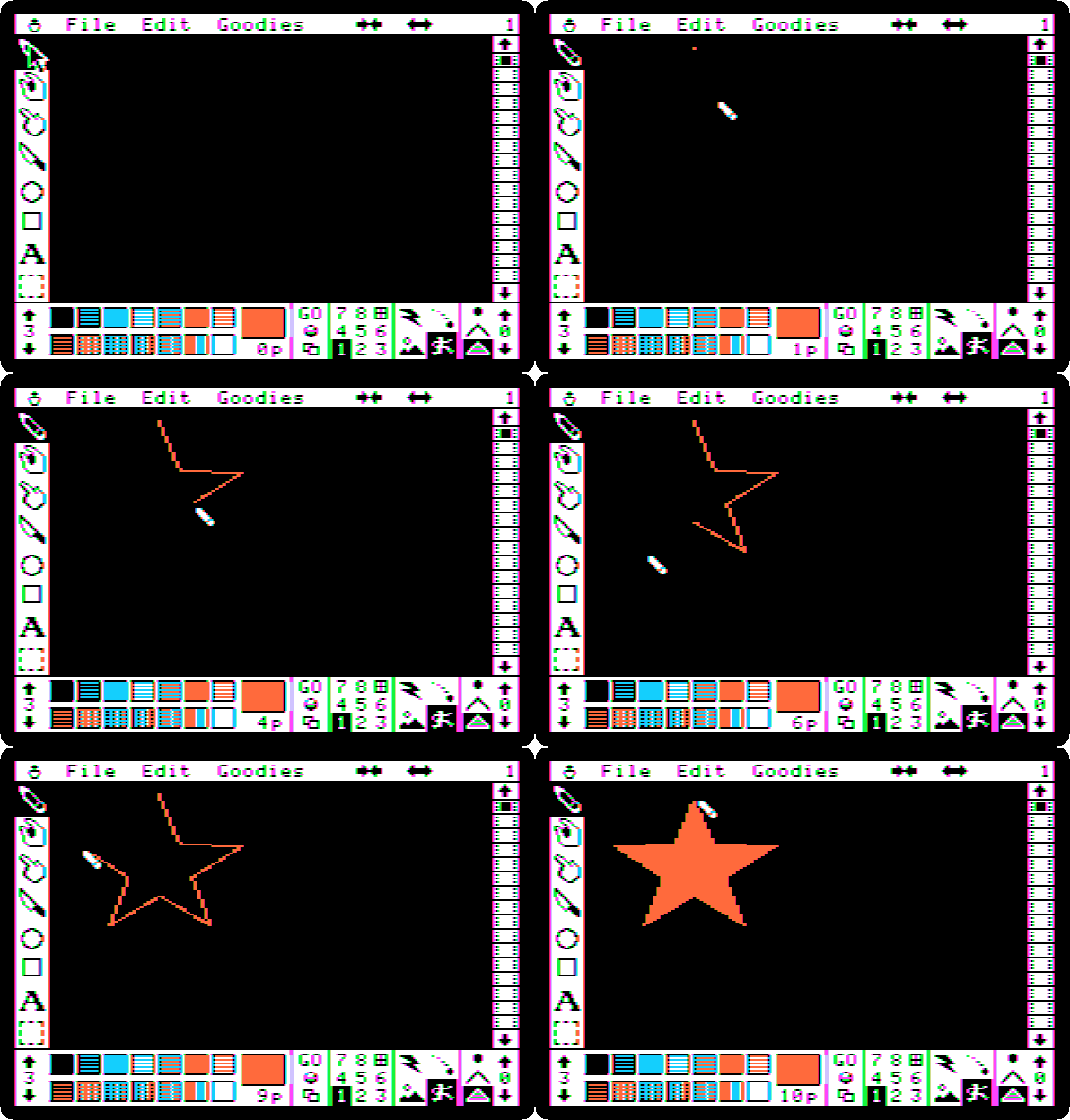
Click orange, the sixth colour of the top row, then the pencil, and click the points of a star on the page, one after the other, the last on the first, which closes the shape and fills it.
-
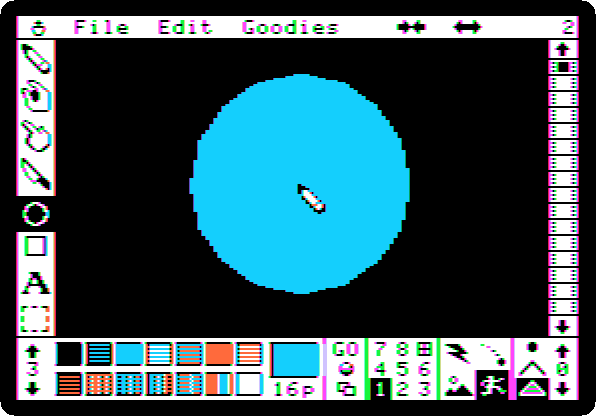
Click the down arrow at the bottom of the film strip, for frame 2: the number at the top right says 2, and the page is empty. Click the circle, press the button in the middle of the page and drag out to the size of the circle, and click blue, the third colour of the top row.
-
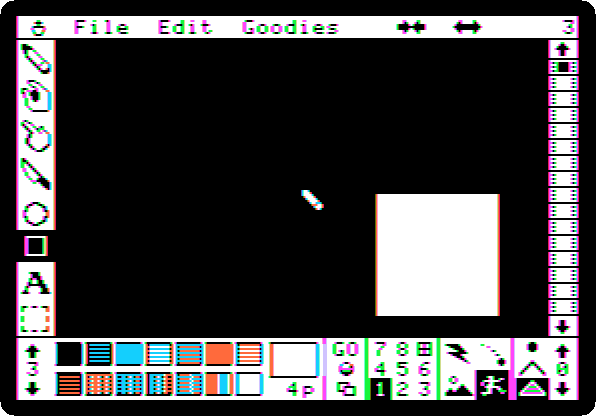
Frame 3 the same way: the down arrow of the film strip, the rectangle, a drag from one corner to the other, and white, the last colour of the bottom row.
-
Click the first square of the film strip, for frame 1, and click GO. The movie plays in a loop: the star goes to the middle and turns into the circle, the circle into the square, and the square back into the star. Each object of a frame turns into the object of the same number in the next, and its colour changes on the way.

The keys 1 to 7 set the speed, 1 the fastest. Click to stop.
-
Save it: in the File menu, Save Movie, type
SHAPES,2and press Return. The,2saves it on the diskette in drive 2,my-movies.po. Then Clear Movie, in the same menu, and Yes, for an empty one.
A title that spins
-
Palette 4, of magenta and green: the down arrow under the palette number once more. Black for the background again, with the French window, and object 1.
-
Click
A, then the page, a little left of the middle, and typeAPPLE. The text tool puts four letters in each object,APPLin object 1 andEin object 2. Press the right arrow, which ends the object, typeII, which goes in object 3, and press Return. Then colour them: click 1 in the object counter, then magenta, the third colour of the top row; 2, magenta; and 3, green, the sixth.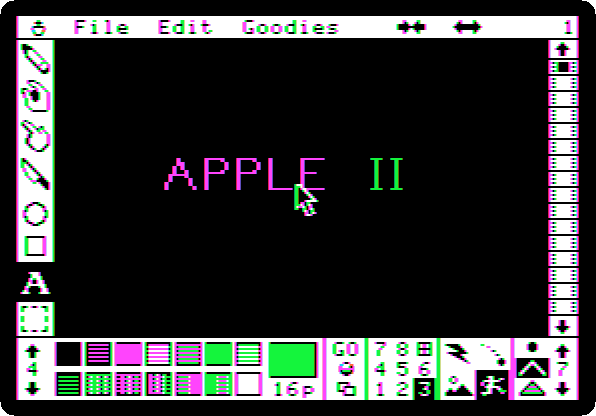
- Three more frames, each made from the last:
- in the Edit menu, Clone, which copies the frame to the end of the movie, frame 2;
- in the Goodies menu, Turn, and click four times the arrow at the right of the two that appear in the menu bar: each turns everything a sixteenth of a turn around the middle of the page, so four make a quarter;
- in the Goodies menu, Zoom, and once the arrow at the right, which makes everything bigger; in frame 3, the one at the left, which makes it smaller again.
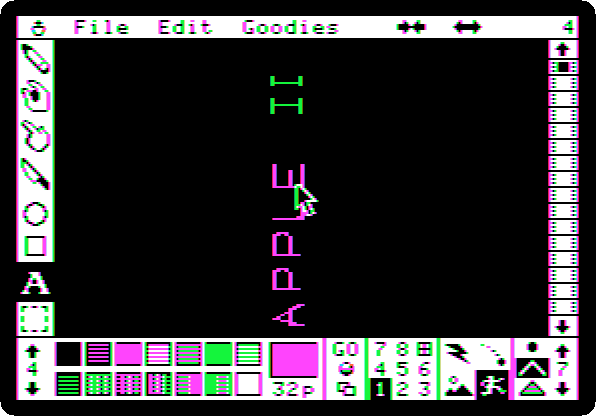
-
The first square of the film strip and GO. The title spins, larger and smaller.
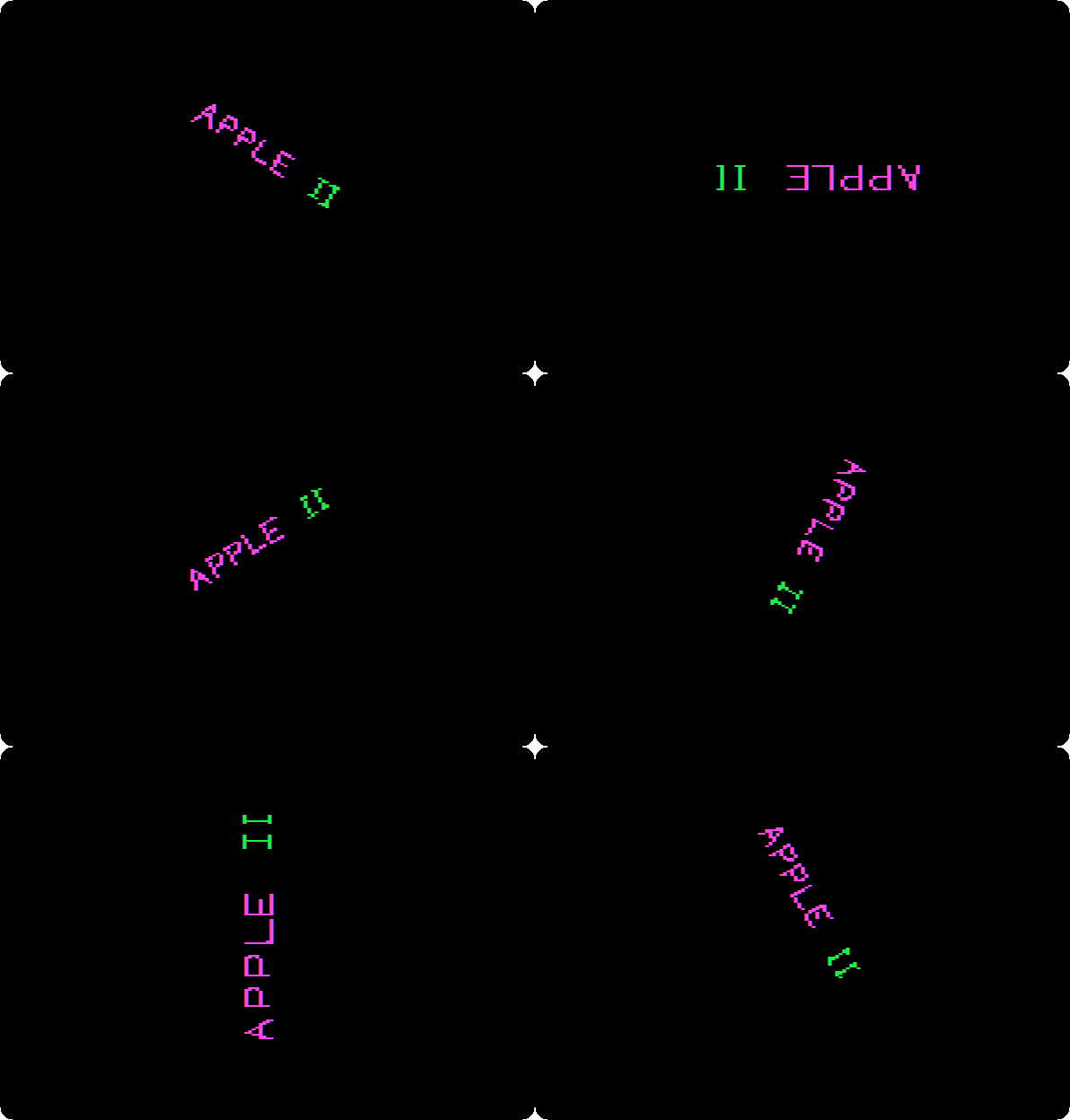
Click to stop, save it as
SPIN,2, and clear the movie.
A spiral in trace mode
-
Black for the background and object 1 again, palette 4 still. In the dimension box, at the bottom right, click the line, the middle of the three, for an object of lines and not a solid shape; in the animation box at its left, click trace, the top right of the four, in which an object leaves behind it every frame it is drawn in. Then green, the pencil, and a small triangle in the middle of the page, closed on its first point.
-
Eleven more frames, each a Clone of the last, turned once, a sixteenth, made bigger once with the zoom, and coloured, magenta and green in turn.
-
The first square of the film strip, GO, and press 2, for speed 2. The slower the speed, the more frames in between and the smoother the movie, the manual says; in trace mode each of them stays on the page, and at speed 2 they are few enough for the spiral to show.
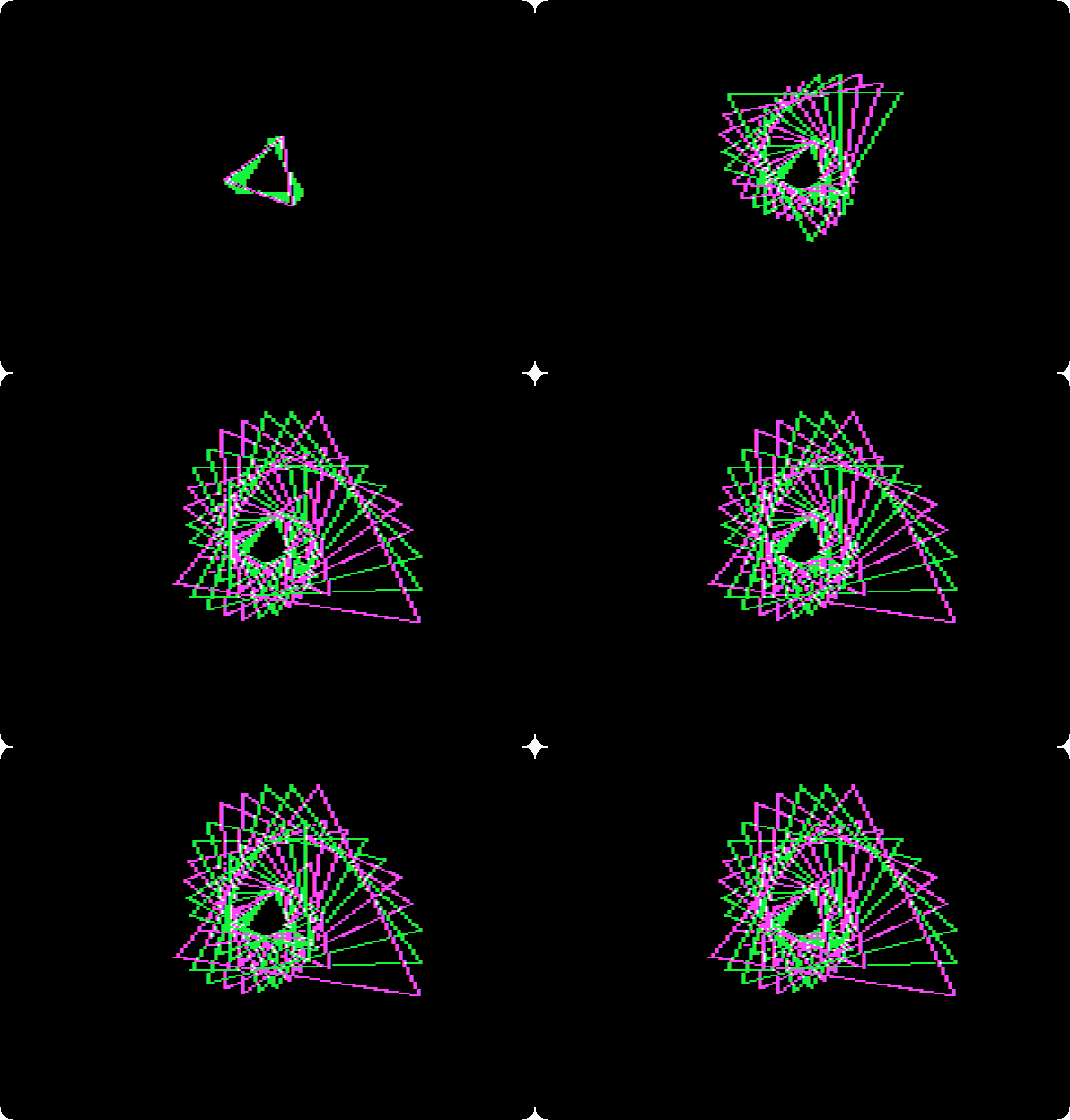
Click to stop, and save it as
TRACE,2. A movie keeps the speed it is saved with.
The movies on the diskette
-
In the File menu, Load Movie. It lists the movies of drive 1 first, the ones on the program disk, and its fonts. Click 2, after Drive, for the ones of drive 2: the three of this page.
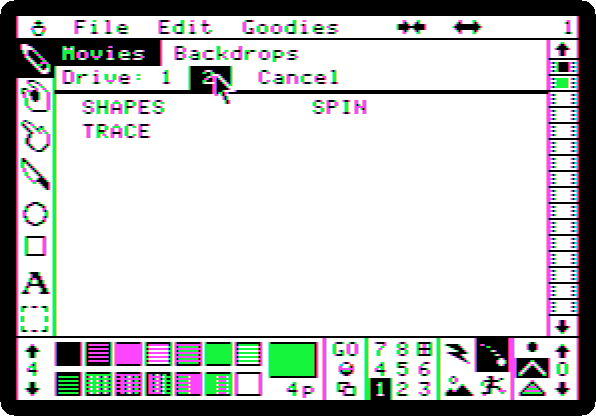
The three are files of ProDOS on
my-movies.po, each named after the movie withM.before.
What next
Next: MousePaint on the Apple IIc.
Logo and its turtle draws with a program; Fantavision with the mouse. Apple II DeskTop is another program for the mouse of the //e.