ProDOS
DOS 3.3 was made for diskettes of 140 KB. When hard disks came, Apple made a new operating system for the Apple II, ProDOS, out at the start of 1984: disks of up to 32 MB, files in folders inside folders, and the same format on a diskette and on a hard disk. It became the system of the //e, the //c and the IIgs, and Apple left it at version 2.0.3 in 1993. Enthusiasts took it up again in 2016, and ProDOS 2.4 runs on every Apple II with 64 KB, from the first one.
This page starts ProDOS 2.4.3 on an enhanced //e, chooses a program in the selector it starts with, and catalogues the disk from BASIC. Then it makes a folder on the RAM disk of the //e, with a program that writes a text file and reads it back, and looks at the diskette with Copy II Plus, the utility everyone had.
What you need
ProDOS_2_4_3.po, ProDOS 2.4.3, from
its page. ./fetch-disks.sh in
this repository downloads it into disks/ and checks it.
The ProDOS User’s Manual is on the Internet Archive.
The machine
An enhanced Apple //e with one disk drive:
- the 65C02 processor at 1 MHz and 128 KB of memory: 64 KB on the board, the top 16 KB of it the memory of a language card, which izapple2 puts in slot 0, and 64 KB more on the extended 80 column card, in the auxiliary slot;
- a Disk II controller card in slot 6, with ProDOS 2.4.3 in drive 1.
izapple2 -model none -board 2e -cpu 65c02 -screen green \
    -rom "<internal>/Apple2e_Enhanced.rom" \
    -charrom "<internal>/Apple IIe Video Enhanced.bin" \
    -s0 language \
    -s6 diskii,disk1=disks/ProDOS_2_4_3.po
The model prodos of izapple2 has this machine, with 8 MB more of memory on
a RAMWorks card, a No-Slot Clock, a VidHD card, a FASTChip accelerator and a
Mockingboard more, and the ProDOS disk inside izapple2:
izapple2 -model prodos -screen green
The program selector
-
Start izapple2 with the command above. ProDOS starts, and with it Bitsy Bye, the program selector of ProDOS 2.4, by John Brooks and Peter Ferrie: the files of the disk, the first one highlighted.
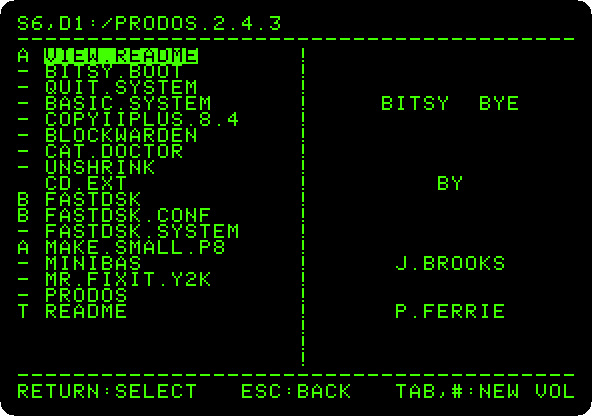
The top line is the drive, slot 6 drive 1, and the name of the disk,
/PRODOS.2.4.3: in ProDOS a disk is a volume with a name, and a file is found by its path, from the volume through the folders to it. The letter before each name is its type:-a system program,Aa BASIC program,Ba binary file,Ttext. -
Press the down arrow three times, to
BASIC.SYSTEM, and Return. BASIC.SYSTEM is Applesoft with the commands of ProDOS added. It loads, and gives the prompt of Applesoft.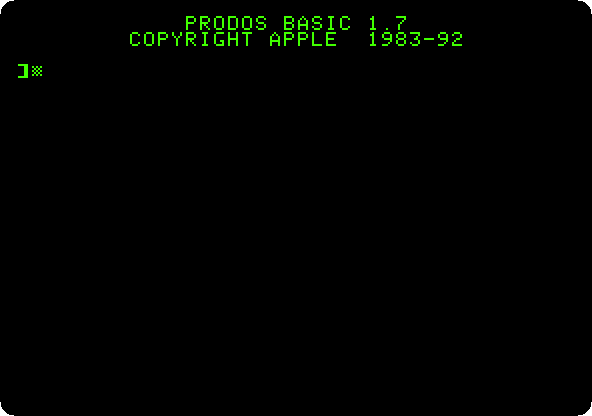
The catalog
-
Type
PR#3andCATALOG. In 80 columns,CATALOGgives the whole story of each file: its type, its size in blocks of 512 bytes, when it was changed and made, its length in bytes and, for binary files, the address it loads at.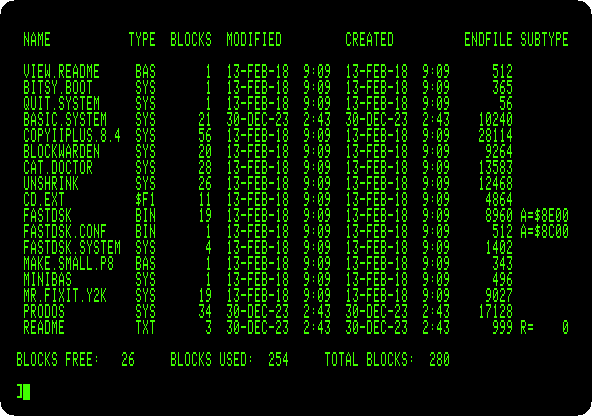
The diskette has 280 blocks, 140 KB, as under DOS 3.3.
CATgives a shorter list that fits in 40 columns, andPREFIXsays which folder the commands work in.
The RAM disk
-
Type
HOMEandCATALOG /RAM./RAMis a disk that ProDOS makes in the 64 KB of memory of the extended 80 column card: 127 blocks, as fast as memory, and empty again when the machine is switched off.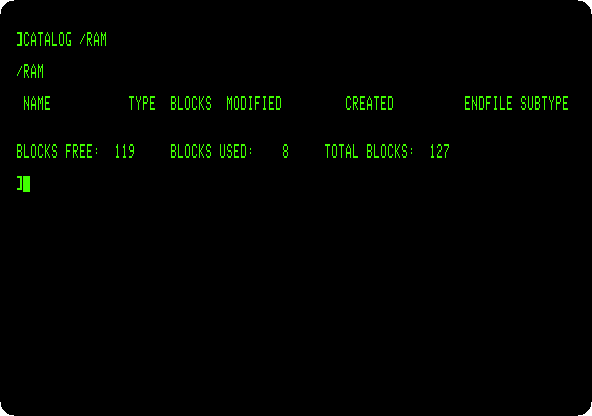
-
Make a folder on it, and a program that writes a note there:
HOME CREATE /RAM/NOTES PREFIX /RAM/NOTES 10 D$ = CHR$ (4) 20 PRINT D$;"OPEN NOTE" 30 PRINT D$;"WRITE NOTE" 40 PRINT "MADE ON AN APPLE //E" 50 PRINT D$;"CLOSE NOTE" 60 PRINT D$;"OPEN NOTE" 70 PRINT D$;"READ NOTE" 80 INPUT A$ 90 PRINT D$;"CLOSE NOTE" 100 PRINT "THE NOTE SAYS: ";A$ SAVE WRITE.NOTE RUN CATALOGCREATEmakes the folder, andPREFIXmakes it the one the commands work in, soNOTEis/RAM/NOTES/NOTE. A program gives ProDOS a command by printing it after Control-D,CHR$(4): afterWRITE, what it prints goes to the file, and afterREAD,INPUTreads from the file. The program writes its line, reads it back, and prints it.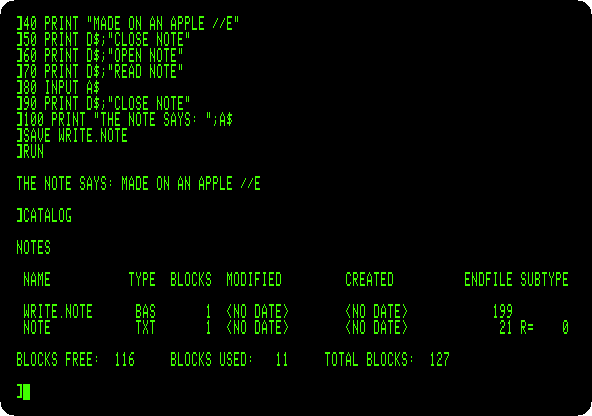
The catalog of the folder has the program,
BAS, and the note,TXT, 21 bytes. There is no date: the machine has no clock.
Copy II Plus
-
Type
BYE. BASIC.SYSTEM ends, and Bitsy Bye comes back, on the disk of the prefix,/RAM, with the folder on it.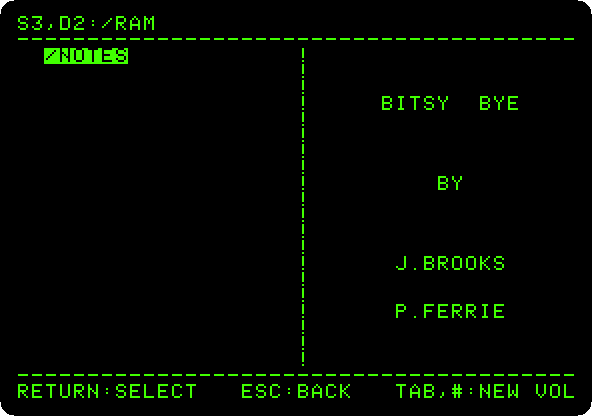
-
Press Tab to go to the next disk, the diskette in slot 6, and choose
COPYIIPLUS.8.4, the fifth. Press Escape when it asks for the date. Copy II Plus, by Central Point Software, copied, catalogued, renamed and repaired files and disks, of DOS 3.3 and of ProDOS, and its Copy still has the bit copies, for disks protected against copying.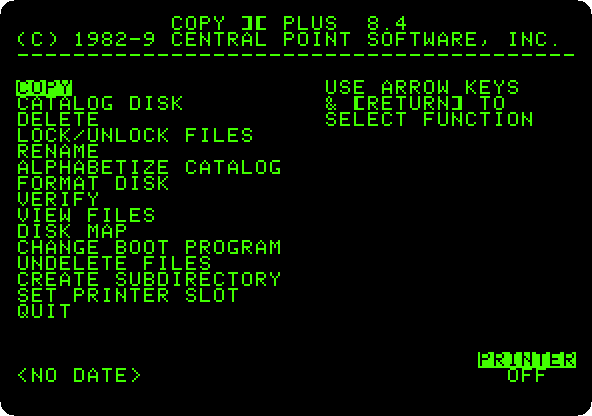
-
Choose Disk Map, with the arrows and Return, and Return again for the diskette in slot 6, drive 1. It reads the diskette and draws its blocks: a column for each of its 35 tracks, numbered in hexadecimal, a row for each of the 16 sectors of a track, and a star where a sector is used.
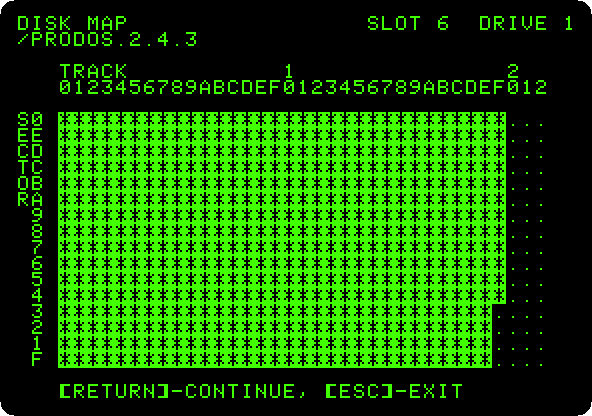
The diskette is nearly full, as the catalog said: 26 blocks free.
-
Press Return, and the right arrow, a file at a time. The map shows where each file is on the diskette.
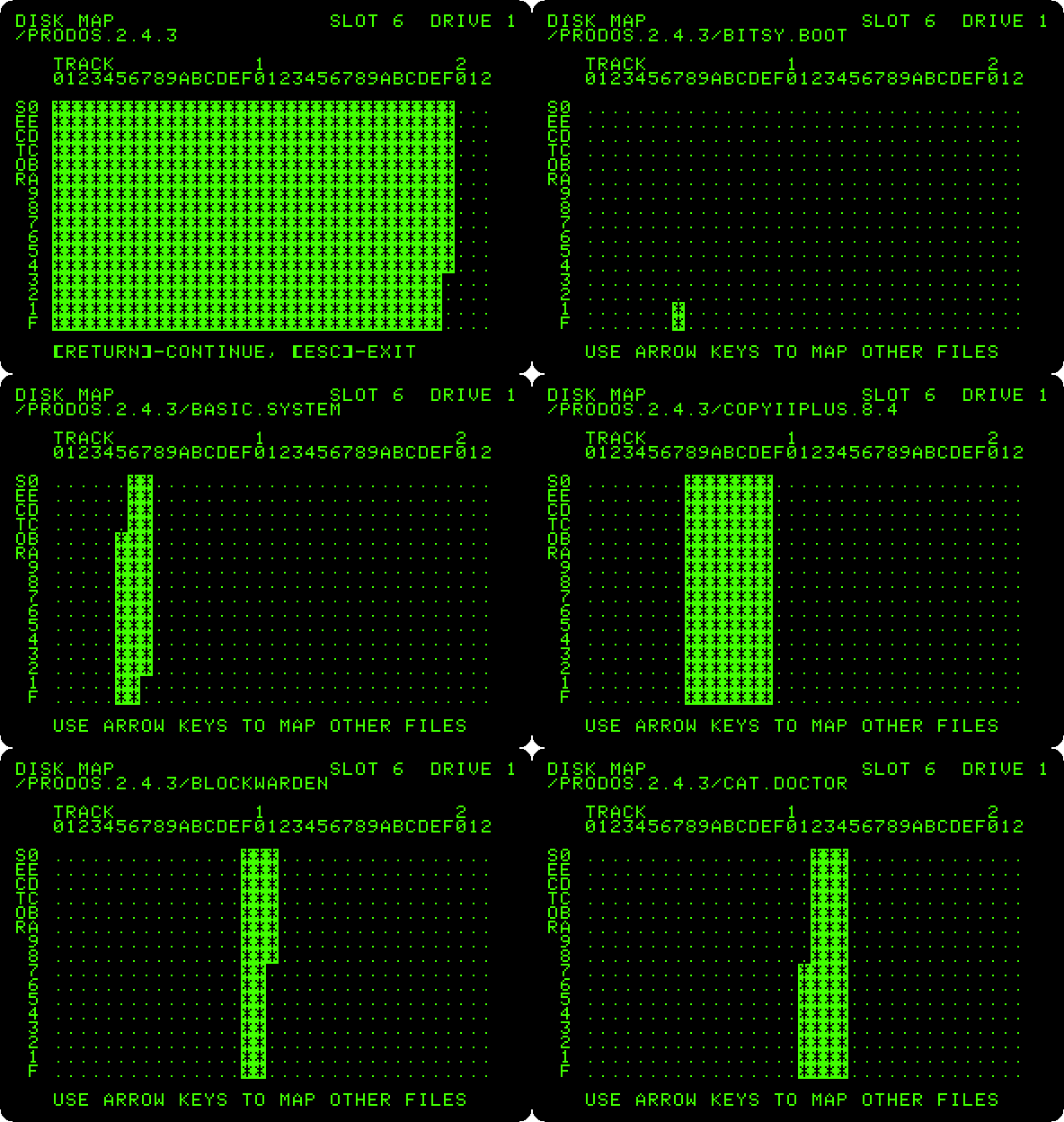
A file of ProDOS is in blocks wherever there is room, not always next to each other, and the map shows when it is in pieces.
What next
Life with DOS 3.3 is the system ProDOS replaced, and Apple II DeskTop runs on ProDOS, from a hard disk.