CP/M-65: CP/M on the 6502
CP/M, the operating system of Digital Research, was written for the 8080 and
the Z80, and the Apple II only ran it with a Z80 on a card, the
SoftCard. CP/M-65 is CP/M written again for the 6502 itself,
by David Given, begun in 2022: the same commands, DIR, ERA, TYPE,
STAT, SUBMIT, the same files of eight letters and three, and programs
that ask the BDOS for what they need, as on CP/M. It runs on many machines of
the 6502, the BBC Micro, the Commodore 64, the Atari 800, the Oric and the
Apple //e among them, and its programs are relocatable, so that the same
file runs on all of them, loaded wherever each has room.
This page starts CP/M-65 on an enhanced Apple //e, looks at its disk, runs the demonstration that assembles a program on the machine, writes a program of its own in the editor QE, assembles it and runs it, and writes a program in the Atari BASIC it comes with, saved among the files.
What you need
cpm65-apple2e.po, the disk of CP/M-65 for the Apple //e that izapple2
has inside for its model cpm65, since 2024. It is
in the repository of izapple2;
./fetch-disks.sh in this repository downloads it into disks/ and checks
it. The newest disk is apple2e.po in the
development release
of CP/M-65, built again with each change, so its files may differ from the
ones here.
The README of CP/M-65 tells what it
has, and its assembler, its editors and its BASIC are described in the text
files of the disk itself, as ASM.TXT, and in the
manual of Altirra BASIC.
The two programs of this page are listings/alphabet.asm and listings/powers.bas.
The machine
An enhanced Apple //e:
- the 65C02 processor at 1 MHz and 128 KB of memory: 64 KB on the board, the top 16 KB of it the memory of a language card, which izapple2 puts in slot 0, and 64 KB more on the extended 80 column card, in the auxiliary slot, which gives CP/M-65 its 80 columns;
- a Disk II controller card in slot 6, with CP/M-65 in drive 1.
izapple2 -model none -board 2e -cpu 65c02 -screen green \
    -rom "<internal>/Apple2e_Enhanced.rom" \
    -charrom "<internal>/Apple IIe Video Enhanced.bin" \
    -s0 language \
    -s6 diskii,disk1=disks/cpm65-apple2e.po
The model cpm65 of izapple2 has this machine, with 8 MB more of memory on
a RAMWorks card, a No-Slot Clock, a VidHD card, a FASTChip accelerator and a
Mockingboard more, and this same disk inside izapple2; named on the command
line, the disk of disks/ goes in its place:
izapple2 -model cpm65 -screen green disks/cpm65-apple2e.po
Start it
-
Start izapple2 with the command above. In a few seconds of the drive, the name of the system and its prompt,
A>: drive A, waiting for a command.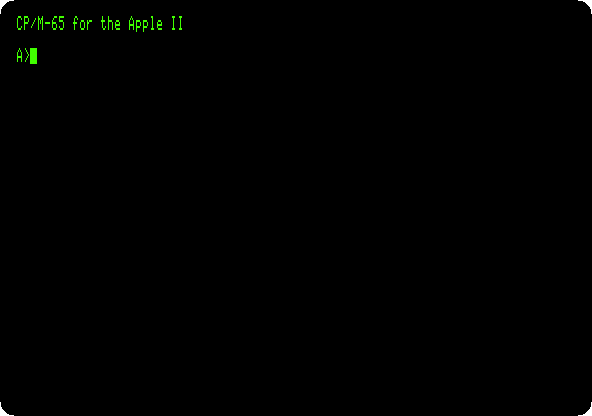
-
Type
DIR,STATandCPUINFO, each with Return.DIRlists the files of the disk, five to a line: the commands, the files.COM, and their texts and sources.STATsays how much room is left, 2 KB of 133, andCPUINFOwhich processor it runs on, the 65C02 of the enhanced //e.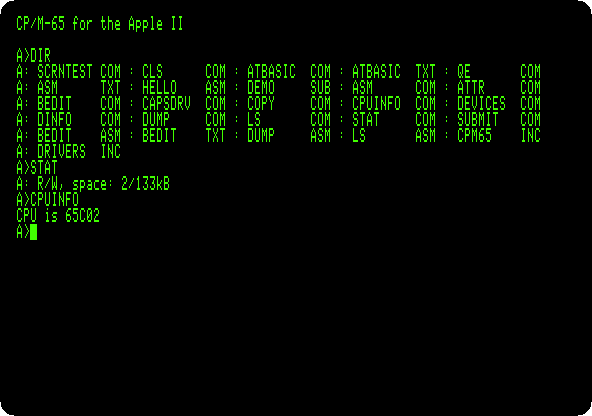
A program assembled on the machine
-
Type
CLSto clear the screen, andSUBMIT DEMO.SUBMITruns the commands of a file,DEMO.SUB, one after the other, as if typed:type hello.asmshows a program in the assembly language of the 6502,asm hello.asm hello.comassembles it into a command, andhelloruns it.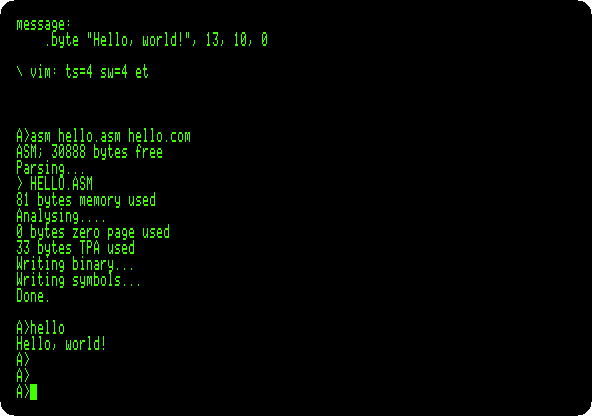
The program loads the address of its message into A and X, the number of a function of the BDOS into Y, 9, which writes a text, and calls the BDOS.
jsr start - 3is that call: CP/M-65 puts a jump to the BDOS just before the first instruction of each program it loads, wherever that is.
A program of your own
The assembler leaves files of its own on the disk, and 2 KB are not enough for one more program.
-
Make room: type
ERA BEDIT.ASM, which erases the source of the editor BEDIT, andSTAT: 29 KB free now.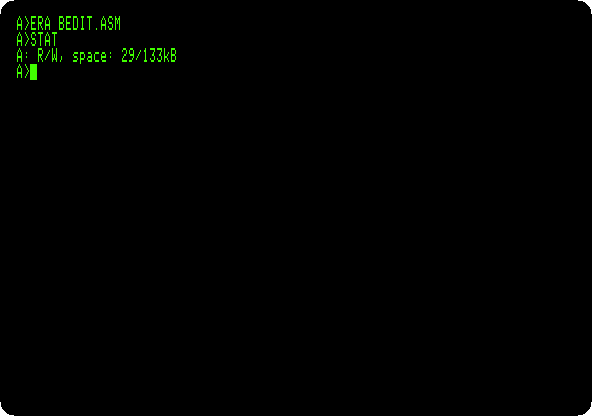
-
Type
QE ALPHABET.ASM. QE is a screen editor in the manner of vi: the file is new, and empty, Could not read file. Pressito insert, and type the program, a line with Return after each, the last too:\ The alphabet, a letter at a time, by the BDOS start: lda #'A' sta letter next: lda letter ldy #2 jsr start - 3 lda letter inc letter cmp #'Z' bne next lda #13 ldy #2 jsr start - 3 lda #10 ldy #2 jsr start - 3 rts letter: .byte 0It writes the letters from A to Z with function 2 of the BDOS, which writes the character in A, keeping the letter in a byte of its own, as the BDOS changes the registers; then a carriage return, 13, and a line feed, 10. The line after
\is a comment.Press Escape, to stop inserting.
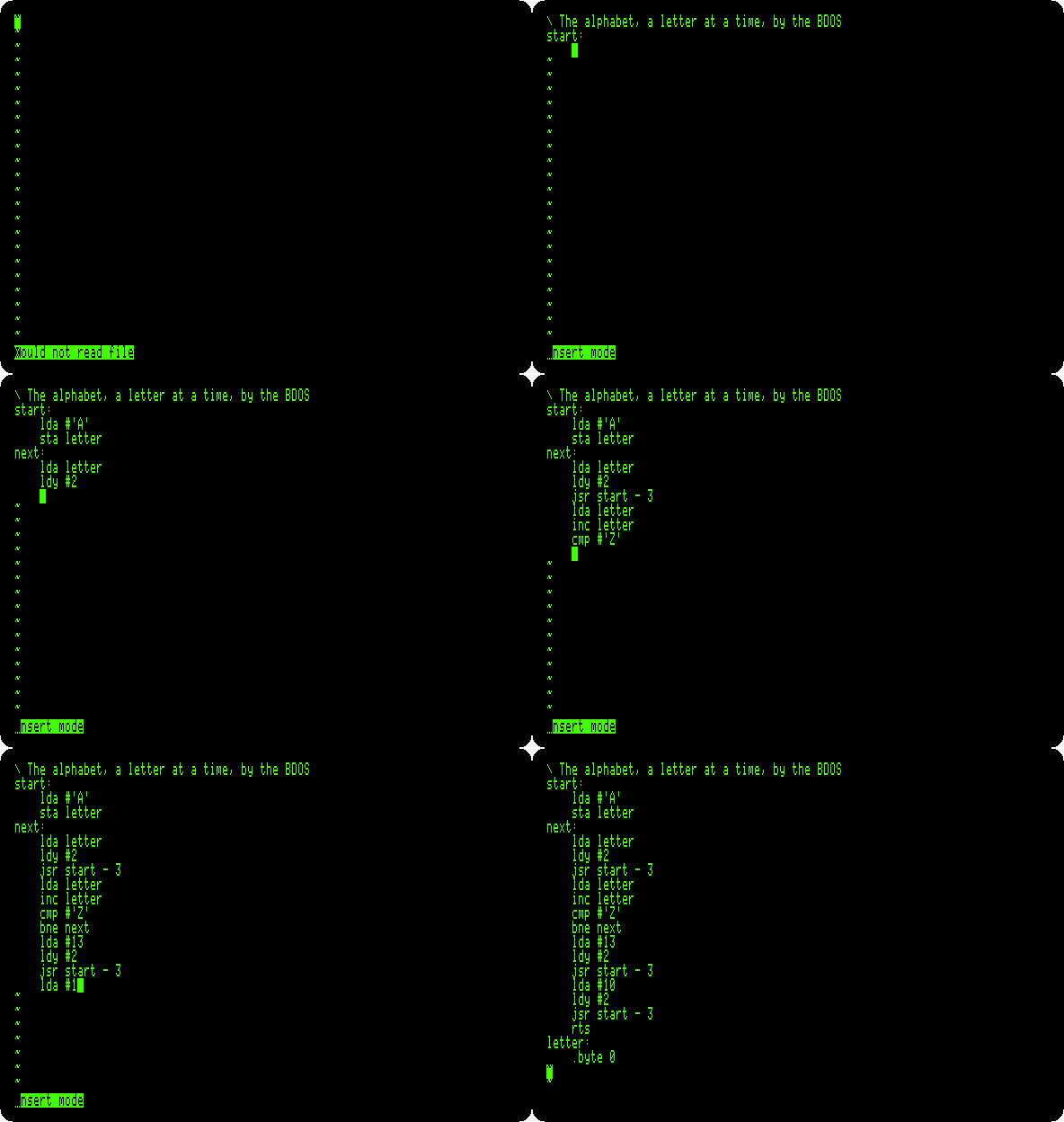
Then type
:wqand Return: QE writes the file, Writing ALPHABET.ASM, and quits.CP/M-65 has a simpler editor too, BEDIT, a line editor with line numbers in the manner of BASIC. Its
SAVEwrites only the first 128 bytes of each 256 of the file, in this version, so a program longer than 128 bytes saved with it is cut; QE writes it whole. -
Type
CLS,ASM ALPHABET.ASM ALPHABET.COMandALPHABET: assembled, and run.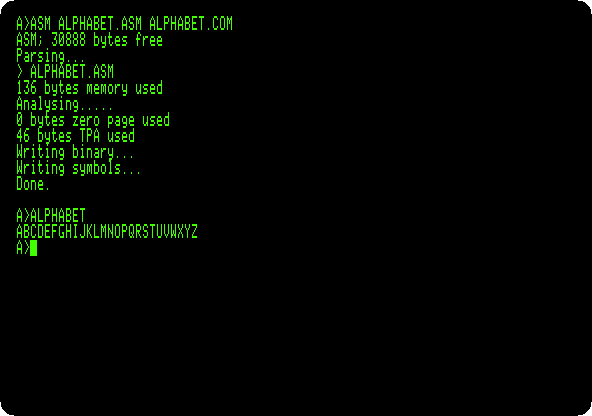
-
Type
DUMP ALPHABET.COM: the file, in hexadecimal. The program is at 000007,A9 41,lda #'A'; before it, four bytes that tell CP/M-65 how much memory the program needs and where its table of relocation starts, 00002E, and4C 00 00, the jump to the BDOS, which CP/M-65 fills in as it loads the program. From 00002E, after the 39 bytes of the program, that table: which bytes to change for the address the program is loaded at.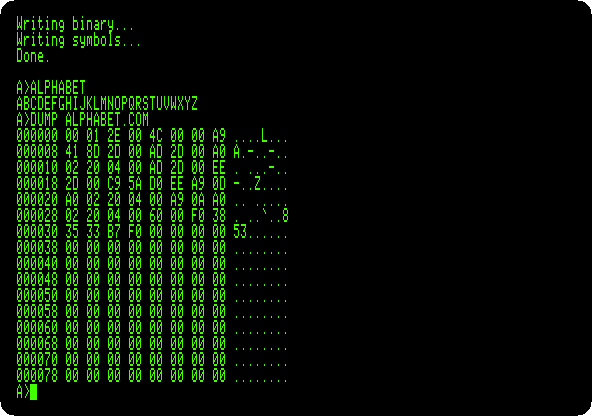
Atari BASIC
CP/M-65 comes with a BASIC, ATBASIC: Altirra BASIC, a recreation of the
BASIC of the Atari 8-bit computers, made to run on CP/M-65 by its author,
without the graphics and the sound of the Atari, and with files of CP/M.
-
Type
CLSandATBASIC. It says Ready. The disk has an example as text,ATBASIC.TXT: typeENTER "ATBASIC.TXT", which reads a program from a text,LISTandRUN.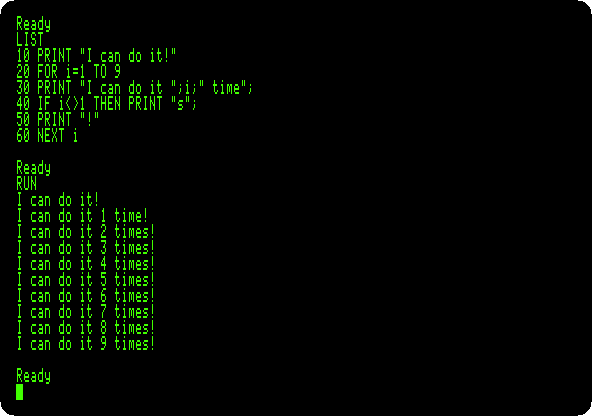
-
Type
NEW, and the program of the page, a line at a time with Return:10 FOR N=1 TO 12 20 PRINT N,N*N,2^N 30 NEXT Nand
RUN: a number, its square and two to its power, in columns. The powers come out a little off, 3.99999999 for 2 to the 2: they are worked out with logarithms, not by multiplying.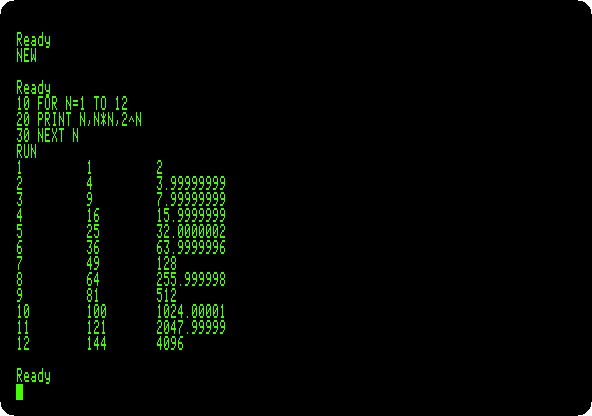
-
Type
SAVE "POWERS.BAS",NEW, which empties the memory,LOAD "POWERS.BAS"andLIST: the program is back, from the disk.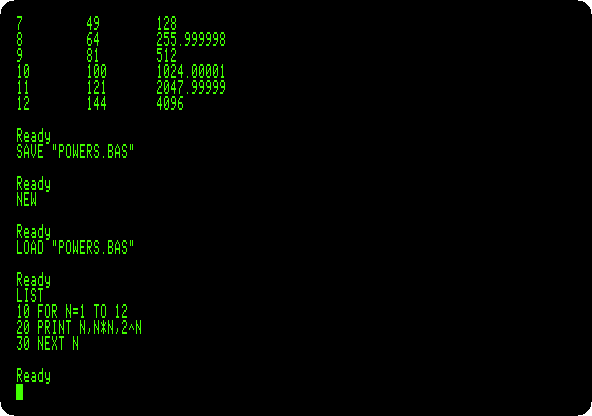
-
Type
BYE, back to CP/M-65, andDIR: among the files,POWERS.BAS, and the program of the page,ALPHABET.ASM, the commandALPHABET.COMand the symbols the assembler wrote,ALPHABET.SYM.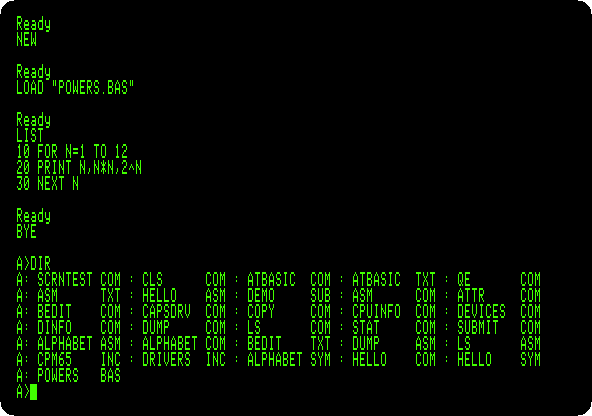
What next
Next: The languages of the BBC Micro on a //e: Applecorn.
CP/M on the Z80 SoftCard is the CP/M of its day on the Apple II, on a Z80, and Assembly language with Merlin assembles a program for the 6502 with the assembler of ProDOS days.