Assembly language with Merlin
BASIC on the Apple II worked out each line again every time it ran it, and
games and anything that had to be fast were written in the language of the
6502 itself: its instructions, a byte or three each, written as names, LDA,
STA, JSR, and turned into bytes by an assembler. Merlin, by Glen
Bredon, sold by Southwestern Data Systems from 1981, was the assembler of
many: an editor, the assembler, and the Monitor of the ROM a command away.
This page types a program of 50 lines in the assembly language of the 6502 into Merlin, assembles it, and runs it: bars of colour in the low resolution graphics, drawn and moved many times a second, the picture Forth takes ten seconds to draw once.
What you need
Merlin Macroassembler Side 1 (SDS, 1983).dsk, Merlin 1983, on the
Asimov archive.
It is a copy with its protection taken out, as its
readme
says. ./fetch-disks.sh in this repository downloads it into disks/ and
checks it. The program is in this repository too,
listings/bars.s.
The manual of Merlin, by Glen Bredon, of 1982, is on the Internet Archive.
The machine
An Apple ][+ with 64 KB and one disk drive:
- the 6502 processor at 1 MHz, 48 KB of memory, and Applesoft BASIC in its ROM;
- the keyboard of the ][+, which types only capitals;
- a 16 KB Language Card in slot 0, which Merlin keeps itself in: without
it, it says
RAMCARD NOT FOUND; - a Disk II controller card in slot 6, with Merlin in drive 1.
izapple2 -model none -board 2plus -cpu 6502 -screen green \
    -rom "<internal>/Apple2_Plus.rom" \
    -charrom "<internal>/Apple2rev7CharGen.rom" -forceCaps \
    -s0 language \
    -s6 'diskii,disk1="disks/Merlin Macroassembler Side 1 (SDS, 1983).dsk"'
This Merlin is for the ][+: on an enhanced //e, in izapple2, it stops at
a black screen after its title. The model 2plus of izapple2 has this
machine, with a Videx Videoterm 80 column card more:
izapple2 -model 2plus -screen green "disks/Merlin Macroassembler Side 1 (SDS, 1983).dsk"
Merlin
-
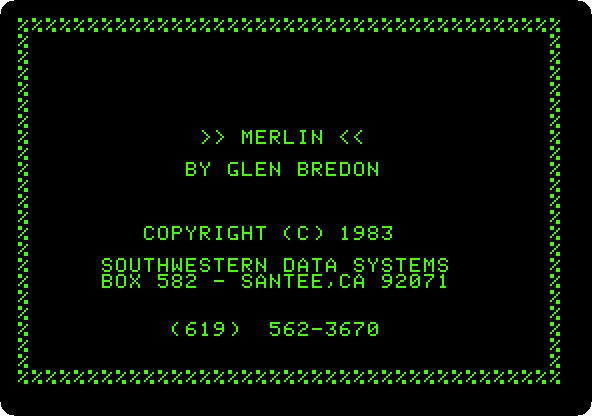
Start izapple2 with the command above. Merlin loads, and shows its title until a key is pressed.
-
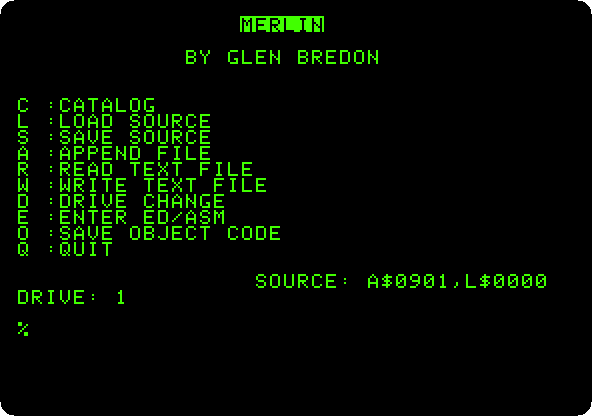
Press Return for its menu: the disk on one side, and E for the editor and the assembler on the other.
The program
-
Press E, and at the prompt of the editor,
:, typeAand Return to add lines. Merlin numbers each line, and puts each field in its column: the label, the instruction, its operand and the comment after a;. Type a single space between the fields, and one at the start of a line without a label; a line that starts with*is a comment. An empty line ends the adding. Here is the program in parts:The start:
ORGsays where the program runs,$8000, where Merlin puts what it assembles, so that it can be run right there.EQUnames three bytes of the zero page, the first 256 bytes of memory, which the 6502 reaches faster and through which it reaches others. Reading the addresses$C050,$C056and$C052switches the screen to the low resolution graphics, on all of it:* COLOUR BARS THAT MOVE, IN THE * LOW RESOLUTION GRAPHICS ORG $8000 PTR EQU $06 SHIFT EQU $08 COL EQU $09 START LDA $C050 ;GRAPHICS LDA $C056 ;LOW RESOLUTION LDA $C052 ;WHOLE SCREEN LDA #0 STA SHIFTThe picture: for each of the 24 lines of the screen, from the last, its address from the tables at the end goes in
PTR, and for each of the 40 columns, from the last, a colour, half the column plusSHIFT, from 0 to 15. Each byte of the screen is two blocks, one above the other, so the colour goes in both halves, shifted four bits up and joined to itself, andSTA (PTR),Ywrites it at the address inPTRplus the column:FRAME LDX #23 ;EVERY LINE ROW LDA LO,X STA PTR LDA HI,X STA PTR+1 LDY #39 ;EVERY COLUMN COLUMN TYA LSR ;TWO COLUMNS A BAR CLC ADC SHIFT AND #$0F STA COL ASL ;THE COLOUR IN ASL ;BOTH HALVES ASL ASL ORA COL STA (PTR),Y DEY BPL COLUMN DEX BPL ROWThen
SHIFTgoes up by one, so that the next picture has every colour one place along,$FCA8in the ROM waits a moment, and if no key is down,$C000, it goes round again. A key,$C010cleared, the text back, and the screen cleared with$FC58of the ROM, asHOMEdoes:INC SHIFT LDA #$60 JSR $FCA8 ;WAIT LDA $C000 ;A KEY? BPL FRAME STA $C010 LDA $C051 ;TEXT AGAIN JSR $FC58 ;CLEARED RTSThe tables, the address of each line of the screen, the low byte and the high byte, as Wozniak laid out its memory:
* WHERE EACH LINE OF THE SCREEN IS LO DFB $00,$80,$00,$80,$00,$80,$00,$80 DFB $28,$A8,$28,$A8,$28,$A8,$28,$A8 DFB $50,$D0,$50,$D0,$50,$D0,$50,$D0 HI DFB $04,$04,$05,$05,$06,$06,$07,$07 DFB $04,$04,$05,$05,$06,$06,$07,$07 DFB $04,$04,$05,$05,$06,$06,$07,$07 -
Type
L1,25to list the first lines, as Merlin keeps them, in their columns, the long comments folded at the edge of the screen.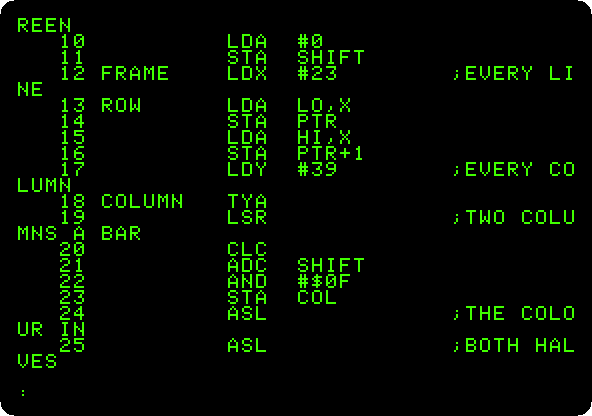
Assemble and run
-
Type
ASM, and N when it asks whether to update the source, a question for the date in its header. Merlin assembles the program in two passes, the first to learn where each label is and the second to write the bytes, and ends with the size, 120 bytes, no errors, and the table of the labels and their values.STARThas a?: no instruction uses it.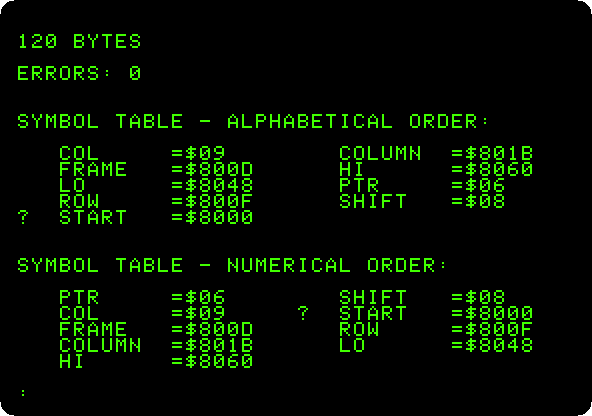
-
Type
MONto go to the Monitor of the ROM, and8000Gto run the program at$8000. Press F6 in izapple2 for colour.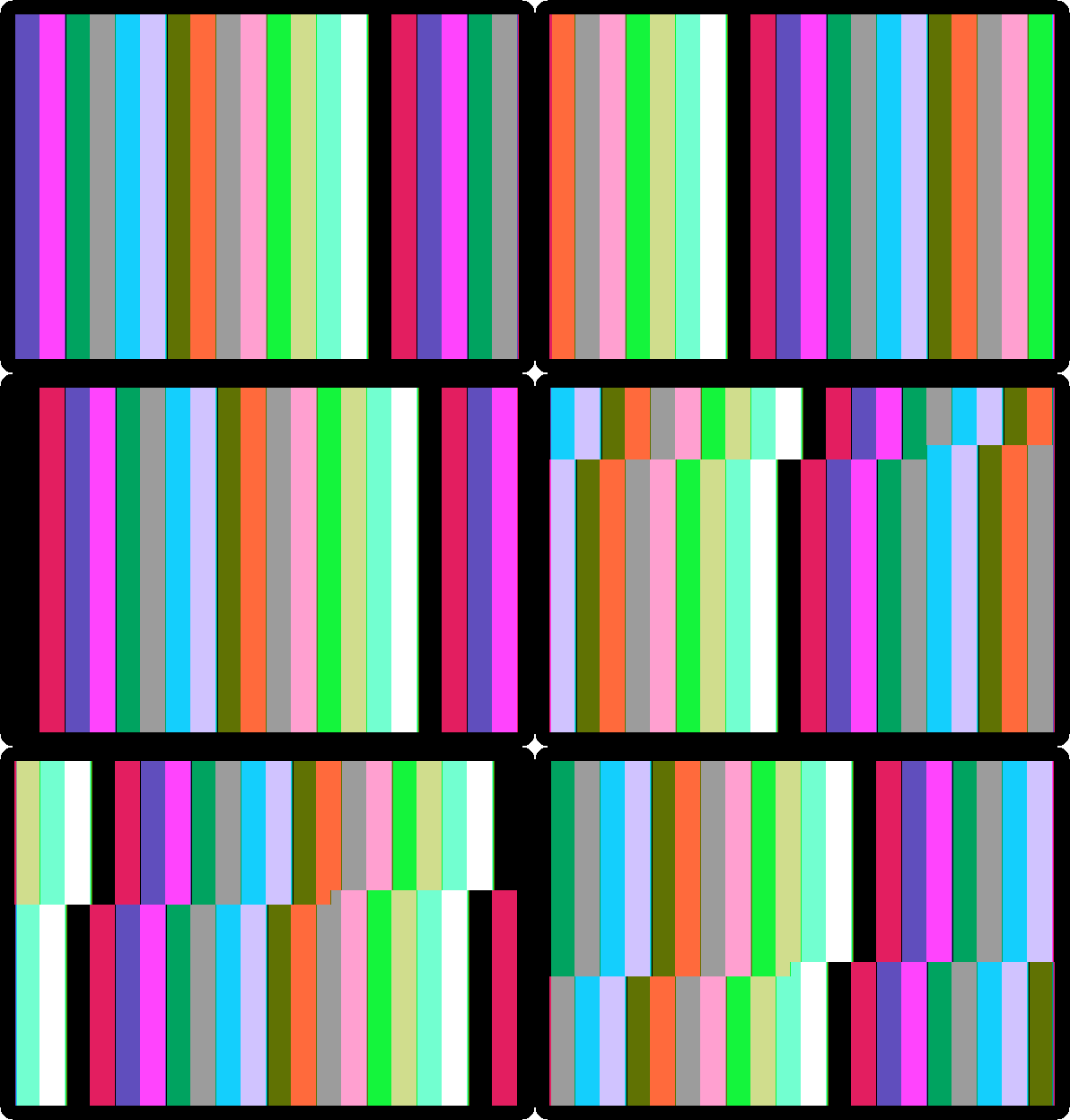
Every colour moves one bar along at each picture. The picture is drawn while the screen shows it, and the edge between the old and the new one is the tear across. Press a key to stop it, back to the Monitor.
-
Type
8000L: the Monitor lists the bytes from$8000as instructions, as it finds them, with no names: the program as the 6502 sees it.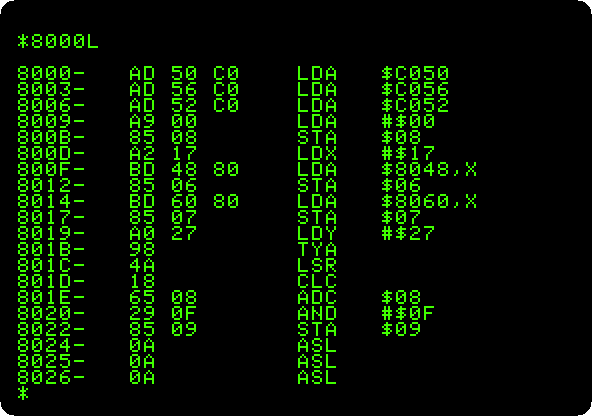
Control-Y, in the Monitor, goes back to Merlin’s editor.
What next
The Apple ][ of 1977 has the Mini-Assembler, which assembles a line at a time with no labels, and Forth in ROM draws the same bars, slowly.