Switch on an Apple IIc
Apple showed the Apple IIc in April 1984, three months after the first Macintosh: an Apple II to carry, with a handle that folded under it to tilt the keyboard. Inside it was a //e, with the 65C02 processor and the MouseText that the //e had only a year later, and all that an owner of a //e put in its slots: 128 KB of memory, 80 columns, a disk drive in its side, two serial ports, for a printer and a modem, and a port for a mouse or a joystick. It had no slots, and nothing to open.
It came with Apple Presents the IIc, an interactive owner’s guide: a book and diskettes that taught the machine on its own screen. This page switches the IIc on with no disk, gives Applesoft a command, and puts it in 80 columns; the pages after it go through the diskettes of the guide.
What you need
Only izapple2: the ROM of the IIc comes inside it.
The Apple IIc Owner’s Manual and the book of the guide, Apple Presents the Apple IIc: An Interactive Owner’s Guide, are on the Internet Archive.
The machine
The Apple IIc of 1984, with its first ROM, version 255:
- the 65C02 processor at 1 MHz and 128 KB of memory: 64 KB, the top 16 KB of it the memory of a language card, which izapple2 puts in slot 0 as for the //e, and 64 KB more where the //e has its extended 80 column card;
- its two serial ports, in slots 1 and 2 for the programs, as the cards of a //e would be: the printer port and the modem port;
- its 80 columns, in slot 3 for the programs;
- its disk drive, on the disk port of the IIc, which izapple2 puts in slot 6.
izapple2 -model none -board 2c -cpu 65c02 -screen green \
    -rom "<internal>/Apple2c_ROM255.rom" \
    -charrom "<internal>/Apple IIe Video Enhanced.bin" \
    -s0 language \
    -s1 iicserial \
    -s2 iicserial \
    -s6 iicdisk
The model 2c_rom255 of izapple2 is this machine, with DOS 3.3 in its
drive, which starts at once instead of waiting:
izapple2 -model 2c_rom255 -screen green
Switched on
-
Start izapple2 with the command above. The IIc says
Apple //cat the top of the screen, and looks for a diskette in its drive, and waits for one.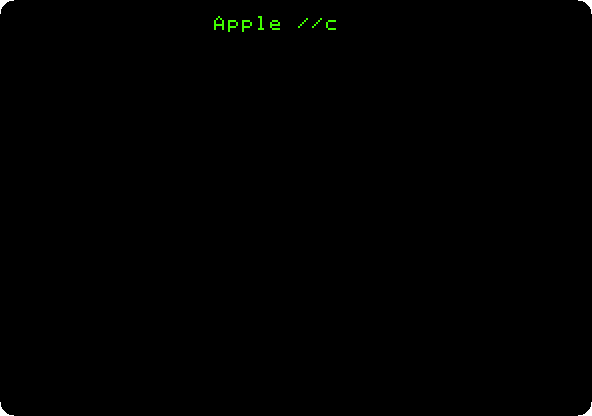
-
Press Control-Reset, Control-F2 in izapple2, to stop looking. The IIc goes to Applesoft BASIC, in its ROM. Type
print "Hello, //c"andprint 6*7, each with Return.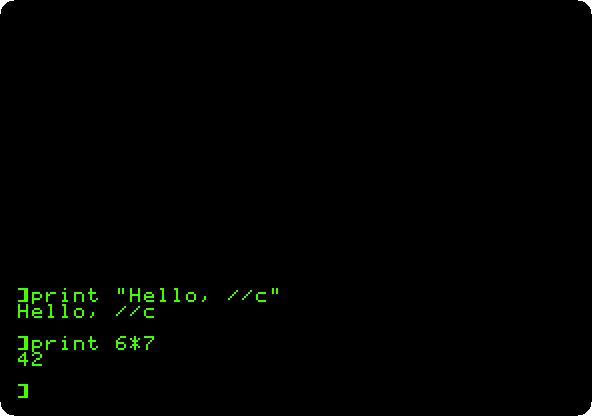
As on the enhanced //e, Applesoft takes its commands in small letters.
-
Type
PR#3and Return: the screen goes to 80 columns, with the firmware the IIc has in its ROM for slot 3, where a //e has the card. Type a line of a program,10 FOR I = 1 TO 8: PRINT I, I * I, I * I * I, SQR(I): NEXT, andLISTandRUN.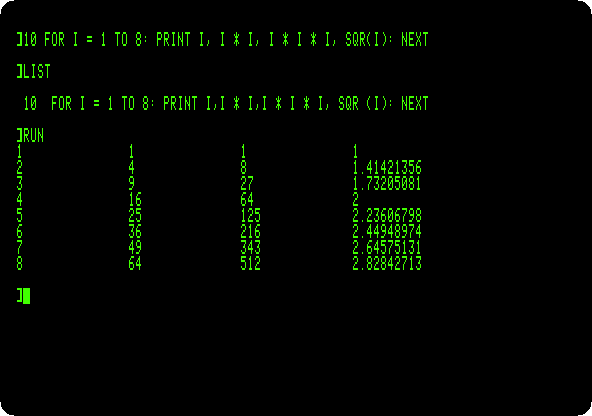
The commas of
PRINTgo to the next column of 16 characters, and four fit in 80 columns.
Apple Presents the IIc
The diskettes of the guide, a page each:
- Apple Presents the IIc: An Introduction: the keyboard, a name typed, a diner, the colours and the 80 columns
- Apple Presents the IIc: The Apple at Work: a survey, a quiz, and a letter changed in the word processor of AppleWorks, imitated
- Apple Presents the IIc: The Apple at Play: Lemonade Stand, a sonata, a quiz, a hand of Apple 21 and Space Quarks
- Apple Presents the IIc: The Inside Story: the detective story of how a computer works, the inside of the IIc, and a turn of its game
- Apple Presents the IIc: Getting Down to BASIC: the lessons of Applesoft, with a name, a number and a sum typed
- Apple Presents the IIc: Exploring Apple Logo: the turtle, a square, REPEAT, and a new word taught to it with Leo Logolover
What next
Next: Apple Presents the IIc: An Introduction.
Switch on an Apple //e is the machine inside it, and Two Apple IIcs on the line uses its modem port.